Need a Wahoo Fitness Promo Code? How Athletes Can Save Big in 2025

Need a Wahoo Fitness Promo Code? How Athletes Can Save Big in 2025

Youโ€™re ready to take your training to the next level. Youโ€™ve researched the gear, watched the reviews, and decided that Wahoo Fitness is the ecosystem for you. Thereโ€™s just one last hurdle: the price tag. Finding a valid wahoo fitness promo code can feel like searching for a mythical creature, but itโ€™s absolutely possible to score a fantastic deal on that new KICKR trainer or ELEMNT bike computer.

This isnโ€™t just a list of expired codes. This is your ultimate strategy guide. Weโ€™re going to break down exactly where to look, when to buy, and how to combine tactics to get the most significant savings possible. Get ready to upgrade your pain cave without emptying your wallet!

Quick Summary

  • Check the Source First: The most reliable discounts often come directly from Wahoo. Signing up for their email newsletter is the number one way to get notified about sales and receive potential welcome offers.
  • Timing is Everything: Major holidays like Black Friday, Cyber Monday, and New Yearโ€™s are prime time for Wahoo sales. Plan your purchase around these key seasonal events for the biggest price drops.
  • Explore Partner & Retailer Deals: Donโ€™t limit your search to Wahooโ€™s website. Authorized retailers like Amazon and Competitive Cyclist often have their own promotions, and Wahoo sometimes offers exclusive discounts through partner brands.
  • Think Beyond a Simple Code: Maximizing savings can involve more than a coupon. Consider purchasing product bundles, looking for certified refurbished gear, or using cash-back browser extensions to stack your savings.

What Makes Wahoo Fitness Gear So Awesome?

Before we dive into the discounts, letโ€™s talk about why Wahoo gear is worth the investment in the first place. Itโ€™s not just about having the latest tech; itโ€™s about building a connected training ecosystem that provides accurate, reliable data to make you a better athlete. Wahoo has built its reputation on quality, innovation, and a user-friendly experience that just works.

At the heart of the ecosystem are the KICKR smart trainers. From the premium KICKR to the budget-friendly KICKR SNAP, these trainers are famous for their realistic ride feel, quiet operation, and rock-solid stability. They connect effortlessly with training apps like Zwift and TrainerRoad, making indoor riding more engaging and effective than ever before. Youโ€™re not just spinning your wheels; youโ€™re immersing yourself in a virtual world of structured workouts and competitive races.

Shop On Amazon Now

Then you have the ELEMNT series of GPS bike computers. The ROAM and BOLT are celebrated for their incredibly intuitive interface, easy-to-read screens, and powerful navigation features. They integrate perfectly with the KICKR trainers and other sensors, creating a unified system for tracking your performance both indoors and out. Add in the TICKR heart rate monitors for precise cardiac data and the SPEEDPLAY pedal systems for optimal power transfer, and you have a complete setup designed to help you reach your peak potential.

The Ultimate Hunt: Where to Find a Working Wahoo Promo Code

Alright, letโ€™s get to the main event! Finding a legitimate wahoo promo code requires a bit of strategy. Codes can be elusive, but by checking these key places regularly, you dramatically increase your chances of finding a great deal.

1. The Official Wahoo Fitness Newsletter

This is your ground zero. Your first move should always be to visit the Wahoo Fitness website and sign up for their email list. Brands use their newsletters to communicate directly with their most interested customers. This is where they announce flash sales, new product launches, and, most importantly, exclusive discount codes.

Often, new subscribers receive a one-time welcome offer, like $25 off a purchase over a certain amount. Itโ€™s a simple step that can provide immediate savings.

2. Partner Offers and Collaborations

Wahoo frequently collaborates with other brands in the fitness and nutrition space. Keep an eye on their โ€œPartnersโ€ page on the official website. You might find exclusive offers, such as a discount on a Wahoo product when you subscribe to a nutrition service or training platform. These are often cross-promotional deals that arenโ€™t advertised elsewhere, making them a hidden gem for savvy shoppers.

3. Social Media and Influencer Codes

Follow Wahoo Fitness on all major social media platforms like Instagram, Facebook, and Twitter. This is where theyโ€™ll post about sitewide sales and limited-time promotions. Additionally, follow professional athletes, cycling teams, and fitness influencers sponsored by Wahoo. These individuals often receive unique wahoo fitness coupon codes to share with their followers.

Itโ€™s a win-win: they get credit for driving sales, and you get a discount on your gear.

4. Community Forums like Reddit

Never underestimate the power of the community! Subreddits like r/wahoofitness or r/cycling are fantastic resources. Users often share discount codes theyโ€™ve found, discuss ongoing sales, or post about their experiences with different retailers. Use the search function within these communities to look for recent posts about a โ€œwahoo fitness discount.โ€ While some codes may be expired, you can often find timely information from fellow athletes.

A Step-by-Step Guide to Using Your Wahoo Fitness Coupon

Youโ€™ve successfully hunted down a promo codeโ€”awesome! Now, letโ€™s make sure you apply it correctly to lock in your savings. The process is straightforward, but itโ€™s always good to know the exact steps to avoid any checkout hiccups.

  1. Shop for Your Gear: Browse the Wahoo Fitness website and add the items you want to purchase to your shopping cart. Whether itโ€™s a new KICKR CORE or an ELEMNT ROAM, make sure itโ€™s in your cart before proceeding.

  2. Proceed to Checkout: Once youโ€™re done shopping, click on the cart icon and select the option to check out. Youโ€™ll be taken to the first page of the checkout process where you enter your shipping information.

  3. Find the Promo Code Field: On the right side of the checkout screen, youโ€™ll see a summary of your order. Look for a field labeled โ€œGift card or discount codeโ€ or something similar. This is where the magic happens.

  4. Enter Your Code: Carefully type or paste your wahoo promo code into this box. Pay close attention to capitalization and make sure there are no extra spaces before or after the code.

  5. Click โ€˜Applyโ€™: After entering the code, click the โ€œApplyโ€ button. The page should refresh, and youโ€™ll see the discount reflected in your order total. If the code is valid and meets the terms and conditions (e.g., minimum purchase amount), your subtotal will decrease. If it doesnโ€™t work, double-check the codeโ€™s spelling and its expiration date.

Pro Tip: Some promo codes are only valid for first-time customers or require you to be logged into a Wahoo account. If a code isnโ€™t working, read the fine print on the promotion to ensure you meet all the requirements.

Decoding Wahooโ€™s Deals: Current Promotions & Seasonal Sales

While specific promo codes come and go, Wahooโ€™s sales calendar has a predictable rhythm. Understanding this rhythm is key to planning your purchase and getting the best possible price. Instead of waiting for a random coupon to appear, you can strategically time your buy to coincide with major sales events.

Black Friday and Cyber Monday

This is the Super Bowl of sales, and Wahoo almost always participates. The late November shopping weekend is typically when youโ€™ll see the steepest discounts of the year. Expect significant price drops on popular items like KICKR trainers and ELEMNT computers. This is the perfect time to buy if you can wait, as the savings can be substantial.

Mark your calendar and start checking their site and your email in the weeks leading up to Thanksgiving.

New Yearโ€™s and Spring Sales

As people set new fitness goals for the year, Wahoo often runs promotions in January to capture the resolution-driven market. This is a great time to find a wahoo fitness discount on indoor training gear. Similarly, as the weather warms up in the spring, look for sales aimed at getting cyclists ready for the outdoor season. These sales might focus more on GPS computers, sensors, and pedals.

Tour de France Season

During the summer, especially around the time of the Tour de France, the cycling world is buzzing. Wahoo often capitalizes on this excitement with special promotions. These sales might be tied to the performance of their sponsored teams and can be a great opportunity to snag a deal while the sport is in the spotlight.

Wahoo Direct vs. Retailers: Whereโ€™s the Best Discount?

Shop On Amazon Now

Your search for savings shouldnโ€™t stop at the official Wahoo website. Authorized third-party retailers are another excellent place to find deals. Sometimes, they offer discounts that arenโ€™t available directly from the manufacturer. Hereโ€™s a comparison of your options.

Retailer Common Discount Types Pros Cons
WahooFitness.com Sitewide sales, newsletter codes, bundle deals Access to the full product line, including refurbished items Sales can be infrequent outside of major holidays
Amazon Prime Day deals, seasonal sales, lightning deals Fast and often free shipping for Prime members, easy returns Stock can be limited, watch out for non-authorized sellers
Competitive Cyclist Percentage-off sales, loyalty program points Expert customer service, frequent promotions Discounts may exclude certain brands like Wahoo
REI Member dividends, annual sales events Excellent return policy, member rewards Wahoo selection can be smaller than other retailers

Buying directly from Wahoo gives you access to their full inventory, including certified refurbished products, which are a fantastic way to save money. However, a retailer like Wahoo Fitness on Amazon might have a surprise sale or offer faster shipping. The best approach is to price-check across several authorized retailers when youโ€™re ready to buy. You might find that one of them is running a promotion that beats the direct price.

Real Talk: What Athletes Say About Their Wahoo Gear

Numbers and specs are one thing, but real-world experience is what truly matters. Across cycling forums and product review sites, the sentiment around Wahoo gear is overwhelmingly positive. Users consistently praise the brand for its reliability and ease of use. The phrase โ€œit just worksโ€ appears again and again, which is the highest compliment you can pay to a piece of technology.

Cyclists rave about the seamless integration of the Wahoo ecosystem. A user on a Reddit discussion might describe how their ELEMNT computer automatically controls their KICKR trainer during a workout, creating a hassle-free experience that lets them focus on their effort. This level of connectivity is a major selling point for athletes who donโ€™t want to waste time troubleshooting tech issues.

Of course, no product is perfect. Some users note that the initial investment for a full Wahoo setup can be high, which is precisely why finding a wahoo fitness coupon is so important. A few isolated reports might mention connectivity bugs after a firmware update, but these are generally addressed quickly by Wahooโ€™s customer support, which is also frequently praised for being responsive and helpful. The consensus is clear: Wahoo delivers a premium training experience that dedicated athletes find to be a worthwhile investment.

Pro Strategies for Maximum Savings on Wahoo Fitness

Ready to become a master of savings? A single promo code is great, but combining strategies can lead to even bigger discounts. Here are some expert tips to get the most value for your money.

1. Buy Certified Refurbished

This is arguably the best-kept secret for saving on Wahoo gear. Wahoo sells certified refurbished products directly on their website. These are items that have been returned, inspected, repaired, and tested to function like new. They come with a full warranty, just like a new product, but at a significantly lower price.

Stock is often limited, so you need to check back frequently, but the savings are well worth the effort.

2. Look for Product Bundles

Wahoo often sells its products in bundles, which can offer a better value than buying each item individually. For example, you might find a bundle that includes an ELEMNT bike computer, a TICKR heart rate monitor, and RPM speed and cadence sensors for one price. If you need multiple pieces of gear, a bundle is almost always the most cost-effective way to go.

3. Use Cash-Back Websites and Browser Extensions

Before you click that โ€œbuyโ€ button, make sure youโ€™re not leaving money on the table. Services like Rakuten or Honey can offer cash back on your purchases from Wahoo or other retailers. Simply activate the extension in your browser before you check out, and youโ€™ll earn a percentage of your purchase back. Itโ€™s an easy way to stack savings on top of any existing sales or discount codes.

Pro Tip: Some credit cards offer rotating bonus categories for online shopping or sporting goods stores. Check your credit cardโ€™s rewards program to see if you can earn extra points or cash back on your Wahoo purchase for a triple-dip on savings!

Frequently Asked Questions About Wahoo Discounts

Navigating the world of promo codes can bring up a lot of questions. Here are clear answers to some of the most common ones.

What are promo codes like SBM50 or TRIPLE20?

Specific codes like these are typically temporary, tied to a specific event, influencer, or short-term promotion. They often have a very short lifespan and may no longer be active. Instead of searching for a specific expired code, itโ€™s more effective to use the strategies mentioned aboveโ€”like signing up for the newsletterโ€”to find current, valid codes.

Is a Wahoo SYSTM membership worth it?

Wahoo SYSTM (formerly The Sufferfest) is a comprehensive training app that offers structured workouts, training plans, and other content. Whether itโ€™s worth it depends on your training needs. It provides a huge library of high-quality workouts and integrates perfectly with Wahoo hardware. Many users find it incredibly valuable for structured training, but you can also use your Wahoo trainer with other popular apps like Zwift or TrainerRoad.

How can I find a valid promo code?

The most reliable methods are to check the official Wahoo website, sign up for their email newsletter, and follow them on social media. Checking authorized retailers during major sales holidays like Black Friday is also a highly effective strategy. Be cautious of third-party coupon sites that list a large number of codes, as many are often expired or invalid.

How much does Wahoo Fitness cost?

The cost varies widely depending on the product. A TICKR heart rate monitor might be under $100, while a top-of-the-line KICKR smart trainer can cost over a thousand dollars. Itโ€™s best to check the official Wahoo Fitness site or trusted retailers for the most up-to-date pricing on specific items.

Can you use Wahoo for free?

The Wahoo Fitness app, which is used for basic ride tracking and device setup, is free to use. However, to access the structured workouts and training plans of their premium service, youโ€™ll need a paid subscription to Wahoo SYSTM. The hardware, of course, is a one-time purchase.

Final Thoughts

Equipping your training space with Wahoo Fitness gear is a significant step toward achieving your athletic goals. While the products represent a premium investment, a smart shopping strategy can make them much more accessible. By being patient, planning your purchase around key sales events, and using all the resources at your disposal, you can secure a fantastic deal.

Forget the endless searching for a mythical, all-powerful wahoo fitness promo code. Instead, focus on the reliable methods: subscribe to the newsletter, watch for holiday sales, and explore bundles and refurbished options. Your new Wahoo gear is waiting, and with these tips, youโ€™re now fully prepared to buy it at the best possible price.

Ready to check out the latest gear and see if any promotions are running right now? Head over to the Wahoo Fitness store on Amazon to explore their complete lineup of trainers, computers, and sensors.

Wahoo Fitness ELEMNT Bolt V2 GPS Bike Computer: An In-Depth 2025 Review

Bestseller #1
  • Compare with:Designed exclusively Case for Wahoo ELEMNT BOLT V3 GPS Cycling/Bike Computer, NOTE: Not compatible with othโ€ฆ
  • Premium Material:High-quality Leather case is made of high-quality silicone and skin friendly. Easier to install and remโ€ฆ
  • Easy to install: precision wrapping, easy to charge, no deformation and discoloration after long-term use.
Bestseller #2
  • This case is specially designed for Wahoo elemnt bolt bike computer, this case is sturdy, shockproof and waterproof to pโ€ฆ
  • You can travel with confidence with your Wahoo bolt v2, it can easily fit in your backpack, suitcase, or anywhere, withoโ€ฆ
  • The hard shell is suitable as a replacement for Wahoo bolt v2, the interior is made of high quality velvet, the soft innโ€ฆ
Bestseller #3
  • โœ… FITS WAHOO GPS COMPUTERS โ€“ This compact VeloChampion bike handlebar mount is compatible with all Wahoo Bolt, Bolt v2, โ€ฆ
  • โœ… DURABLE AND RELIABLE โ€“ The VeloChampion bike handlebar mount is built to last, offering a secure and stable hold for yโ€ฆ
  • โœ… SECURE LOCKING SYSTEM โ€“ The quarter-turn locking system (90 degrees) secures your computer, whether you are cycling onโ€ฆ

Wahoo Fitness ELEMNT Bolt V2 GPS Bike Computer: An In-Depth 2025 Review

If youโ€™re a cyclist, you know the thrill of the ride is matched only by the desire for data, navigation, and performance tracking. Finding the perfect cycling companion to mount on your handlebars can be tough, but the Wahoo Fitness ELEMNT Bolt V2 GPS bike computer has made a massive splash in the market, and for good reason. This isnโ€™t just an update; itโ€™s a complete reimagining of what a compact, aero-friendly GPS unit can be, packing premium features into a sleek and intuitive package.

Weโ€™ve spent countless hours putting this device through its paces on winding country roads, grueling climbs, and fast-paced group rides. This review breaks down everything you need to know about the Wahoo ELEMNT Bolt V2, from its vibrant color display and smart navigation to its incredible ease of use. Get ready to find out if this is the upgrade your bike has been waiting for!

What Youโ€™ll Learn

  • Vibrant Display: The 64-color screen is a major upgrade, offering high contrast and clarity for maps and data fields, even in bright sunlight.
  • Smart Navigation: The Bolt V2 now includes on-device, turn-by-turn navigation with automatic rerouting, making it a powerful tool for exploring new roads.
  • User-Friendly Setup: Wahooโ€™s signature app-based setup remains the easiest in the industry, allowing you to customize screens and sync routes from your phone in minutes.
  • Key Feature Upgrades: Beyond the color screen, the V2 adds a USB-C port, convex buttons for easier use with gloves, and expanded 16GB internal memory for more maps and routes.
  • Seamless Integration: It connects effortlessly with all your favorite apps like Strava and Komoot, plus ANT+ and Bluetooth sensors, electronic shifters, and indoor trainers.

An Overview of the Wahoo Fitness ELEMNT Bolt V2

The Wahoo ELEMNT Bolt V2 isnโ€™t just another device; itโ€™s a statement. When the original Bolt launched, it turned heads with its unique aerodynamic design, co-developed with aerodynamics experts to save you precious watts. The V2 takes that same performance-focused philosophy and injects it with the modern features cyclists have been asking for. At its core, this is a compact, powerful, and incredibly user-friendly GPS bike computer designed for everyone from competitive racers to weekend adventurers.

What makes it stand out. Simplicity. Wahoo has built its reputation on creating products that just work, right out of the box. While competitors often bury features in complex menus, the Bolt V2 relies on the ELEMNT Companion App for almost all customization.

This means you use your smartphoneโ€™s intuitive interface to set up data pages, connect sensors, and load routes, a process that takes minutes, not hours.

This device is for the cyclist who values performance but doesnโ€™t want to be a tech wizard. Itโ€™s for the rider who wants to explore new routes with confidence, track their training with precision, and stay connected without being distracted. With its bright color screen, intelligent navigation, and legendary ease of use, the wahoo elemnt bolt v2 aims to be the perfect partner for every ride.

Decoding the Key Features of the ELEMNT Bolt V2

Wahoo packed the Bolt V2 with meaningful upgrades that directly enhance the riding experience. Itโ€™s not just about adding features for a spec sheet; itโ€™s about solving real-world problems for cyclists. Letโ€™s break down the most impactful ones.

Brilliant 64-Color Screen

The most obvious and celebrated upgrade is the 2.2-inch, 64-color display. While the original Bolt was monochrome, the V2 brings your data and maps to life. The colors are used intelligently to add context, not clutter. For example, heart rate and power zones are color-coded, giving you at-a-glance insight into your effort.

On the map screen, major roads, parks, and water are clearly distinguished, making navigation far more intuitive than following a simple black line.

An ambient light sensor automatically adjusts the screenโ€™s brightness, ensuring perfect visibility whether youโ€™re riding under the intense midday sun or in the dappled light of a forest. This screen is crisp, clear, and a massive step up.

Smart Navigation and Mapping

This is where the Bolt V2 truly shines. It now has full on-device smart navigation capabilities, a feature previously reserved for the larger Wahoo ROAM. You can create a route directly in the ELEMNT app, sync one from services like Strava or Komoot, or even select a destination on the device itself and have it generate a bike-friendly route. If you take a wrong turn, the โ€œTake Me Toโ€ feature will automatically recalculate and guide you back on track.

This is a huge confidence booster when exploring unfamiliar territory.

Summit Climbing Feature

For the climbers out there, the Summit feature is fantastic. When youโ€™re on a pre-loaded route, the Bolt V2 automatically detects upcoming climbs. It provides a detailed color-coded profile of the climb, showing the gradient, distance remaining, and total elevation gain. This allows you to pace your effort perfectly, knowing exactly how much pain is left to endure!

Perfect View Zoom and Quicklook LEDs

A classic Wahoo feature, Perfect View Zoom allows you to use the side buttons to increase or decrease the number of data fields shown on your screen, from eleven down to just one. The fields resize automatically, making your most important metric huge and easy to read. Itโ€™s perfect for focusing on just your power output during a hard interval or zooming out to see all your stats on a recovery ride.

Above the screen, a strip of programmable LEDs provides another way to get information at a glance. You can set them to indicate your speed, power, or heart rate zones, or to provide visual cues for upcoming turns and Strava Live Segment notifications. They are bright, effective, and keep your eyes focused on the road.

Bolt V2 vs. Bolt V1: Is the Upgrade Worth It?

For owners of the original ELEMNT Bolt, the big question is whether the V2 is a worthy successor. In short: absolutely. The V2 isnโ€™t just an incremental update; it addresses nearly every limitation of the first generation while retaining the beloved simplicity and form factor. Letโ€™s compare them side-by-side.

Feature Wahoo ELEMNT Bolt V1 Wahoo ELEMNT Bolt V2 The Big Deal
Display 2.2โ€ณ Monochrome 2.2โ€ณ 64-Color Screen Drastically improved map readability and data visualization.
Navigation Breadcrumb trail only Full Smart Navigation (On-device routing & rerouting) You can explore freely without fear of getting lost.
Internal Memory 4GB 16GB Holds more maps for more regions and tons of routes.
Buttons Flat, recessed Convex, tactile Much easier to press, especially with full-finger gloves.
Charging Port Micro-USB USB-C Modern, more durable, and likely uses the same cable as your other devices.
Climbing Feature None Summit Climbing Detailed climb profiles help you pace your efforts perfectly.

The jump from a monochrome breadcrumb navigator to a full-color, smart-routing device is the most significant change. The V1 could show you a line to follow, but the V2 can actively guide you, reroute you, and give you a much richer understanding of your surroundings. The expanded 16GB of memory supports this, allowing Wahoo to pre-load maps for North America, Europe, and Australia, with more available for download.

Even the smaller quality-of-life changes add up. The convex buttons provide satisfying tactile feedback, solving a common complaint about the V1โ€™s mushy buttons. And the move to USB-C is a welcome modernization that simplifies charging. If youโ€™re still using the first-generation Bolt, the V2 is a substantial and highly recommended upgrade.

GPS Accuracy and Real-World Performance

A gps bike computer is only as good as its ability to track you accurately. The Wahoo ELEMNT Bolt V2 uses multiple satellite systemsโ€”including GPS, GLONASS, BEIDOU, Galileo, and QZSSโ€”to pinpoint your location. In practice, this results in excellent performance across various environments.

In open areas and on country roads, the Bolt V2 locks onto a signal almost instantly and provides a rock-solid track. The trace on your post-ride Strava map is smooth and precise, accurately reflecting your path. Where multi-constellation support really pays off is in challenging environments. When riding through dense forests with heavy tree cover or navigating through urban canyons surrounded by tall buildings, the Bolt V2 maintains a strong lock where older, single-system devices might struggle or fail.

The pre-loaded maps are detailed enough for road cycling, showing roads, trails, and points of interest clearly. The device quickly renders the map as you move, with no noticeable lag. While some hardcore mountain bikers might prefer the topographic detail of competitors, for road and gravel cyclists, the navigation and mapping performance is top-tier. The combination of reliable hardware and intelligent software means you can trust the Bolt V2 to get you where you need to go.

Pro Tip: For the best GPS performance, always let your device acquire a full satellite lock before starting your ride. On the map screen, wait for the GPS signal indicator to turn solid green. This usually only takes a few seconds but ensures maximum accuracy from the start.

User Interface and Display Quality in Action

Wahooโ€™s user interface (UI) is famously simple, and the Bolt V2 continues that tradition. There are no confusing menus to navigate on the device itself. The three main buttons on the front face let you page through your customized data screens, while the side buttons handle zooming and menu selections. Itโ€™s an intuitive system that you can operate without even looking down.

The 240ร—320 pixel color display is the star of the show. Itโ€™s not a smartphone-level OLED screen, but it doesnโ€™t need to be. Itโ€™s a transflective screen, meaning it uses ambient light to become more visible, making it exceptionally clear in direct sunlightโ€”exactly where you need it most. The colors are vibrant enough to make maps and charts pop, and the contrast is excellent.

The real magic, however, happens in the ELEMNT Companion App. This is where you build your data pages, dragging and dropping the metrics you care about in the order you want them. Want a page dedicated to climbing with gradient, VAM, and elevation. Done.

Need another for intervals with 3-second power, lap time, and heart rate. Easy. This level of effortless customization via your phone is something Wahooโ€™s competitors have struggled to replicate and remains a key reason why so many cyclists love their wahoo fitness bike computer.

Battery Life and Charging: Powering Your Longest Rides

Wahoo claims a battery life of up to 15 hours for the ELEMNT Bolt V2, and real-world testing shows this is a very achievable number. Of course, your mileage will vary based on usage. If youโ€™re using turn-by-turn navigation constantly, have the backlight on high, and are connected to multiple sensors, you might see closer to 12-13 hours. For most typical rides, however, you can easily get through several long sessions before needing to recharge.

This is more than enough power for a century ride, a long gravel event, or a full weekend of riding. The device is also smart about power conservation, and the ambient light sensor helps by not using the backlight when it isnโ€™t needed.

One of the most welcome upgrades is the switch from Micro-USB to a USB-C charging port. This is a huge quality-of-life improvement. USB-C is a more robust, reversible connector, so thereโ€™s no more fumbling to plug it in correctly. Itโ€™s also the standard for most modern electronics, meaning you can likely charge your bike computer, phone, and laptop with a single cable.

Itโ€™s a small detail that makes a big difference in day-to-day use.

Seamless Integrations with Apps and Devices

Wahooโ€™s ecosystem is one of its greatest strengths. The ELEMNT Bolt V2 works flawlessly with a massive range of third-party apps and hardware, making it the central hub of your cycling technology.

On the software side, it offers best-in-class integration. Authorize your accounts from Strava, Komoot, Ride with GPS, and TrainingPeaks, and your routes will sync to the device automatically. Completed rides upload to your platform of choice via Wi-Fi or Bluetooth the moment you finish. Strava Live Segments are a huge motivator, popping up on screen to show you how youโ€™re tracking against your PR or the KOM/QOM.

For hardware, the Bolt V2 supports both ANT+ and Bluetooth Smart sensors. This means it can connect to virtually any power meter, heart rate monitor, speed/cadence sensor, or smart trainer on the market. It also has specific integrations for:

  • Wahoo KICKR Smart Trainers: You can control your indoor trainer directly from the Bolt, re-riding an outdoor route or executing a structured workout.
  • Electronic Shifters: It displays gearing information and battery life for Shimano Di2, SRAM eTap, and Campagnolo EPS systems.
  • Muscle Oxygen Sensors: Connects to sensors like the Moxy Monitor for advanced physiological data.
  • Garmin Varia Radar: Provides on-screen and LED alerts for vehicles approaching from behind, a fantastic safety feature.

This extensive connectivity ensures that the Bolt V2 can grow with you as you add more technology to your cycling setup.

Setup and Installation: From Box to Bike in Minutes

Getting started with the ELEMNT Bolt V2 is refreshingly simple. Wahoo has perfected the setup process, and you can be ready to ride in under 10 minutes.

Hereโ€™s a quick guide:

  1. Charge the Device: First, use the included USB-C cable to give the Bolt V2 a full charge.
  2. Download the App: Get the free ELEMNT Companion App from the Apple App Store or Google Play Store.
  3. Scan the QR Code: Turn on the Bolt V2. A QR code will appear on the screen. Open the ELEMNT app on your phone and use it to scan the code. Thatโ€™s it! The devices are now paired.
  4. Customize Your Pages: The app will guide you through connecting to Wi-Fi, authorizing third-party apps (like Strava), and setting up your data pages. Drag and drop the metrics you want to see on each page.
  5. Connect Sensors: In the app, you can easily search for and add your heart rate monitor, power meter, or other ANT+ and Bluetooth sensors.
  6. Mount and Ride: The Bolt V2 comes with two mounts: a sleek, aerodynamic out-front mount and a simple stem mount. Attach your preferred mount to your bike, twist the computer into place, and youโ€™re ready to go.

The entire process is intuitive and visual, a stark contrast to the button-mashing setup required by some other GPS computers. Itโ€™s a system designed for cyclists, not IT professionals.

User Reviews and Community Feedback

No review is complete without considering what the broader cycling community thinks. The Wahoo ELEMNT Bolt V2 is generally praised for its ease of use, vibrant screen, and reliable performance. Many users highlight the app-based setup as a major selling point.

A user on Reddit, in a discussion about using the device as a beginner, shared some valuable long-term insight:

โ€œIโ€™ve had mine coming up on a year. Overall I love it and use it for road, gravel, and MTB. The maps kind of suck if you are navigating MTB trails. But for road and gravel it is perfect. The app is a million times better than Garminโ€™s. The buttons are great with gloves on. The battery life is great. Itโ€™s a great little unit.โ€ โ€“ Reddit discussion

This sentiment is common. The device excels for road and gravel riding, where the maps are clear and the navigation is powerful. The main critique, as noted, sometimes comes from mountain bikers who need more detailed topographic trail maps. Other minor complaints occasionally mention software bugs after firmware updates, but Wahoo is generally responsive with fixes.

Overall, the consensus is overwhelmingly positive. Cyclists love the hassle-free experience, the bright display, and the powerful features packed into such a compact device.

Pricing and Availability: Whatโ€™s in the Box?

The Wahoo Fitness ELEMNT Bolt V2 is a premium GPS bike computer, and its price reflects its advanced feature set. Itโ€™s positioned competitively against similar devices from its main rivals. Pricing can change, so itโ€™s always best to check for the most current information.

You can check the current price on Amazon for the latest deals and availability.

When you purchase the Bolt V2, you get everything you need to get started right away. The standard package typically includes:

  • The ELEMNT BOLT V2 GPS unit
  • An integrated out-front aero mount
  • A stem mount with zip ties
  • A USB-C charging cable
  • A quick start guide

Wahoo also offers bundles that include the TICKR heart rate monitor and RPM speed and cadence sensors for those who want a complete data-tracking package from the start.

Frequently Asked Questions (FAQ)

Is the Wahoo Elemnt bolt v2 any good?

Yes, the Wahoo ELEMNT Bolt V2 is an excellent GPS bike computer. It is widely praised for its user-friendly interface, bright 64-color screen, smart navigation features, and seamless integration with sensors and third-party apps like Strava. It strikes a fantastic balance between powerful features and simplicity, making it a top choice for both serious and recreational cyclists, especially for road and gravel riding.

Whatโ€™s better, Garmin or Wahoo?

This is a classic debate, and the answer depends on your priorities. Wahoo is known for its superior ease of use, intuitive app-based setup, and clean user interface. Garmin often offers more features, deeper data metrics, and more detailed mapping, but can come with a steeper learning curve. If you value simplicity and a hassle-free experience, Wahoo is often the preferred choice.

If you are a data-hungry athlete who wants every possible metric and feature, you might lean towards Garmin.

Does the Wahoo BOLT v2 have good navigation?

Yes, the navigation on the Bolt V2 is very good and a significant upgrade from the first version. It features full turn-by-turn directions and automatic rerouting if you go off course. The color screen makes following routes much easier, and syncing routes from apps like Komoot or Strava is effortless. While it may not have the super-detailed topographic maps of some competitors, its on-road and gravel navigation is reliable, powerful, and easy to follow.

How long does a Wahoo Elemnt bolt last?

The Wahoo ELEMNT Bolt V2 has a claimed battery life of up to 15 hours on a single charge. Real-world usage, especially with navigation and multiple sensors active, may bring this down slightly, but itโ€™s more than enough for even the longest day rides. The physical device is well-built and durable, designed to withstand the elements, so with proper care, the hardware should last for many years of riding.

Can BOLT v2 connect to my phone?

Absolutely. Connecting to your phone via the ELEMNT Companion App is a core part of the Wahoo experience. This connection is used for initial setup, customizing data screens, syncing routes, and uploading rides. It also enables smart notifications, allowing you to see call and text alerts on your Boltโ€™s screen so you can keep your phone safely in your jersey pocket.

Final Thoughts: The Verdict on the Wahoo ELEMNT Bolt V2

The Wahoo Fitness ELEMNT Bolt V2 GPS bike computer is a phenomenal piece of technology that delivers on its promises. It takes everything that made the original greatโ€”its aerodynamic design, simplicity, and reliabilityโ€”and enhances it with the features modern cyclists demand. The vibrant color screen, powerful smart navigation, and thoughtful quality-of-life upgrades like convex buttons and USB-C charging make it a joy to use.

This device is for the cyclist who wants to focus on the ride, not on fiddling with their gear. It provides powerful data and navigation tools in a package that is incredibly easy to set up and operate. While power users seeking the absolute deepest data metrics might look elsewhere, the vast majority of road and gravel cyclists will find the Bolt V2 to be the perfect partner for training, exploring, and racing.

If youโ€™re looking for a compact, capable, and user-friendly GPS computer that will elevate every ride, the ELEMNT Bolt V2 is an outstanding choice and a worthy investment. Ready to upgrade your ride? You can find the Wahoo ELEMNT Bolt V2 on Amazon and see for yourself why itโ€™s one of the most popular bike computers on the market today.

Wahoo Fitness Heart Rate Monitor Review: Is It Worth It for Athletes?

Bestseller #1
  • CONNECT HEART RATE TO YOUR FAVORITE TRAINING APPS AND DEVICES โ€“ Proven technology delivers accurate heart rate and calorโ€ฆ
  • HEART RATE, CALORIE, and TIME TRACKING โ€“ TICKR FIT measures vital workout metrics, including heart rate, calorie burn, aโ€ฆ
  • DUAL-BAND TECHNOLOGY โ€“ Equipped with ANT plus and bluetooth smart capabilities for a wireless connection to both smartphโ€ฆ
Bestseller #2
  • Precise Performance: Provides accurate real-time heart rate data to enhance training efficiency and support optimal perfโ€ฆ
  • Powered to Endure: Equipped with a high-capacity rechargeable battery with over 100 hours of active battery life, TRACKRโ€ฆ
  • Completely Connected: With ANT plus and Bluetooth connectivity, its simple to connect TRACKR HEART RATE to a smartphone,โ€ฆ
Bestseller #3
  • COROS Heart Rate Monitor armband is designed for measuring heart rate during sports and activities. It is not intended tโ€ฆ
  • COROS Heart rate monitor with large band โ€“ Arm size (Large): 9.4 to 16.9 inches (24 to 43 cm)
  • COMFORTABLE and QUICK CLEANING: The fabric band is soft and breathable, more comfortable to wear than a chest strap. Youโ€ฆ

Wahoo Fitness Heart Rate Monitor Review: Is It Worth It for Athletes?

If youโ€™re serious about your training, you know that data is everything. Pacing, power, and cadence are crucial, but the one metric that tells the truest story of your effort is heart rate. A reliable wahoo fitness heart rate monitor isnโ€™t just a gadget; itโ€™s an essential training partner that provides a real-time look into your bodyโ€™s engine, helping you train smarter, recover better, and push your limits safely. Itโ€™s the key to unlocking structured, effective workouts that deliver real results.

Wahoo Fitness has become a dominant name in the world of cycling computers, smart trainers, and fitness sensors, and their heart rate monitors are a massive part of that ecosystem. They are designed for athletes who demand accuracy, reliability, and seamless connectivity without any fuss. Whether youโ€™re a cyclist chasing KOMs, a runner preparing for a marathon, or a gym-goer optimizing your HIIT sessions, Wahoo offers a solution designed to keep up with your every move. This review will break down everything you need to know about the Wahoo TICKR and TRACKR lineups.

What to Know

  • Exceptional Connectivity: Wahoo monitors feature dual-band ANT+ and Bluetooth technology, allowing you to connect to your smartphone, GPS watch, and bike computer all at the same time. This multi-device capability is a huge plus for athletes using multiple platforms.
  • Accuracy is King: For serious training, chest strap monitors like the Wahoo TICKR and TRACKR provide ECG-level accuracy that wrist-based trackers on smartwatches simply cannot match, especially during high-intensity intervals.
  • Built for a Multi-Sport Ecosystem: These monitors integrate perfectly not just with Wahooโ€™s own ELEMNT bike computers but also with hundreds of third-party apps like Zwift, Strava, Peloton, and TrainerRoad, making them incredibly versatile.
  • Comfort and Design: Wahoo prioritizes a comfortable and secure fit. The soft, flexible straps are designed to stay in place without chafing, even during the longest and most intense workouts.
  • Range of Options: From the straightforward TICKR to the advanced TICKR X with running dynamics and the new rechargeable TRACKR, thereโ€™s a Wahoo heart rate monitor tailored to different needs and budgets.

An Overview of Wahooโ€™s Heart Rate Monitor Lineup

Wahoo doesnโ€™t believe in a one-size-fits-all approach. Their heart rate monitor family, primarily known as the TICKR series, has evolved to cater to different types of athletes. Understanding the key players in their lineup is the first step to finding your perfect training companion. For years, the TICKR has been the go-to choice for countless cyclists and runners, and now with the introduction of the TRACKR, Wahoo is pushing the boundaries even further.

The core of the lineup consists of chest-strap monitors, which are widely considered the gold standard for accuracy. They measure the electrical signals of your heart (ECG), providing much more reliable data than the optical sensors (PPG) found on most smartwatches. This is especially true during activities with a lot of arm movement or rapid changes in intensity, where wrist-based sensors often lag or provide erratic readings.

Hereโ€™s a quick breakdown of the main models:

  • Wahoo TICKR: This is the foundational model and the workhorse of the family. It does one thing and does it exceptionally well: it accurately tracks your heart rate and calorie burn. With its dual-band connectivity and simple, reliable design, itโ€™s the perfect no-fuss option for athletes who just need solid, dependable data.
  • Wahoo TICKR X: Think of the TICKR X as the souped-up version. It includes all the features of the standard TICKR but adds internal memory and advanced analytics. It can store up to 50 hours of workout data, so you can train without your phone. For runners, itโ€™s a powerhouse, tracking advanced running dynamics like cadence, vertical oscillation, and ground contact time when paired with a compatible watch.
  • Wahoo TICKR FIT: This model breaks from the chest-strap design, offering an optical heart rate sensor in a comfortable armband. Worn on the forearm, itโ€™s a great alternative for those who find chest straps uncomfortable. While optical sensors are generally slightly less accurate than ECG-based straps during intense sprints, the TICKR FIT is one of the best in its class and a fantastic option for steady-state cardio and general fitness.
  • Wahoo TRACKR: The newest addition, the TRACKR, represents the next generation. It builds on the TICKRโ€™s legacy with a key upgrade: a rechargeable battery with a whopping 100 hours of life. It also introduces Heart Rate Variability (HRV) tracking, a powerful metric for assessing recovery and training readiness. Its redesigned strap aims to improve comfort and reliability even further.

The Core Features That Make Wahoo Stand Out

What makes a wahoo heart rate monitor the choice for so many athletes? It comes down to a set of core features that are executed flawlessly. Wahoo focuses on the fundamentals that matter most during a workout: reliability, connectivity, and ease of use. You donโ€™t get bogged down with confusing features; you get a tool that just works, every single time.

First and foremost is the Dual-Band ANT+ and Bluetooth technology. This is a massive advantage. It means your heart rate monitor can broadcast its signal simultaneously to multiple devices. For example, you can have it connected via Bluetooth to your phone running the Wahoo Fitness app (or Zwift) and at the same time connected via ANT+ to your Garmin watch or Wahoo ELEMNT bike computer.

This multi-connection capability is incredibly convenient and ensures you never have to choose which device gets your heart rate data.

Another standout feature is the simple and effective design. The top-mounted LED lights on the TICKR and TRACKR pods are a small but brilliant touch. A blue light flashes to confirm a Bluetooth connection is active, and a red light flashes to indicate that your heart rate is being detected. This instant visual feedback removes any guessworkโ€”you know itโ€™s working before you even start your workout.

No more fumbling with an app to see if your sensor is connected.

For those who invest in the TICKR X, the benefits expand significantly. The onboard memory is perfect for swimmers or anyone who wants to work out without carrying a phone. The device records your heart rate, calorie burn, and workout duration, and you can sync it all to your app later. Furthermore, the advanced running dynamics provide data that was once only available in expensive labs.

Metrics like cadence and vertical oscillation help you analyze and improve your running form, making you a more efficient and less injury-prone runner.

Setting Up Your Wahoo Heart Rate Monitor: A Step-by-Step Guide

Getting started with your new wahoo fitness tracker is incredibly straightforward, which is a huge part of its appeal. Wahoo designed the process to be as painless as possible, so you can spend less time tinkering and more time training. Hereโ€™s a simple guide to get you up and running in minutes.

  1. Activate the Monitor: For the TICKR and TICKR X, the device is powered by a CR2032 coin cell battery. Itโ€™s often shipped with a small plastic tab you need to remove. For the new TRACKR, youโ€™ll want to ensure itโ€™s charged using the included magnetic charging cable. The device wakes up automatically when it detects a heart rate.

  2. Prepare the Strap: This is a crucial step that many people miss! For chest straps to work correctly, the electrodes need moisture to conduct the electrical signals from your heart. Lightly moisten the two electrode pads on the back of the strap with a bit of water or electrode gel before putting it on. This ensures an accurate reading from the very start of your workout.

  3. Position the Monitor Correctly: Snap the sensor pod onto the strap. Adjust the strap so it fits snugly around your chest, just below your sternum. It should be tight enough that it doesnโ€™t slip down during activity but not so tight that it restricts your breathing. The Wahoo logo on the pod should be facing upright.

  4. Pair with the Wahoo Fitness App: Download the Wahoo Fitness app from the App Store or Google Play. Make sure Bluetooth is enabled on your phone. In the app, go to the โ€œSensorsโ€ page and select โ€œAdd New Sensor.โ€ Your Wahoo monitor should appear in the list. Simply tap on it to pair, and youโ€™re good to go!

  5. Connect to Other Devices and Apps: Once paired with the Wahoo app, your monitor is ready to connect to almost anything else. To connect to a bike computer like a Wahoo ELEMNT or Garmin Edge, go into the deviceโ€™s sensor menu and search for new sensors. Your heart rate monitor wahoo will pop up. The process is similar for connecting to apps like Zwift or Pelotonโ€”just open the pairing menu within the app, and your monitor will be detected.

Pro Tip: If you ever experience connection dropouts, the first things to check are your battery level and the moisture on the electrode pads. A fresh battery and properly moistened contacts solve 90% of common connectivity issues.

Wahoo vs. The Competition: How Does It Stack Up?

In the world of high-performance heart rate monitors, Wahooโ€™s main rivals are typically Garmin and Polar, two brands with long-standing reputations in the fitness tech space. While all three produce excellent products, they each have slightly different strengths. Choosing the right one often comes down to your specific needs, existing tech ecosystem, and budget.

Letโ€™s compare the Wahoo TICKR/TRACKR series with two of the most popular competitors: the Garmin HRM-Pro Plus and the Polar H10. All three are chest straps renowned for their accuracy, but the differences are in the details.

Feature Wahoo TICKR / TRACKR Garmin HRM-Pro Plus Polar H10
Connectivity ANT+ & Bluetooth (Multiple BLE) ANT+ & Bluetooth (Multiple BLE) ANT+ & Bluetooth (Multiple BLE)
Battery Type CR2032 (TICKR) / Rechargeable (TRACKR) CR2032 (Tool-free access) CR2032
Battery Life ~500 hrs (TICKR) / ~100 hrs (TRACKR) 1 year (365 hrs) ~400 hrs
Internal Memory Yes (TICKR X & TRACKR) Yes Yes (1 session)
Advanced Metrics Running Dynamics (TICKR X) / HRV (TRACKR) Running Dynamics, Pace/Distance (indoors) Orthostatic Test, GymLink
Comfort Soft, flexible strap Soft, flexible strap Pro Strap with silicone dots

The Wahoo TICKR series shines in its simplicity and value. It offers the same core dual-band connectivity as its more expensive rivals and is often praised for the comfort of its strap. The LED lights for connection and HR detection are a user-friendly feature that both Garmin and Polar lack. For most athletes who just need a reliable heart rate signal sent to their head unit and training app, the standard TICKR offers unbeatable performance for its price.

The Garmin HRM-Pro Plus is a powerhouse, especially for runners deeply embedded in the Garmin ecosystem. It not only captures advanced running dynamics but can also track pace and distance on an indoor track without a footpod. It also stores data and forwards it to a compatible Garmin watch after a session, which is great for team sports where you canโ€™t wear a watch. Its main drawback is that itโ€™s typically the most expensive of the three.

The Polar H10 is often hailed as the clinical benchmark for accuracy. Its Pro Strap features extra silicone dots to prevent slippage and an improved buckle mechanism. It also has a unique feature called GymLink, which allows it to connect to older gym equipment. While its internal memory only stores a single workout session, its reputation for rock-solid accuracy makes it a favorite among data purists.

However, it lacks the advanced running dynamics found in the high-end Wahoo and Garmin models.

Ultimately, the choice is yours. If you value straightforward reliability, excellent app compatibility, and a great price, the Wahoo Fitness lineup is incredibly compelling. If youโ€™re a dedicated Garmin user who wants every running metric possible, the HRM-Pro Plus might be worth the extra cost. And if you prioritize absolute, lab-grade accuracy above all else, the Polar H10 is a worthy contender.

Seamless Integration with Your Favorite Fitness Apps

One of the most significant advantages of using a Wahoo heart rate monitor is its incredible versatility. Wahoo has built its brand on an open ecosystem philosophy, meaning their products are designed to play nicely with a vast array of third-party apps and devices. This is a huge win for athletes because it means youโ€™re not locked into a single platform. Your Wahoo monitor becomes a central hub for your heart rate data, broadcasting it to wherever you need it most.

Thanks to its dual ANT+ and Bluetooth capabilities, the connectivity options are nearly limitless. For indoor cyclists, this is a dream come true. You can pair your wahoo fitness tracker with virtual training platforms like Zwift, TrainerRoad, or RGT Cycling to see your real-time effort displayed on screen. At the same time, you can have it broadcasting to your bike computer to record the workout locally.

This dual-broadcasting ensures you have a complete data file in multiple locations without any extra hassle.

This compatibility extends far beyond the cycling world. If youโ€™re a Peloton user, your Wahoo monitor will connect effortlessly to the Bike or Tread, providing much more accurate data than the included monitor or a wrist-based watch. Runners can sync it with apps like Strava, Runkeeper, or MapMyRun to get precise heart rate graphs overlaid on their GPS data. Even if youโ€™re just following a workout on YouTube or using a fitness app like Fiit or Les Mills+, your Wahoo monitor can connect and provide the crucial data you need to gauge your intensity.

The setup is almost always the same simple process: open the app you want to use, navigate to its sensor or device connection menu, and select your Wahoo monitor from the list of available devices. Because Wahoo adheres to universal ANT+ and Bluetooth standards, the connection is reliable and stable. This freedom to choose your favorite apps and platforms without worrying about compatibility is a core reason why the Wahoo ecosystem is so beloved by athletes worldwide.

Battery Life & Maintenance: Keeping Your Monitor in Top Shape

To get consistent and accurate data from your Wahoo heart rate monitor, a little bit of care and maintenance goes a long way. Fortunately, Wahoo has designed its monitors to be durable and easy to maintain. Understanding the battery and basic cleaning will ensure your device lasts for years of tough workouts.

For the popular TICKR and TICKR X models, power comes from a single CR2032 coin cell battery, the same kind you find in a watch or car key fob. These are inexpensive and widely available. Wahoo estimates you can get up to 500 hours of use from a single battery, which for most people translates to well over a year of training. When itโ€™s time for a change, the battery door on the back of the pod can be opened with a coin.

Itโ€™s a simple, tool-free process that takes less than a minute.

The new Wahoo TRACKR changes the game by introducing a USB-C rechargeable lithium-ion battery. It uses a magnetic charging cable that snaps satisfyingly into place. A full charge provides up to 100 hours of broadcast time, which is still fantastic longevity. This is a welcome upgrade for those who prefer the convenience of recharging over replacing batteries.

Beyond the battery, the most important maintenance task is regularly cleaning the strap. Sweat, salt, and dirt can build up on the fabric and electrodes, which can interfere with the sensorโ€™s ability to get a clear reading and can also cause skin irritation. After every workout, itโ€™s a good practice to unclip the sensor pod and rinse the strap with plain water. Let it hang to air dry.

Every week or so, or after a particularly sweaty session, you should give the strap a more thorough cleaning. Wahoo recommends hand washing it with a small amount of mild soap and warm water. Gently scrub the strap, paying attention to the electrode pads, then rinse it thoroughly. Avoid using harsh detergents or putting it in a washing machine or dryer, as this can damage the conductive fibers in the strap.

Real User Reviews: What Are Athletes Saying?

Lab specs and marketing features are one thing, but the true test of any piece of fitness gear is how it performs in the real world. Scouring forums, product reviews, and community discussions reveals a largely positive consensus about Wahoo heart rate monitors, but also highlights a few common points of feedback that are important to consider.

Overwhelmingly, users praise the Wahoo TICKR for its ease of use and rock-solid connectivity. The โ€œit just worksโ€ factor is mentioned time and time again. Athletes love that they can put it on and trust that it will connect instantly to their ELEMNT computer, Garmin watch, and Zwift session without any drama. The comfort of the soft strap is another frequently cited benefit, with many users noting that they forget theyโ€™re even wearing it.

However, no product is perfect, and the most common criticism leveled against older generations of the TICKR has been strap durability. Some users have reported issues with the connection points where the pod snaps onto the strap, or with the electrodes peeling after long-term use. This sentiment is captured in a discussion on Redditโ€™s r/wahoofitness, where one user notes, โ€œI wouldnโ€™t recommend their heart rate monitors but the rest of their hardware is great.

I got a new strap under warranty and it helped but it still has issues connecting sometimes.โ€ Itโ€™s important to note that Wahoo appears to have addressed some of these concerns with redesigned straps in their newer models, and their customer service is generally regarded as responsive in handling warranty claims.

Despite these durability concerns from some users, the overall sentiment remains strong. The accuracy, multi-device support, and integration within the broader Wahoo ecosystem keep athletes coming back. The introduction of the rechargeable TRACKR also directly addresses feedback from users who were tired of dealing with coin cell batteries, showing that Wahoo is listening to its community.

Best Practices for Heart Rate Training

Owning a great heart rate monitor wahoo is the first step, but knowing how to use the data it provides is what will truly transform your training. Heart rate training is a powerful method for structuring your workouts to target specific physiological adaptations, whether youโ€™re building endurance, increasing your threshold, or improving your sprinting power.

The fundamental concept is training in different โ€œheart rate zones.โ€ These zones are typically calculated as a percentage of your maximum heart rate (MHR). A common model uses five zones:

  • Zone 1 (50-60% of MHR): Very light activity. This is your recovery zone, perfect for warm-ups, cool-downs, and active recovery days.
  • Zone 2 (60-70% of MHR): The endurance zone. Training here improves your bodyโ€™s ability to burn fat for fuel. These are your long, slow distance workouts that build your aerobic base.
  • Zone 3 (70-80% of MHR): The tempo zone. This is a โ€œcomfortably hardโ€ effort that improves your cardiovascular fitness and lactate threshold. It feels challenging but sustainable.
  • Zone 4 (80-90% of MHR): The lactate threshold zone. This is where youโ€™re pushing hard, right at the point where your body produces lactate faster than it can clear it. Interval training in this zone is key to getting faster.
  • Zone 5 (90-100% of MHR): Maximum effort. These are short, all-out sprints that improve your neuromuscular power and top-end speed.

By using your Wahoo monitor to stay within a target zone for a specific workout, you ensure youโ€™re getting the intended training stimulus. It prevents you from going too hard on your easy days (a common mistake) and helps you push hard enough on your interval days. This structured approach is far more effective than just going out and riding or running hard all the time, which often leads to burnout and plateaus.

Pro Tip: Donโ€™t rely on the generic โ€œ220 minus your ageโ€ formula to find your max heart rate; it can be wildly inaccurate. A better method is to perform a field test, such as a 20-minute all-out time trial (for cyclists) or a 5k race (for runners). Your average heart rate during the main effort will be a good approximation of your lactate threshold heart rate, from which you can set more accurate training zones.

Troubleshooting Common Wahoo Heart Rate Monitor Issues

While Wahoo monitors are known for their reliability, like any piece of technology, you might occasionally run into a hiccup. The good news is that most common issues are easy to fix with a few simple troubleshooting steps. If your monitor is giving you trouble, hereโ€™s a checklist to run through before contacting support.

Problem: Inaccurate or Spiky Readings

If your heart rate data is jumping around erratically, especially at the beginning of a workout, the cause is almost always poor conductivity. * Solution 1: Make sure you are thoroughly moistening the electrode pads on the strap before every single ride. Water works well, but for dry climates or during winter, a dedicated electrode gel can provide a more reliable connection. * Solution 2: Check the fit.

The strap should be snug against your skin. If itโ€™s too loose, it can move around and lose contact. * Solution 3: Static electricity from synthetic cycling jerseys can sometimes interfere with the signal. Try wearing a different jersey or slightly wetting the front of your jersey where it covers the monitor.

Problem: No Signal or Frequent Dropouts

If your device canโ€™t find the monitor or the signal keeps dropping, the issue is likely related to the battery or a connection conflict. * Solution 1: The first and most obvious step is to check the battery. For TICKR models, replace the CR2032 battery. Even if the battery isnโ€™t completely dead, a low charge can cause a weak signal.

For the TRACKR, ensure itโ€™s fully charged. * Solution 2: Reset the connection. In your phone or head unitโ€™s settings, โ€œforgetโ€ the sensor and then re-pair it. This can often clear up any software glitches.

  • Solution 3: Check for firmware updates in the Wahoo Fitness app. Wahoo periodically releases updates to improve performance and fix bugs.

Problem: The Monitor Wonโ€™t Wake Up

If the LED lights donโ€™t flash when you put the monitor on, try this trick for TICKR models:

  • Solution: Remove the battery, flip it upside down, and reinstall it for 3-5 seconds. This can help reset the internal electronics. Then, remove it again and install it correctly. This simple reset procedure often brings a non-responsive unit back to life.

The Future is Here: Wahooโ€™s Latest Innovations (Hello, TRACKR!)

Wahoo isnโ€™t a company that rests on its laurels. They are constantly innovating, and the recent launch of the Wahoo TRACKR Heart Rate Monitor is a perfect example. This new device signals the next evolution of their sensor technology, addressing user feedback and incorporating new metrics to help athletes train even smarter.

Hereโ€™s a look at what the new TRACKR brings to the table, as highlighted in recent reviews and announcements:

One of the most requested features, now a reality, is the rechargeable battery. The move away from coin cells to a USB-C rechargeable battery with 100 hours of life is a major quality-of-life improvement. Itโ€™s more convenient, environmentally friendly, and eliminates the guesswork of when your battery might die mid-workout.

Perhaps the most exciting new feature for data-driven athletes is the inclusion of Heart Rate Variability (HRV) tracking. HRV is the measurement of the variation in time between each heartbeat. This metric is a powerful indicator of your autonomic nervous systemโ€™s state and is widely used to assess recovery. A higher HRV generally indicates that your body is well-rested and ready for a hard training session, while a lower HRV can be a sign of fatigue, stress, or impending illness.

By incorporating HRV, the TRACKR becomes not just a tool for tracking effort during a workout, but also a tool for guiding your recovery between sessions.

Wahoo has also focused on improving the physical design. The TRACKR features a new strap design aimed at enhancing comfort and eliminating the slippage that can sometimes occur during intense efforts. The pod itself is also slimmer and more integrated, creating a more streamlined profile. These thoughtful upgrades demonstrate Wahooโ€™s commitment to refining their products based on real-world athlete experience.

Frequently Asked Questions

Are Wahoo heart rate monitors good?

Yes, absolutely. Wahoo heart rate monitors are widely regarded as some of the best on the market for athletes. They are highly praised for their accuracy, which far surpasses that of wrist-based optical sensors found on smartwatches. Their key strengths are their dual-band ANT+ and Bluetooth connectivity, allowing them to connect to multiple devices simultaneously, and their seamless integration with a huge range of popular fitness apps like Zwift, Strava, and Peloton.

Did Wahoo discontinue TICKR?

No, Wahoo has not discontinued the TICKR line. The TICKR and TICKR X are still core parts of their product offering. Wahoo recently introduced a new model, the Wahoo TRACKR, which represents the next generation of their heart rate technology with features like a rechargeable battery and HRV tracking. The TRACKR is an addition to the lineup, not a replacement for the entire TICKR family, which continues to be a popular and supported choice.

Which heart rate monitors work with Wahoo?

Any heart rate monitor that broadcasts using the standard ANT+ or Bluetooth Smart (BLE) protocols will work with Wahoo devices, like the ELEMNT series of bike computers. This means that in addition to Wahooโ€™s own TICKR and TRACKR monitors, you can easily pair heart rate monitors from other major brands like Garmin, Polar, and Coospo. Wahooโ€™s open ecosystem approach ensures maximum compatibility for users.

What is the most accurate heart rate monitor for fitness?

For the highest level of accuracy, an electrocardiogram (ECG) chest strap monitor is the gold standard. Brands like the Wahoo TICKR/TRACKR, Polar H10, and Garmin HRM-Pro Plus are all considered top-tier in terms of accuracy. They directly measure the electrical signals of the heart, making them much more reliable than optical (PPG) sensors, especially during high-intensity interval training or activities with lots of arm motion where wrist-based monitors can struggle.

Final Thoughts

In the crowded market of fitness trackers, the wahoo fitness heart rate monitor lineup stands out for its focus, reliability, and athlete-centric design. Wahoo has masterfully stripped away the unnecessary fluff and concentrated on delivering what matters most: accurate data, flawless connectivity, and a comfortable design that you can rely on workout after workout. Itโ€™s a tool built for performance, not just for counting steps.

Whether youโ€™re a cyclist who needs a bombproof connection to your head unit and Zwift, a runner looking to analyze your form with the TICKR X, or a fitness enthusiast who values the convenience of the new rechargeable TRACKR, there is a Wahoo model that fits your needs perfectly. The seamless integration with virtually every fitness app and platform on the planet makes it an incredibly versatile and future-proof investment in your training.

If youโ€™re ready to move beyond the often-unreliable data of a smartwatch and get serious about your training, a dedicated heart rate monitor is non-negotiable. With its combination of performance, value, and ease of use, the Wahoo lineup is an exceptional choice. For anyone looking to train smarter and unlock their true potential, we canโ€™t recommend it enough. Ready to take your training to the next level.

You can check out the latest models and pricing for the Wahoo Fitness heart rate monitors on Amazon.

Top 7 Best Workout Tracking Apps Reddit Users Actually Recommend for 2025

Bestseller #1
  • ใ€Check Size Before Purchaseใ€‘: Please refer to the size chart and measure your finger circumference carefully to choose tโ€ฆ
  • ใ€Smart Ring for Total Health Insightใ€‘: This all-in-one smart ring tracks heart rate, blood oxygen, steps, distance, caloโ€ฆ
  • ใ€Sleep Tracking Ringใ€‘: Ultra-thin and lightweight, this smart health ring tracks your sleep effortlessly without feelingโ€ฆ
Bestseller #2
  • Latest Ultra HD Display Technology: The fitness tracker for women and men is equipped with the latest ultra hd full toucโ€ฆ
  • 24-Hours Health Monitoring: The health fitness watch adopts advanced sensors, which accurately monitors your blood oxygeโ€ฆ
  • 128+ Exercise Modes and All-Day Activity Tracking: The activity tracker monitors your steps, distance, and calories burnโ€ฆ
Bestseller #3
  • THOUGHTFUL LAYOUT. Simple, clean, and time-tested. Plenty of space to record exercises, weights, reps, cardio and notesโ€ฆ.
  • SUPERIOR QUALITY. Thick 100 GSM paper, durable plastic cover, and high-quality binding. Done right, using high-quality mโ€ฆ
  • FOCUSED ON THE ESSENTIALS. Our logbooks do not contain โ€œuseful resourcesโ€ like motivational quotes, recipes, tips, advicโ€ฆ

Top 7 Best Workout Tracking Apps Reddit Users Actually Recommend for 2025

Navigating the app store for a fitness tracker can feel like an endless scroll through flashy icons and broken promises. How do you find the one that actually works for you? You turn to the most brutally honest corner of the internet: Reddit. Weโ€™ve spent hours digging through r/Fitness, r/xxfitness, and r/bodybuilding to find the consensus on the best workout tracking app reddit users genuinely love and use every day.

Forget marketing fluff. This is about pure functionality, user-approved design, and results. These are the apps that help you log your sets, reps, and weights with minimal fuss, so you can focus on what mattersโ€”getting stronger. Whether youโ€™re a beginner looking for guidance or a seasoned lifter needing powerful analytics, Redditโ€™s hive mind has a recommendation for you.

What to Know

  • Simplicity Wins: Reddit overwhelmingly favors apps with clean, intuitive interfaces that donโ€™t get in the way during a workout. Apps like Hevy and FitNotes are praised for their straightforward design.
  • Strong Free Tiers are Essential: Users are tired of subscription fatigue. The most recommended apps, like Caliber and StrengthLog, offer incredibly powerful features without forcing you to pay upfront.
  • Data is King for Lifters: For those serious about progressive overload, apps that provide detailed analytics, volume tracking, and 1RM estimates like Strong are considered top-tier.
  • Community is a Motivator: The social features in apps like Hevy are a huge draw, allowing users to share workouts, get feedback, and stay motivated with friends.
  • Wearable Integration is a Plus, Not a Must: While many apps sync with smartwatches, most Redditors emphasize that the core functionality should be excellent on your phone first and foremost.

The Reddit-Approved List: Top Workout Tracking Apps Ranked

After analyzing countless threads and upvotes, a clear pattern emerged. Certain apps are consistently recommended for their quality, features, and value. Here are the top 7 picks that get the Reddit seal of approval.

1. Hevy: The Community Favorite for Simplicity and Social Lifting

If thereโ€™s one app that comes up more than any other in recent workout app recommendations on Reddit, itโ€™s Hevy. It strikes an incredible balance between a powerful workout logger and a motivating social network for fitness enthusiasts. The interface is clean, modern, and incredibly easy to navigate, which is a huge plus when youโ€™re trying to quickly log a set between breaths.

What sets Hevy apart is its social integration. You can follow friends, share your workouts, and give and receive โ€˜propsโ€™ on impressive lifts. This community aspect turns a solitary activity into a shared journey, which many users find incredibly motivating. The free version is also one of the most generous available, offering unlimited workout logging and access to most core features.

Pros

  • Stellar User Interface: Widely considered one of the best-designed and most intuitive UIs on the market.
  • Engaging Social Features: Follow friends and other athletes, share workouts, and comment on progress.
  • Generous Free Version: The free tier is powerful enough for most users, with few limitations on core logging features.

Cons

  • Limited Advanced Analytics in Free Tier: More detailed charts and progress reports require a Pro subscription.
  • Social Feed Can Be Distracting: Some users prefer a purely functional logger without the social media aspect.

2. Strong: The Powerlifterโ€™s Pick for Detailed Strength Tracking

For years, Strong has been the gold standard for serious strength athletes, and itโ€™s still one of the top fitness tracker app reddit communities recommend. Its reputation is built on a foundation of robust, no-nonsense tracking. It excels at logging every critical variable: sets, reps, weight, rest times, and even RPE (Rate of Perceived Exertion).

Where Strong truly shines is in its data visualization. It generates beautiful, easy-to-read graphs that show your progress on volume, estimated 1-rep maxes, and total weight lifted over time. This makes it incredibly easy to see if youโ€™re consistently applying progressive overload. While its free version is more limited than it used to be (you can only save a few routines), dedicated lifters on Reddit almost universally agree that the one-time lifetime purchase or subscription is well worth the investment for the powerful tools it provides.

Pros

  • Excellent Data Analytics: Detailed charts and graphs make tracking long-term progress simple and effective.
  • Powerlifting-Friendly Features: Includes a plate calculator, RPE logging, and automatic rest timers.
  • Clean, Focused Interface: No distracting social feeds; itโ€™s all about logging your workout efficiently.

Cons

  • Limited Free Version: You can only save a small number of custom workout routines before needing to upgrade.
  • Slower Feature Updates: Some users feel the appโ€™s development has slowed compared to competitors like Hevy.

3. Jefit: The All-in-One Trainer with a Massive Exercise Library

Jefit is a veteran in the workout app space, and its longevity is a testament to its comprehensive feature set. Itโ€™s often recommended for those who want more than just a logger; they want a complete training partner. Jefit boasts a colossal exercise library with over 1,300 exercises, complete with animations and detailed instructions, making it fantastic for both beginners and advanced lifters looking to add variety.

The app also comes packed with pre-built training programs designed by professionals for various goals, from bodybuilding splits to strength-focused routines. You can, of course, create your own routines from scratch. While some Redditors find its interface a bit more cluttered than Strong or Hevy, none can deny the sheer volume of tools and resources it offers, especially for those on the premium plan.

Pros

  • Massive Exercise Database: Detailed instructions and animations for thousands of exercises.
  • Pre-Built Workout Plans: A huge selection of programs for different fitness levels and goals.
  • Cross-Platform Sync: Access your logs and routines on both your phone and a web browser.

Cons

  • Slightly Dated/Cluttered UI: Some users find the interface less intuitive than more modern apps.
  • Ads in the Free Version: The free experience is supported by ads, which can be disruptive.

4. FitNotes: The Ultimate Free & Simple Gym Log for Android

In a world of subscriptions and cloud services, FitNotes is a breath of fresh air for Android users. Itโ€™s a simple, powerful, and completely free gym log that does one thing and does it exceptionally well: tracking your workouts. There are no social features, no premium paywalls, and no ads. Itโ€™s just you and your data.

Redditors love FitNotes for its minimalist, no-frills approach. Itโ€™s incredibly fast and lets you log your exercises with just a few taps. You can easily view your history for any exercise, and it provides simple graphs to visualize your progress. Itโ€™s the digital equivalent of a well-worn paper notebook, and for many, thatโ€™s the perfect best exercise tracking app.

Pros

  • Completely Free: No ads, no subscriptions, no hidden costs. All features are available from the start.
  • Fast and Lightweight: Designed for quick and easy data entry without any lag.
  • Offline First: Works perfectly without an internet connection, with local and cloud backup options.

Cons

  • Android Only: Unfortunately, there is no iOS version available.
  • Basic Analytics: The progress charts are functional but lack the depth of paid apps like Strong.

5. StrengthLog: The Ad-Free Powerhouse with Excellent Programming

StrengthLog is a rising star in the Reddit fitness community, praised for its scientific approach to training and its incredibly generous ad-free experience. The app is packed with free, evidence-based training programs and tools created by world-class lifters and coaches. This makes it an amazing resource for anyone who wants to follow a structured, proven routine without paying for a coach.

The free version is remarkably capable, offering unlimited workout logging and access to a wide array of popular programs. The premium version unlocks even more advanced programs, more detailed statistics, and features like tracking sets to failure (RIR/RPE). Users appreciate that the app focuses on quality training content over flashy, unnecessary features.

Pros

  • High-Quality Free Programs: Access to dozens of well-designed, effective training routines for free.
  • No Ads: The user experience is clean and uninterrupted, even in the free version.
  • Evidence-Based Approach: The appโ€™s content and tools are rooted in exercise science.

Cons

  • Smaller Exercise Library: Its library isnโ€™t as exhaustive as Jefitโ€™s, though it covers all the essentials.
  • Lesser-Known in the US: Itโ€™s a Swedish app and is still building its user base compared to giants like Strong.

6. Caliber: The Free App with Actual Human Coaching

Caliberโ€™s value proposition is almost unbelievable: a top-tier workout and nutrition logger that is completely free, and it includes access to a certified coach to answer questions and provide guidance. This unique model has made it a massive hit on Reddit. The app itself is beautifully designed, with educational content integrated directly into the exercise instructions.

The coaching aspect is handled through group chats where you can ask questions and get feedback. While itโ€™s not one-on-one personal training, itโ€™s an incredible resource for beginners who need help with form or program structure. For those who want more, Caliber does offer a premium one-on-one coaching service, but the core app and group coaching remain free.

Pros

  • Truly Free Core App: All logging and core features are free without ads.
  • Access to Coaching: The ability to get feedback from a certified coach is an unparalleled feature for a free app.
  • Educational Content: High-quality lessons on nutrition, form, and fitness science are built-in.

Cons

  • Newer App: It doesnโ€™t have the long-term track record of apps like Jefit or Strong.
  • Group Coaching Model: The free coaching is in a group setting, not personalized one-on-one training.

7. StrongLifts 5ร—5: The Beginnerโ€™s Gateway to Strength Training

For the absolute beginner looking to get into strength training, Reddit almost universally points to one program: StrongLifts 5ร—5. And the official StrongLifts app is the perfect companion. Itโ€™s designed to do one thing: guide you through the 5ร—5 workout, which consists of five compound lifts (squat, bench press, deadlift, overhead press, and barbell row).

The app tells you exactly what to do each dayโ€”which exercises, how much weight to lift, and how long to rest. It automatically calculates your weight progression, tells you when to deload after failed reps, and tracks your progress on simple, clear charts. It removes all the guesswork, allowing beginners to focus on learning the lifts and building a solid strength foundation.

Pros

  • Perfect for Beginners: Incredibly simple and removes all decision-making from your workout.
  • Automated Progression: The app handles all the weight calculations for you.
  • Focused and Effective: Guides you through a proven and highly effective strength program.

Cons

  • Only for the 5ร—5 Program: Itโ€™s not a general-purpose workout logger; itโ€™s designed for one specific routine.
  • Can Become Too Simplistic: Once you graduate from the beginner phase, youโ€™ll need to move to a more versatile app.

A Deep Dive into Reddit User Reviews: What People Are Really Saying

Reading app store reviews can be misleading, as theyโ€™re often skewed by paid promotions or fleeting frustrations. Reddit, on the other hand, provides a raw, unfiltered look into the long-term user experience. When you sift through the workout app recommendations reddit provides, a few key themes emerge.

Users consistently praise apps that respect their time in the gym. An app that requires too many taps to log a simple set of squats is quickly abandoned. This is why FitNotes and Hevy receive so much love; their UIs are designed for speed and efficiency. Another major point of discussion is the paywall.

Redditors are highly critical of apps that suddenly move essential features from the free tier to a paid subscription. Companies that maintain a strong, functional free version, like Caliber and StrengthLog, build immense goodwill and trust within the community.

Conversely, common complaints often revolve around buggy updates that disrupt workout flow or remove beloved features. The social aspect is also a point of contention. While many love the community feel of Hevy, an equally vocal group prefers the monk-like focus of an app like Strong or FitNotes, which are purely utilitarian tools for tracking progress without any social distractions.

Feature Face-Off: Comparing the Most Popular Workout Apps

Choosing the right app often comes down to which one has the specific features you need. Hereโ€™s a quick comparison of the top contenders based on what Reddit users discuss most.

Feature Hevy Strong Jefit FitNotes (Android)
Pricing Model Freemium Freemium Freemium (with ads) 100% Free
Custom Routines Yes (Unlimited) Yes (Limited in Free) Yes Yes (Unlimited)
Exercise Library Large, with user submissions Large Massive, with animations Customizable
Social Features Yes, core feature No Yes No
Wearable Sync Apple Watch, Garmin Apple Watch Apple Watch No
Advanced Analytics Pro Version Pro Version Pro Version Basic
Best For Community & UI Serious Lifters All-in-One Features Simplicity & Free

The Best Free Workout Tracking Apps, According to Reddit

Letโ€™s be real: not everyone wants another monthly subscription. The search for the best free best exercise tracking app is a constant topic on Reddit. The good news is there are several incredible options that cost absolutely nothing.

For Android users, FitNotes is the undisputed champion. Itโ€™s powerful, private, and 100% free forever, with no ads. Itโ€™s the perfect digital logbook for those who just want to track their lifts without any fuss.

For both iOS and Android, Caliber is a phenomenal choice. The fact that its core logging features, nutrition tracking, and even group coaching are free is remarkable. It provides immense value for beginners who might otherwise pay for similar services.

Hevy and StrengthLog also deserve high praise for their free tiers. Both allow unlimited workout logging, which is the most critical feature. You only need to consider paying if you want the most advanced analytics or access to a wider range of pre-built programs, but the free versions are more than enough to support a serious training regimen for years.

To Pay or Not to Pay? Pros and Cons of Subscription Apps

Is a premium subscription actually worth it? According to Reddit discussions, it depends entirely on your needs and budget.

The Pros of Paying:

  • Advanced Analytics: This is the biggest draw. Premium versions unlock detailed charts on volume, intensity, 1RM progression, and body measurements, giving you a deeper understanding of your training. * Unlimited Everything: Paid plans typically remove limitations on how many workout routines you can save or how much historical data you can view. * Premium Content: You gain access to exclusive, well-structured training programs designed by experts.

  • Supporting Developers: Paying for an app you use daily ensures it continues to be updated and supported.

The Cons of Paying:

  • Subscription Fatigue: The cost of multiple subscriptions adds up quickly. Many Redditors are actively trying to reduce their monthly app bills.
  • Feature Creep: Sometimes, premium versions are bloated with features youโ€™ll never use.
  • Unnecessary for Most: If your main goal is simply to log sets and reps to ensure progressive overload, a free app is often more than sufficient.

The general consensus is to start with a free version. If you find yourself consistently hitting a paywall for a feature you genuinely need, then and only then is it time to consider upgrading.

Pro Tip: Many paid apps offer a lifetime purchase option. While the upfront cost is higher, Reddit users often recommend this as it can save you a significant amount of money in the long run compared to a recurring monthly or annual subscription.

Finding Your Perfect Match: Apps for Specific Fitness Goals

Your training style heavily influences which app will be the best fit. A powerlifter has different needs than someone focused on general fitness. Hereโ€™s how Redditโ€™s recommendations break down by goal:

  • For Strength & Powerlifting: Strong is the top choice. Its focus on tracking key metrics like estimated 1RM, volume, and RPE is perfect for strength-focused training. StrengthLog is a close second, especially for its excellent, science-based powerlifting programs.
  • For Bodybuilding & Hypertrophy: Hevy is often preferred here. Its easy-to-use interface makes it simple to track volume (sets x reps x weight), and the built-in rest timer is crucial for managing workout density. Jefit is also a great option due to its massive exercise library, which is ideal for incorporating isolation movements.
  • For General Fitness & Beginners: Caliber is arguably the best starting point. The free coaching and educational content provide a supportive environment for learning the ropes. The StrongLifts 5ร—5 app is also fantastic for true beginners who want a simple, structured plan to follow without any guesswork.
  • For Cardio & Endurance: While most of the apps listed can log cardio sessions, they arenโ€™t specialists. For dedicated runners and cyclists, Reddit overwhelmingly recommends dedicated apps like Strava or Nike Run Club, which offer GPS tracking, pace analysis, and community challenges.

Syncing Up: Integrating Your App with Wearable Devices

Pairing your workout app with a smartwatch or heart rate monitor can elevate your tracking from simple logging to comprehensive performance analysis. This integration allows you to automatically capture crucial data like heart rate during sets, calorie expenditure, and total workout duration, which then syncs directly to your log.

Apps like Hevy and Strong have excellent Apple Watch integrations, allowing you to log your entire workout from your wrist without ever touching your phone. This is a huge convenience in a crowded gym. Most top-tier apps also sync with services like Apple Health and Google Fit, consolidating all your health data in one place.

For even more accurate heart rate data, many serious athletes on Reddit recommend dedicated chest straps over wrist-based trackers. A device like the Wahoo Fitness TICKR heart rate monitor pairs directly with your phone and many of these top fitness tracker apps. This gives you gold-standard accuracy for tracking effort during intense lifting sessions or HIIT workouts, providing much richer data for your logs.

The Usability Test: Community Discussions on User-Friendly Apps

An app can have all the features in the world, but if itโ€™s a pain to use, itโ€™s worthless. In the gym, usability means speed and simplicity. You need to be able to log your set, start your rest timer, and see whatโ€™s next in a matter of seconds. This is where community discussions on the most user-friendly apps become so valuable.

Hevy consistently wins praise for its modern, intuitive design. Users report that it โ€œjust makes senseโ€ and requires very little learning curve. FitNotes is another champion of usability due to its minimalist design; thereโ€™s nothing to get in your way. Strong is also highly regarded for its clean layout, though the initial setup of a routine can take a bit more time.

On the other hand, apps like Jefit, while incredibly powerful, are sometimes criticized for having a more cluttered or dated interface that can be intimidating for new users. The key takeaway from Reddit is to find an app that feels effortless to you, as thatโ€™s the one youโ€™ll stick with long-term.

Whatโ€™s Trending? How Redditโ€™s App Preferences Are Evolving

Looking at Reddit threads over the last five years reveals interesting trends in workout tracking. The communityโ€™s preferences have shifted significantly. A few years ago, simple, offline loggers like FitNotes and the original Strong app were the undisputed kings. The focus was purely on personal data collection.

Today, while data is still crucial, thereโ€™s a growing trend towards community and connection. The explosive popularity of Hevy is the clearest example of this. People want to share their progress, get encouragement from friends, and feel like part of a larger fitness community. This social layer provides motivation that a simple spreadsheet or offline logger canโ€™t.

Another emerging trend is the integration of AI and smarter coaching. Apps are moving beyond simple logging to provide intelligent recommendations. They might suggest when to increase the weight, recommend alternative exercises, or adjust your program based on your logged performance. Caliberโ€™s model of blending technology with human coaching is a prime example of this hybrid future.

New to Tracking? A Beginnerโ€™s Guide to Choosing Your First App

Feeling overwhelmed? Donโ€™t be. Choosing your first workout app is simple if you follow a few steps. Hereโ€™s some advice on choosing the best workout tracking app for beginners.

  1. Define Your Primary Goal. What is the main reason youโ€™re going to the gym? If itโ€™s to get as strong as possible on the main lifts, an app like StrongLifts or StrengthLog is perfect. If itโ€™s for general health and muscle building, start with Caliber or Hevy.
  2. Check Your Device. Make sure the app youโ€™re interested in is available on your phone (iOS or Android). If you have a smartwatch, check if the app has a companion watch app, as this can be a huge quality-of-life improvement.
  3. Start with a Top-Tier Free App. There is absolutely no reason to pay for an app before youโ€™ve even built a consistent workout habit. Download two of the highly-rated free options, like Hevy and Caliber, and use them for a few weeks.
  4. Prioritize Consistency Over Features. The fanciest features in the world donโ€™t matter if the app is too complicated to use. The best app is the one that you will open and use for every single workout. Choose the one that feels the most intuitive and least like a chore.

Frequently Asked Questions

What is the best workout app that is completely free?

For Android users, FitNotes is widely considered the best 100% free workout app with no ads or subscriptions. For both iOS and Android users, Caliber is an incredible option, offering robust workout and nutrition logging, plus access to group coaching, all for free.

Is the Strong app worth paying for?

According to the majority of serious lifters on Reddit, yes. While the free version is limited, the paid version of Strong offers some of the best analytics and progress tracking tools available. If you are dedicated to strength training and want to meticulously track your progressive overload, most users feel the investment is well worth it.

Whatโ€™s better, Hevy or Strong?

This is a common debate. Choose Hevy if you value a modern, beautiful user interface and are motivated by social features like sharing workouts with friends. Choose Strong if you are a pure data-driven lifter who wants the most powerful analytics for strength progression and prefers a focused, non-social experience.

Can I use a workout app without a smartwatch?

Absolutely. All of these apps are designed to be used primarily on your smartphone. A smartwatch is an optional accessory that adds convenience (like logging from your wrist) and extra data (like heart rate), but it is not required to use the core features of any of these applications.

Final Thoughts

After diving deep into the world of Redditโ€™s fitness communities, itโ€™s clear that thereโ€™s no single โ€œbestโ€ app for everyone. However, the collective wisdom points to a few clear winners for different types of people. Hevy stands out as the best all-around choice for the modern gym-goer, blending a fantastic user interface with motivating social features. For the dedicated strength athlete who lives and breathes data, Strong remains a top-tier, powerful tool.

For those who refuse to pay for another subscription, Caliber and FitNotes offer unbelievable value for free. Your best bet is to pick one or two from this list, test them out for a few weeks, and see which one seamlessly fits into your routine. The right app should feel like an indispensable tool, not another distraction.

No matter which app you choose, pairing it with a reliable heart rate monitor like the Wahoo can take your data tracking to the next level. Now go find your perfect digital gym partner and start hitting those PRs!

Wahoo Fitness TICKR Heart Rate Monitor Review: Your Key to Smarter Training

Bestseller #1
  • ACCURATE AND DETAILED EKG RESULTS. KardiaMobile 6L records a medical-grade, six-lead EKG and provides FDA-cleared determโ€ฆ
  • SIX LEADS, SIX TIMES THE DATA. Six-lead EKGs give you a more detailed view of your heart and more data to share with youโ€ฆ
  • TRUSTED BY PROFESSIONALS: Recommended by doctors, KardiaMobile 6L is the worldโ€™s only FDA-cleared six-lead personal EKG
Bestseller #2
  • All-in-One Health Monitoring โ€“ Equipped with advanced sensors to provide 24/7 real-time tracking of heart rate, blood prโ€ฆ
  • Smarter Fitness & Activity Tracking โ€” The fitness watch features motion algorithms and multiple exercise modes, includinโ€ฆ
  • Smart Calling and Remote Care โ€” The call watch features the latest Bluetooth 5.4 BLE technology for a more stable connecโ€ฆ
Bestseller #3
  • ใ€10-14 Day Long Battery Life โ€“ Wear It Day and Nightใ€‘Forget daily charging anxiety. A single, full charge powers up to 7โ€ฆ
  • ใ€24/7 Accurate Health Monitoringใ€‘Keep a close eye on your well-being with all-day automatic heart rate tracking, detaileโ€ฆ
  • ใ€25 Sports Modes & Smart Activity Trackingใ€‘Track virtually any activity with 25 built-in modes (Cycling, tennis, footbalโ€ฆ

Wahoo Fitness TICKR Heart Rate Monitor Review: Your Key to Smarter Training

If youโ€™re serious about improving your fitness, you know that data is everything. Guesswork can only get you so far. To truly optimize your performance, prevent burnout, and see real results, you need accurate insights into how your body is responding to your workouts. This is where the Wahoo Fitness TICKR Heart Rate Monitor steps in, offering a powerful yet straightforward way to capture the most critical metric of all: your heart rate.

Itโ€™s designed for athletes who demand reliability without complexity.

This device isnโ€™t just another gadget; itโ€™s a training partner that provides real-time feedback, helping you push harder when you need to and pull back before you overdo it. Whether youโ€™re a cyclist glued to your bike computer, a runner syncing with your favorite app, or a gym enthusiast tracking your effort, a dedicated heart rate tracker is essential. Weโ€™re going to explore every aspect of this popular device, from its standout features to how it stacks up against the competition.

What Youโ€™ll Learn

  • Dual-Band Connectivity: The TICKR connects effortlessly to virtually any device or app using both ANT+ and Bluetooth, making it one of the most versatile monitors available.
  • User-Friendly Design: Its slim profile, front-snap closure, and clear LED indicator lights make it incredibly easy to use and comfortable to wear during any workout.
  • Gold-Standard Accuracy: As a chest strap monitor, the TICKR uses ECG technology to provide highly accurate heart rate data, far surpassing the reliability of many wrist-based optical sensors.
  • Exceptional Battery Life: The device runs for up to 500 hours on a simple, user-replaceable CR2032 coin cell battery, so you can train for months without worry.
  • Simple Maintenance: Proper care is straightforward, involving a quick rinse of the strap after workouts and occasional hand washing to ensure longevity and consistent performance.

An Overview of the Wahoo Fitness TICKR Heart Rate Monitor

The Wahoo TICKR is an electrocardiogram (ECG) chest strap heart rate monitor. Unlike wrist-based trackers that use optical sensors to estimate blood flow, the TICKR measures the electrical signals from your heart directly. This method is widely considered the gold standard for accuracy in consumer fitness devices, providing data that is both precise and responsive to sudden changes in effort, like during high-intensity interval training (HIIT).

At its core, the Wahoo Fitness heart monitor is built for simplicity and reliability. It consists of two main parts: a soft, adjustable elastic strap that you wear around your chest and a small plastic pod that snaps onto the front. This pod houses the electronics, the battery, and the LED lights that provide visual confirmation of its status. The design is intentionally minimalist, focusing on performance without unnecessary frills.

Wahoo offers a few variations in the TICKR family. The standard TICKR is the focus of this review, providing excellent heart rate and calorie tracking. The TICKR X adds more advanced features like running dynamics (cadence, ground contact time) and internal memory to record workouts without a phone. The TICKR FIT is an armband that uses optical technology, offering a different form factor for those who prefer not to wear a chest strap.

For most athletes, the standard TICKR hits the sweet spot of performance, features, and value.

Unpacking the Key Features of the Wahoo TICKR

The Wahoo TICKR monitor stands out in a crowded market because it nails the fundamentals perfectly. Itโ€™s not loaded with confusing features; instead, it focuses on doing its core job exceptionally well. Letโ€™s break down the features that make it a favorite among athletes of all levels.

Dual-Band ANT+ and Bluetooth Technology

This is arguably the TICKRโ€™s most significant feature. By supporting both ANT+ and Bluetooth Smart (BLE), it can connect to a massive range of devices and apps simultaneously (up to three Bluetooth connections at once). You can have it paired with your Garmin watch via ANT+, your bike computer via ANT+, and your phone running the Zwift app via Bluetoothโ€”all at the same time. This universal compatibility removes any guesswork and ensures the TICKR will work with the gear you already own and the apps you already love.

Slim, Integrated, and Comfortable Design

Comfort is critical for a device youโ€™ll be wearing during intense, sweaty workouts. Wahoo designed the TICKR with a slim, lightweight pod that integrates cleanly with the strap. The front-snap closure is a simple but brilliant design choice. Instead of fumbling with hooks on your back, you can easily put the strap on and snap the pod in place from the front.

The soft, flexible strap material is designed to stay put without chafing, even on long runs or rides.

Top-Mounted LED Indicator Lights

Another user-friendly feature is the placement of two LED lights on top of the pod. This provides instant visual feedback, so youโ€™re never left wondering if your monitor is working. A blue light flashes to show itโ€™s searching for a connection and turns solid once paired. A red light flashes in sync with your heartbeat, confirming that itโ€™s detecting your heart rate accurately.

Itโ€™s a small detail that eliminates a common point of frustration found with other monitors.

How to Set Up Your Wahoo TICKR for Accurate Heart Rate Tracking

Getting started with the Wahoo TICKR is incredibly straightforward, but following a few key steps will ensure you get the most accurate readings every time. Proper setup is the difference between flawless data and frustrating dropouts.

  1. Moisten the Electrodes: Before putting the strap on, lightly moisten the two rubbery electrode pads on the inside of the strap. You can use water or an electrode gel. This step is crucial because it improves conductivity between your skin and the sensors, allowing the device to pick up your heartโ€™s electrical signals immediately and reliably. Without moisture, you might see erratic or no readings at the start of your workout.

  2. Position and Adjust the Strap: The strap should be worn around your chest, just below your sternum. The Wahoo logo on the pod should be centered and facing upright. Adjust the elastic strap so itโ€™s snug but not uncomfortably tight. It needs to be firm enough to stay in place and maintain skin contact during movement, but not so tight that it restricts your breathing.

  3. Snap the Pod On: With the strap in place, simply snap the pod onto the two connection points on the front. Youโ€™ll hear a click, and the LED lights should begin to flash, indicating itโ€™s powered on and ready to pair.

  4. Pair with Your Device or App: Turn on Bluetooth on your phone, watch, or bike computer. Open the app or device settings where you manage sensors. The Wahoo TICKR should appear in the list of available devices. Select it to pair, and youโ€™re ready to go! The blue LED on the TICKR will turn solid for 30 seconds to confirm the connection.

Pro Tip: If you ever experience connection issues, the first step is always to check the battery. The second is to โ€œforgetโ€ the device in your app or head unitโ€™s Bluetooth settings and re-pair it from scratch. This often resolves minor software glitches.

Wahoo TICKR vs. The Competition: A Head-to-Head Comparison

While the Wahoo TICKR is a fantastic device, itโ€™s not the only player in the game. Its main competitors are the Garmin HRM-Dual and the Polar H10. All three are excellent chest strap monitors, but they have subtle differences that might make one a better fit for you.

Hereโ€™s a quick breakdown of how they compare:

Feature Wahoo TICKR Garmin HRM-Dual Polar H10
Connectivity ANT+, 3x Bluetooth ANT+, Bluetooth ANT+, Bluetooth, 5 kHz
Battery Type CR2032 Coin Cell CR2032 Coin Cell CR2025 Coin Cell
Advertised Battery Life Up to 500 hours Up to 3.5 years Up to 400 hours
Special Features Top-mounted LEDs, Slim Profile โ€“ Internal Memory, GoPro Control
Price Point Competitive Competitive Premium

The Wahoo TICKR shines with its user-friendly design, especially the LED indicators and multi-device Bluetooth support. It offers the best balance of features, reliability, and price for the vast majority of users.

The Garmin HRM-Dual is a workhorse known for its incredible battery life. Itโ€™s a simple, no-frills device that just works, making it a great choice for Garmin ecosystem users who want a set-and-forget experience. However, it lacks the multiple Bluetooth connections of the TICKR.

The Polar H10 is often considered the most feature-rich of the bunch. It includes internal memory to record a workout without a connected device and can even connect to some gym equipment using the 5 kHz frequency. These premium features come with a higher price tag, making it best for athletes who need those specific capabilities.

For most people, the Wahoo TICKRโ€™s combination of universal connectivity and thoughtful design makes it the most practical and valuable choice.

The Importance of Heart Rate Monitoring for Fitness Training

Using a heart rate tracker is about more than just collecting data; itโ€™s about training smarter, not just harder. Your heart rate is a direct indicator of how much effort your body is exerting. By monitoring it, you can train within specific intensity zones to achieve different fitness goals.

Training zones are typically calculated as a percentage of your maximum heart rate. Hereโ€™s a simple breakdown:

  • Zone 1 (50-60%): Very light activity. This is your recovery zone, perfect for warm-ups, cool-downs, and active recovery days. It helps improve blood flow and aids muscle repair.
  • Zone 2 (60-70%): Light activity. This is the foundation of endurance training. Working out in this zone for extended periods teaches your body to become more efficient at burning fat for fuel.
  • Zone 3 (70-80%): Moderate activity. Youโ€™re working hard enough to improve your cardiovascular fitness but can still hold a conversation. This zone improves circulation and builds aerobic strength.
  • Zone 4 (80-90%): Hard activity. This is your anaerobic threshold zone. Training here improves your bodyโ€™s ability to handle lactic acid, allowing you to sustain higher intensities for longer.
  • Zone 5 (90-100%): Maximum effort. These are short, all-out bursts that can only be sustained for a minute or two. This zone is for developing top-end speed and power.

A reliable monitor like the Wahoo Fitness heart monitor ensures youโ€™re actually in the zone youโ€™re targeting. It helps you avoid the common mistake of going too hard on easy days and not hard enough on hard days, which is a recipe for burnout and plateaued progress.

Analyzing TICKRโ€™s Battery Life and Maintenance

One of the most practical advantages of the Wahoo TICKR is its battery life and ease of maintenance. The last thing you want is another device you have to charge every night. The TICKR solves this by using a standard CR2032 coin cell battery, the same kind you find in car key fobs and watches.

Wahoo claims the battery can last for up to 500 hours of workout time. For someone who works out an hour a day, five days a week, that translates to nearly two years of use before needing a replacement. This is a huge convenience factor. When the battery does finally run out, you can easily replace it yourself.

The battery door on the back of the pod can be opened with a coin, making the process quick and tool-free.

Proper maintenance is key to ensuring the longevity and accuracy of your TICKR. Here are a few simple rules to follow:

  • Rinse the Strap: After every workout, rinse the strap with plain water and hang it to dry. This removes sweat and salt, which can degrade the material and interfere with the sensors over time.
  • Disconnect the Pod: Unsnap one side of the pod from the strap after each use. This ensures the device fully powers down and prevents unnecessary battery drain.
  • Wash Occasionally: Every 7-10 uses, hand wash the strap (without the pod) using a small amount of mild soap. Rinse it thoroughly and let it air dry completely. Never put the strap in a washing machine or dryer, as this can damage the delicate electrodes.

Following these simple steps will keep your wahoo tickr monitor performing accurately for years.

What Real Users Are Saying: Reviews and Experiences

Lab specs are one thing, but real-world performance is what truly matters. Overall, user feedback for the Wahoo TICKR is overwhelmingly positive. Athletes praise its seamless connectivity, comfort, and reliability. Many users report that it connects to their devices instantly and provides stable, accurate data throughout their workouts.

The simplicity of the device is a recurring theme. Users love the front-snap design and the at-a-glance confirmation from the LED lights. As one user on a popular cycling forum noted, โ€œIt just works. I put it on, it connects to my ELEMNT and my phone, and I donโ€™t have to think about it again.โ€

However, no product is perfect, and itโ€™s important to present a balanced view. Some long-term users have reported issues with strap durability or connection dropouts after a year or more of heavy use. A Reddit discussion highlights that some users have experienced corrosion at the snap points, often due to sweat. This underscores the importance of the maintenance tips mentioned earlierโ€”rinsing the strap and disconnecting the pod can help prevent these issues.

Wahoo has also updated the design over the years to improve its durability and water resistance.

Seamless Integrations with Fitness Apps and Devices

The true power of the Wahoo TICKR is unlocked by its incredible ecosystem of compatible apps and devices. Its dual-band connectivity means it can communicate with almost any piece of fitness technology you can imagine, making it a central hub for your performance data.

On the app side, it integrates perfectly with all the major players. Whether youโ€™re tracking outdoor runs on Strava, riding virtual worlds in Zwift, following classes on Peloton, or executing structured workouts in TrainerRoad, the TICKR sends your heart rate data flawlessly. This allows these apps to provide more accurate calorie burn estimates and performance analysis.

For hardware, the integration is just as deep. Itโ€™s the natural companion for Wahooโ€™s own ELEMNT line of bike computers. But it works just as well with devices from other brands, including Garmin watches and bike computers, Apple Watches, and virtually any Android or iOS smartphone. You can even pair it with ANT+-enabled treadmills and spin bikes at many commercial gyms.

This flexibility ensures that as your gear changes over time, your TICKR will remain a constant, reliable part of your setup.

Tips for Maximizing the Performance of Your TICKR

To get the most out of your Wahoo TICKR and ensure it remains a reliable training partner, here are a few expert tips that go beyond the basic setup.

  • Keep Firmware Updated: Wahoo occasionally releases firmware updates for the TICKR to improve performance and fix bugs. You can check for and install these updates using the free Wahoo Fitness app on your smartphone. Itโ€™s a good idea to check for an update every few months.
  • Troubleshoot Dropouts Systematically: If you experience data dropouts, donโ€™t panic. Start by ensuring the strap is snug and the electrodes are moist. If that doesnโ€™t work, try replacing the battery, even if you donโ€™t think itโ€™s dead. Finally, check for interference from other electronic devices or even certain types of synthetic athletic apparel that can create static electricity.
  • Use Electrode Gel for Ultimate Accuracy: While water works fine for moistening the electrodes, a dedicated electrode gel (available online or at medical supply stores) can provide a more stable and reliable connection, especially for long workouts or in very dry conditions. A tiny dab is all you need.

Pro Tip: When replacing the CR2032 battery, make sure you install it with the positive (+) side facing up, towards the battery cover. Installing it upside down is a common mistake and will prevent the device from powering on.

Where to Buy the Wahoo Fitness TICKR Heart Rate Monitor

Ready to take your training to the next level? The Wahoo Fitness TICKR Heart Rate Monitor is widely available from major retailers. For convenience and competitive pricing, one of the best places to purchase it is on Amazon.

You can find the latest model and check the current price directly through this link. Buying from a reputable seller like Amazon also ensures you have access to customer reviews and a straightforward return policy.

Check the current price for the Wahoo Fitness TICKR on Amazon.

Alternatively, you can purchase it directly from the Wahoo Fitness website or from specialty sports retailers like REI. Regardless of where you buy it, youโ€™ll be investing in a piece of equipment that provides incredible value and can fundamentally change the way you approach your fitness.

Frequently Asked Questions (FAQ)

Here are answers to some of the most common questions about the Wahoo TICKR and heart rate training in general.

Are Wahoo heart rate monitors good?

Yes, Wahoo heart rate monitors are widely regarded as being very good. They are known for their excellent accuracy (especially the chest strap models), reliable dual-band connectivity with ANT+ and Bluetooth, and user-friendly design. The TICKR series is a popular choice for everyone from casual fitness enthusiasts to professional athletes due to its strong performance and competitive price point.

How does the Wahoo TICKR measure heart rate?

The Wahoo TICKR chest strap measures heart rate using electrocardiography (ECG). The electrode sensors on the strap detect the small electrical impulses generated by your heart as it contracts and relaxes. This method is extremely precise and captures beat-to-beat variability, making it the gold standard for consumer heart rate monitoring and more accurate than the optical (PPG) sensors found in most smartwatches.

Is the Wahoo TICKR FIT accurate?

The Wahoo TICKR FIT is an armband monitor that uses optical sensor technology, not ECG. While it is considered one of the more accurate optical monitors on the market, chest straps like the standard TICKR are generally more accurate, especially during high-intensity exercise or activities involving a lot of arm movement (like weightlifting), which can affect the optical sensorโ€™s readings.

How long does a Wahoo TICKR battery last?

The Wahoo TICKR uses a CR2032 coin cell battery that is rated to last for up to 500 hours of use. The actual lifespan can vary depending on usage and environmental conditions, but for most users, this translates to well over a year of training before needing a replacement. The battery is inexpensive and easy to replace yourself.

What is the most accurate wearable heart rate monitor?

Generally, ECG chest strap monitors are the most accurate type of wearable heart rate monitor available to consumers. Models like the Wahoo TICKR, Polar H10, and Garmin HRM series are consistently shown to be more accurate and responsive than wrist-based optical monitors, particularly for tracking rapid changes in heart rate during interval training.

Can you wear the Wahoo TICKR on the upper arm?

No, the standard Wahoo TICKR and TICKR X are designed specifically to be worn around the chest. The sensors need to be positioned just below the sternum to accurately detect the heartโ€™s electrical signals. If you want to wear a Wahoo monitor on your arm, you should choose the Wahoo TICKR FIT, which is an optical sensor designed for placement on the forearm or bicep.

Final Thoughts

The Wahoo Fitness TICKR Heart Rate Monitor is an exceptional tool for any athlete looking to train with more precision and intelligence. It strips away unnecessary complications and focuses on delivering what matters most: accurate, reliable heart rate data delivered seamlessly to the devices and apps you already use. Its dual-band connectivity is a massive advantage, ensuring it will fit into any fitness ecosystem.

From its comfortable and secure fit to its long-lasting, user-replaceable battery, every aspect of the TICKR is designed with the user in mind. While no device is without its quirks, the TICKRโ€™s performance and value are hard to beat. It empowers you to understand your body better, structure your workouts more effectively, and ultimately, achieve your fitness goals faster.

If youโ€™re ready to stop guessing and start training with purpose, the TICKR is an investment that will pay dividends with every workout. For its combination of accuracy, versatility, and user-friendly design, itโ€™s an easy recommendation. You can check the latest price on Amazon and get started on your journey to smarter training.

Wahoo Fitness TICKR X Heart Rate Monitor Review: More Than Just Heart Rate

Bestseller #1
  • CONNECT HEART RATE TO YOUR FAVORITE TRAINING APPS AND DEVICES โ€“ Proven technology delivers accurate heart rate and calorโ€ฆ
  • HEART RATE, CALORIE, and TIME TRACKING โ€“ TICKR FIT measures vital workout metrics, including heart rate, calorie burn, aโ€ฆ
  • DUAL-BAND TECHNOLOGY โ€“ Equipped with ANT plus and bluetooth smart capabilities for a wireless connection to both smartphโ€ฆ
Bestseller #2
  • Precise Performance: Provides accurate real-time heart rate data to enhance training efficiency and support optimal perfโ€ฆ
  • Powered to Endure: Equipped with a high-capacity rechargeable battery with over 100 hours of active battery life, TRACKRโ€ฆ
  • Completely Connected: With ANT plus and Bluetooth connectivity, its simple to connect TRACKR HEART RATE to a smartphone,โ€ฆ
Bestseller #3
  • COROS Heart Rate Monitor armband is designed for measuring heart rate during sports and activities. It is not intended tโ€ฆ
  • COROS Heart rate monitor with large band โ€“ Arm size (Large): 9.4 to 16.9 inches (24 to 43 cm)
  • COMFORTABLE and QUICK CLEANING: The fabric band is soft and breathable, more comfortable to wear than a chest strap. Youโ€ฆ

Wahoo Fitness TICKR X Heart Rate Monitor Review: More Than Just Heart Rate

If youโ€™re serious about your training, you know that data is king. But not all data is created equal. While wrist-based trackers are convenient, they often lack the precision needed for serious performance analysis. This is where a dedicated chest strap shines, and the wahoo fitness tickr x heart rate monitor is a top contender that promises not just accuracy, but a wealth of advanced metrics to elevate your performance.

Itโ€™s designed for the athlete who wants to go beyond simple heart rate zones and truly understand their bodyโ€™s mechanics.

This isnโ€™t just another heart rate strap; itโ€™s a sophisticated training tool. With features like onboard memory for phone-free workouts, running dynamics analysis, and indoor cycling cadence tracking, the TICKR X aims to be the central hub for all your performance data. Whether youโ€™re a cyclist, a runner, or a gym enthusiast, this device is built to capture the metrics that matter most, helping you train smarter, not just harder.

In a Nutshell

  • Unmatched Accuracy: As a chest-strap monitor, the TICKR X uses ECG technology to provide highly accurate heart rate and calorie burn data, far surpassing most wrist-based optical sensors.
  • Advanced Training Metrics: It goes beyond heart rate, tracking running dynamics like cadence, ground contact time, and vertical oscillation, plus indoor cycling cadence and rep counting for strength training.
  • Ultimate Connectivity: Equipped with both ANT+ and Bluetooth, it can connect to up to three Bluetooth devices simultaneously, working with virtually any fitness app, GPS watch, or bike computer.
  • Workout Freedom: With 50 hours of onboard memory, you can leave your phone behind. The TICKR X will record your workout and sync it to your device later, perfect for swimming, team sports, or minimalist runs.

An Overview of the Wahoo Fitness TICKR X Heart Rate Monitor

So, what exactly is the Wahoo TICKR X? At its core, itโ€™s a premium chest-strap heart rate monitor. Unlike the optical sensors found on smartwatches that shine a light through your skin to measure blood flow, the TICKR X uses electrocardiography (ECG) to measure the electrical signals from your heart. This method is the gold standard for accuracy, providing real-time data you can trust during your most intense intervals and recovery periods.

But calling it just a heart rate monitor is a massive understatement. Wahoo has packed this device with an array of sensors, including a 3-axis accelerometer, that transform it into a comprehensive TICKR X fitness tracker. This allows it to capture movement data that provides deeper insights into your form and efficiency. For runners, this means access to advanced running dynamics.

For cyclists, it means cadence tracking on an indoor trainer without an extra sensor. For those hitting the gym, it even offers automatic rep counting for specific exercises.

This device is designed for the data-driven athlete who demands precision and versatility. It bridges the gap between different sports and training platforms, ensuring all your effort is captured, analyzed, and used to make you a better, stronger, and more efficient athlete. Itโ€™s the brain of your training operation, worn discreetly on your chest.

Diving Deep: Features and Specifications of the TICKR X

The magic of the Wahoo TICKR X lies in its powerful combination of features. Itโ€™s not just one thing that makes it stand out; itโ€™s how all its capabilities work together to create a complete training ecosystem. Letโ€™s break down the key features that make this device a powerhouse.

Dual-Band ANT+ and Bluetooth Technology

Connectivity is never an issue with the TICKR X. It features both ANT+ and Bluetooth Smart (BLE) technology, allowing it to connect to a massive range of devices. Whatโ€™s truly impressive is its ability to maintain up to three simultaneous Bluetooth connections. This means you can connect it to your favorite training app on your phone (like the Wahoo Fitness app), your bike computer (like a Wahoo ELEMNT), and your smartwatch all at the same time, without any signal drops.

Advanced Running Dynamics

This is where the TICKR X truly separates itself from basic heart rate monitors. Using its built-in accelerometer, it provides what Wahoo calls โ€œRunning Smoothnessโ€ metrics. When paired with a compatible GPS watch, you get real-time feedback on:
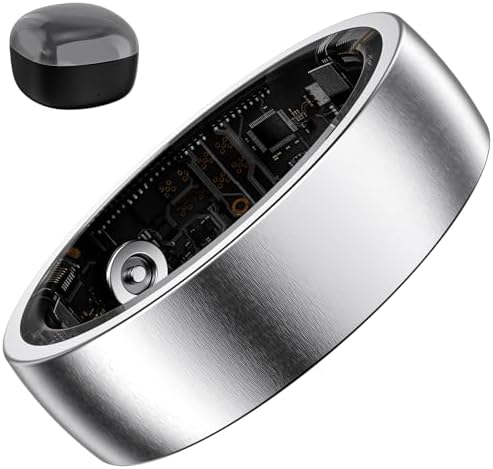
  • Cadence: Your steps per minute.
  • Ground Contact Time: How long your foot stays on the ground with each step.
  • Vertical Oscillation: How much your torso bounces up and down with each stride.

Analyzing these metrics can help you improve your running form, reduce your risk of injury, and become a more efficient runner. Itโ€™s like having a running coach analyzing your every step.

Onboard Memory for Phone-Free Workouts

Ever wanted to go for a run or hit the gym without your phone? The TICKR X has 50 hours of onboard memory. Simply start your workout, and the device will record your heart rate, calorie burn, and workout duration. When youโ€™re done, it automatically syncs the data to your Wahoo Fitness app the next time youโ€™re near your phone. This is perfect for swimmers, team sports players, or anyone who wants a distraction-free session.

Indoor Cycling Cadence and Rep Counting

When youโ€™re on an indoor trainer, the TICKR X can transmit your cycling cadence directly to your favorite app, like Zwift or TrainerRoad, eliminating the need for a separate cadence sensor on your bikeโ€™s crank arm. Furthermore, for strength training, the Wahoo Fitness app includes a rep counting feature for a selection of bodyweight and dumbbell exercises, helping you stay focused on your form instead of counting.

Getting Started: How to Use the Wahoo TICKR X

One of the best things about the Wahoo TICKR X is how simple it is to set up and use. Youโ€™ll be tracking your workouts in just a few minutes. Hereโ€™s a quick step-by-step guide to get you going.

  1. Activate the Device: The TICKR X comes with a CR2032 coin cell battery already installed. To wake it up, you just need to snap the pod onto the chest strap. The LED lights on the pod will flash, indicating itโ€™s awake and ready to pair.

  2. Position the Strap: For the most accurate readings, you need to wear the strap correctly. Lightly moisten the electrode pads on the back of the strap (the rubbery parts). Position the strap around your chest so the sensor pod sits right in the center, just below your sternum. It should be snug but not uncomfortably tight.

  3. Pair with Your Device or App: Turn on Bluetooth on your phone, GPS watch, or bike computer. Open the app or device settings where youโ€™d add a new sensor. The Wahoo TICKR X should appear in the list of available devices. Select it to pair. The blue LED on the pod will flash to confirm a connection is made, and the red LED will flash with each heartbeat.

  4. Start Your Workout: Once paired, youโ€™re ready to go! Start a workout in your chosen app or on your device, and youโ€™ll see your heart rate data streaming in real-time. If youโ€™re using the Wahoo Fitness app, you can also access the advanced features like running dynamics and rep counting.

Pro Tip: To ensure a solid connection every time, always moisten the electrode contacts on the strap before putting it on. Sweat helps improve the conductivity, but a little water at the start guarantees an instant and reliable reading from the moment you begin your workout.

Seamless Connectivity: Compatibility with Fitness Apps and Devices

A fitness tracker is only as good as the ecosystem it works with, and this is an area where the heart rate monitor Wahoo TICKR X excels. Thanks to its dual-band ANT+ and Bluetooth connectivity, its compatibility is nearly universal, making it a flexible choice for almost any athlete.

It works flawlessly with over 50 of the most popular fitness apps. Whether youโ€™re a cyclist on Zwift, a runner using Strava, or following a training plan on TrainerRoad, the TICKR X will integrate without a hitch. Itโ€™s also the perfect companion for Peloton users who want to broadcast accurate heart rate data to their bike or tread. Other compatible apps include The Sufferfest (now Wahoo SYSTM), RGT Cycling, Nike Run Club, and MapMyRun.

On the hardware side, the compatibility is just as impressive. It pairs easily with all Wahoo ELEMNT bike computers and KICKR trainers. Itโ€™s also fully compatible with Garmin, Polar, and Suunto GPS watches, as well as most other ANT+ enabled devices. For Apple users, it connects directly to your iPhone and Apple Watch, allowing you to see your heart rate in the native workout app or third-party applications.

The ability to hold three simultaneous Bluetooth connections means you never have to choose which device gets your dataโ€”you can send it to all of them at once.

The Heart of the Matter: Accuracy and Performance Review

When you buy a heart rate monitor, the number one question is: โ€œIs it accurate?โ€ For the Wahoo TICKR X, the answer is a resounding yes. As a chest-strap monitor using ECG technology, it directly measures the electrical activity of your heart. This method is inherently more reliable than the photoplethysmography (PPG) optical sensors found in most smartwatches, especially during high-intensity exercise.

Wrist-based sensors can be prone to inaccuracies caused by wrist flexion, sweat, and rapid movements, leading to data spikes or dropouts during a tough interval session. The TICKR X, secured against your chest, avoids these issues entirely. It provides clean, reliable data that accurately reflects your effort, whether youโ€™re sprinting, lifting, or holding a steady pace. This precision is critical for training in specific heart rate zones, calculating training load, and accurately measuring calorie expenditure.

But what about the advanced metrics. The running dynamics are surprisingly consistent and provide valuable insights into form. While they may not be as comprehensive as a dedicated foot pod, they offer more than enough data for most runners to identify areas for improvement. The indoor cycling cadence is also a fantastic feature, proving to be responsive and accurate when tested against dedicated crank-arm sensors.

The rep counting feature is a bit more hit-or-miss and works best for simple, controlled movements, but itโ€™s a nice bonus for guided workouts in the Wahoo app.

Wahoo TICKR vs. Competitors

To see how it stacks up, check out this great video comparison:

What Real Athletes Are Saying: User Reviews and Testimonials

Lab tests and feature lists are one thing, but real-world performance is what truly matters. Across the board, the Wahoo TICKR X receives high praise from athletes of all levels. Users frequently comment on its rock-solid connectivity and the ease of pairing it with their devices. The โ€œset it and forget itโ€ nature of the device is a major selling point for people who just want their gear to work.

The accuracy is another point of constant praise. Many users who switched from wrist-based monitors report that the TICKR X provides much more stable and believable data, especially during HIIT workouts and sprints. Runners and triathletes particularly love the advanced running dynamics, finding the data useful for making tangible improvements to their form and efficiency over time.

However, no product is perfect. Some users have noted that, like any chest strap, comfort can be subjective. While most find the soft, flexible strap comfortable, a small minority prefer the feel of an armband monitor. There are also occasional discussions online, like in this Reddit thread on r/wahoofitness, about the long-term durability of the connection points on the strap itself.

Wahoo has made design improvements in recent generations to address this, but itโ€™s a point worth considering. Overall, the sentiment is overwhelmingly positive, with most users viewing it as an essential piece of their training equipment.

TICKR X vs. The Competition: How Does It Stack Up?

The heart rate monitor market is competitive, so how does the Wahoo TICKR X compare to other popular options? Its main competitors are the standard Wahoo TICKR and the Garmin HRM-Pro Plus. Letโ€™s see how they compare.

Feature Wahoo TICKR X Wahoo TICKR (Standard) Garmin HRM-Pro Plus
Connectivity ANT+, 3x Bluetooth ANT+, 3x Bluetooth ANT+, 2x Bluetooth
Heart Rate Accuracy Excellent (ECG) Excellent (ECG) Excellent (ECG)
Onboard Memory Yes (50 hours) No Yes (Stores data during activity)
Running Dynamics Yes No Yes (Advanced)
Indoor Cadence Yes (Cycling) No Yes (Running)
Rep Counting Yes No No
Battery Life ~500 hours ~500 hours ~1 year (365 hours)
Price $$ $ $$$

As you can see, the Wahoo TICKR X sits in a sweet spot. It offers nearly all the advanced features of the more expensive Garmin HRM-Pro Plus, like onboard memory and running dynamics, but at a more accessible price point. Compared to the standard Wahoo TICKR, the โ€œXโ€ version is the clear choice for anyone who runs, does phone-free workouts, or wants deeper performance insights. The standard TICKR is a fantastic, no-frills option for those who only need accurate heart rate data broadcast to their devices.

The choice between the TICKR X and the Garmin HRM-Pro Plus often comes down to brand ecosystem. If youโ€™re heavily invested in Garmin Connect and use a high-end Garmin watch, the HRM-Pro Plus offers slightly more advanced running dynamics that integrate perfectly. For everyone else, the Wahoo TICKR X provides a more versatile and cost-effective package with comparable features.

Built to Last: Battery Life and Maintenance Tips

One of the most convenient aspects of the Wahoo TICKR X is its battery life. Itโ€™s powered by a single CR2032 coin cell battery, which is inexpensive and widely available. Wahoo claims the battery will last for up to 500 hours of use, which for most people translates to over a year of training before needing a replacement. This is a huge advantage over rechargeable monitors that you have to remember to plug in every few weeks.

Replacing the battery is simple. The back of the sensor pod has a battery door that can be opened with a coin. Just pop the old battery out and put the new one in, ensuring the positive (+) side is facing up. The device is also rated IPX7 for water resistance, meaning itโ€™s waterproof up to 5 feet.

You can sweat all over it, run in the rain, and even swim with it without any worries.

To maximize the life of your TICKR X, proper care is important. Here are a few maintenance tips:

  • Rinse the Strap: After every workout, rinse the strap with fresh water and hang it to dry. This prevents a buildup of salt and sweat, which can degrade the material and interfere with the sensorโ€™s accuracy over time.
  • Unsnap the Pod: When youโ€™re not using it, unsnap the sensor pod from the strap. This disconnects the battery and prevents it from draining unnecessarily.
  • Wash Occasionally: Every 7-10 uses, you can hand wash the strap (without the pod) with a small amount of mild soap, then rinse thoroughly.

The Full Picture: Pros and Cons of the Wahoo TICKR X

No review is complete without a balanced look at the good and the bad. The Wahoo TICKR X is an exceptional device, but itโ€™s important to know its strengths and potential drawbacks before you buy.

Pros

  • Superb Accuracy: The ECG-based sensor provides gold-standard heart rate data that you can rely on for serious training.
  • Rich Feature Set: With running dynamics, onboard memory, and indoor cadence, itโ€™s far more than just a heart rate monitor.
  • Excellent Connectivity: Dual-band ANT+ and three simultaneous Bluetooth connections make it compatible with almost any device or app you can think of.
  • Long Battery Life: The 500-hour battery life from a simple coin cell means you rarely have to think about charging or power.
  • Great Value: It offers premium features found in more expensive competitors at a very competitive price point.

Cons

  • Chest Strap Comfort: While the strap is soft, some users will always find chest straps less comfortable than armbands or watches, especially for very long activities.
  • Rep Counting is Limited: The automatic rep counting feature is a nice idea but is limited to a small set of exercises and can be inconsistent with less-than-perfect form.
  • Strap Durability Concerns: Some long-term users have reported issues with the strapโ€™s connection points wearing out over time, though this is a common issue for most chest straps.

Where to Buy the Wahoo TICKR X and Price Comparison

The Wahoo TICKR X is a popular piece of fitness tech, and you can find it at most major electronics retailers, specialty running and cycling shops, and online.

For convenience and competitive pricing, one of the best places to purchase it is online. Prices can fluctuate based on sales and promotions, so itโ€™s always a good idea to check for the latest deals. To see the most current price and get it delivered right to your door, you can check it out on Amazon.

Check the current price of the Wahoo TICKR X on Amazon

When comparing prices, remember to factor in the value youโ€™re getting. While it costs more than a basic heart rate monitor, its advanced features can replace the need for separate running pods or cadence sensors, potentially saving you money in the long run. Itโ€™s an investment in better data and smarter training.

Frequently Asked Questions (FAQ)

Here are answers to some of the most common questions about the Wahoo TICKR X.

Is the Wahoo Tickr X accurate?

Yes, the Wahoo TICKR X is highly accurate. It uses ECG technology to measure the electrical signals of your heart, which is considered the gold standard for consumer heart rate monitoring. It is significantly more accurate and responsive than wrist-based optical sensors, especially during high-intensity workouts where arm movements can cause faulty readings.

How long does a Wahoo Tickr battery last?

The Wahoo TICKR X is powered by a CR2032 coin cell battery that provides up to 500 hours of workout time. For an athlete training an hour a day, five days a week, this translates to nearly two years of use before needing to replace the battery. This long battery life is a major convenience compared to rechargeable devices.

Which is better, Garmin or Wahoo?

Both Garmin and Wahoo make excellent heart rate monitors. The Wahoo TICKR X is often praised for its superior connectivity (three Bluetooth channels vs. Garminโ€™s two) and its value. The Garmin HRM-Pro Plus offers slightly more advanced running dynamics and integrates seamlessly into the Garmin Connect ecosystem.

The best choice often depends on your existing devices and which ecosystem you prefer.

Is the Wahoo Tickr Bluetooth?

Yes, the Wahoo TICKR X is equipped with Bluetooth Smart technology. It can connect to up to three Bluetooth devices at the same time, such as your smartphone, a tablet, and a laptop. It also features ANT+ connectivity, making it compatible with a wide range of GPS watches and bike computers.

Where to wear the Wahoo Tickr?

You should wear the Wahoo TICKR X around your chest. The sensor pod should be positioned in the center of your chest, just below your sternum, with the Wahoo logo facing upright. The strap should be snug enough that it doesnโ€™t move during exercise but not so tight that it restricts your breathing.

Final Thoughts: Is the Wahoo TICKR X for You?

After a thorough review, itโ€™s clear that the wahoo fitness tickr x heart rate monitor is a phenomenal tool for any athlete who is serious about data-driven training. It delivers on its promise of accuracy, reliability, and versatility. The combination of precise heart rate tracking, advanced running dynamics, and phone-free workout capability makes it one of the most powerful and valuable fitness trackers on the market.

If youโ€™re still relying on a wrist-based tracker for your heart rate data and feel like youโ€™ve hit a plateau, upgrading to the TICKR X could be the key to unlocking your next level of performance. The insights it provides into your running form and training intensity are simply not available from most other devices in its price range.

For cyclists, runners, triathletes, and dedicated gym-goers, the Wahoo TICKR X is a fantastic investment. It consolidates the function of multiple sensors into one comfortable, easy-to-use device. If youโ€™re ready to train smarter and get a true understanding of your bodyโ€™s performance, this is the heart rate monitor to get.

Ready to take your training to the next level? Find the Wahoo TICKR X on Amazon and start tracking the data that matters.

Exit mobile version