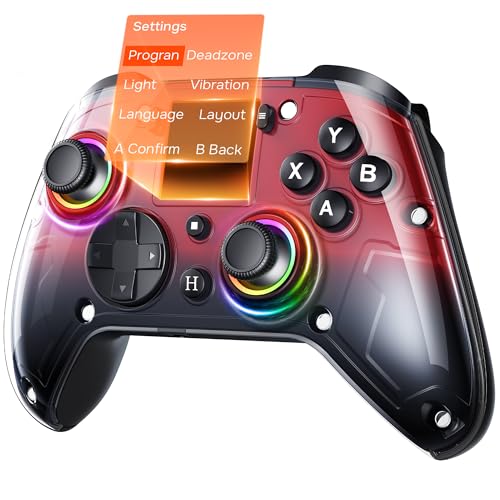
Best Controller Settings for Fortnite: A Pro Playerโ€™s Guide to Aim, Builds & Edits

Best Controller Settings for Fortnite: A Pro Player's Guide to Aim, Builds & Edits

Are you tired of losing build fights you should have won. Do you feel like your aim is inconsistent, letting you down in crucial moments. The secret to breaking through that skill plateau might not be just more practice, but smarter practice with the best controller settings for Fortnite tailored specifically for you. Default settings are designed for casual play, not for the lightning-fast edits and precise shots needed to secure a Victory Royale in today's lobbies.

This guide will walk you through every setting, from sensitivity to deadzone, to help you build an optimal controller setup that feels like an extension of your own hands.

Getting your settings right is the first step toward unlocking your true potential. Itโ€™s about creating a foundation of muscle memory and responsiveness that allows your natural skill to shine. Whether you're on PlayStation, Xbox, or PC with a controller, these principles will transform your gameplay, making you a faster builder, a sharper shooter, and a more confident player.

What You'll Learn

  • Sensitivity is Key: Understand the difference between Look and ADS sensitivity, and why finding your personal sweet spot is crucial for both building and aiming.
  • Linear vs. Exponential: Discover which input curve matches your playstyle, whether you prefer raw stick input for building or smooth control for aiming.
  • Deadzone and Stick Drift: Learn how to set your deadzone to the lowest possible value for maximum responsiveness without suffering from annoying stick drift.
  • Pro-Level Binds: Explore why custom keybindings, especially for editing, are essential for competing at a higher level and how to set them up.
  • Test and Refine: The best settings are personal. We'll show you how to use Creative maps to test, tweak, and perfect your setup until it feels just right.

Why Your Fortnite Controller Settings Matter More Than You Think

In a game as fast-paced as Fortnite, every millisecond counts. The difference between winning and losing a fight often comes down to who can build, edit, and shoot the fastest and most accurately. Your controller settings are the direct interface between your brain's commands and your character's actions on screen. If they're clunky, slow, or inconsistent, your gameplay will suffer, no matter how skilled you are.

Think of it like driving a high-performance sports car. You could have the fastest car on the track, but if the steering is too loose or the brakes are too sensitive, you'll never be able to control it effectively. The same logic applies to your fortnite controller settings. Default settings are often too slow and unresponsive for high-level play.

They might feel comfortable for a brand new player, but they create a low skill ceiling that can be incredibly frustrating to break through.

Optimizing your settings allows for greater precision and speed. A well-tuned sensitivity lets you flick to targets without over-aiming, while a higher build sensitivity enables you to crank 90s and protect yourself instantly. A low deadzone makes your movements feel immediate and snappy. By customizing these values, you're not just changing numbers; you're building a system that allows for the development of consistent muscle memory, which is the foundation of all high-level mechanical skill in Fortnite.

The Foundation: Mastering Your Sensitivity Settings

Sensitivity is the heart and soul of your controller setup. It dictates how quickly your camera moves when you touch the look stick. Finding the right balance is a personal journey, but understanding the core components is the first step. There are two primary sensitivity settings you need to master: Look Sensitivity and Aim Down Sights (ADS) Sensitivity.

Getting these right is the difference between snapping onto an opponent for a clean headshot and wildly spraying bullets around them. Itโ€™s the foundation upon which all your aiming mechanics are built. Don't just copy a pro player's settings and call it a day. Take the time to understand what each setting does and how it affects your gameplay.

This knowledge will empower you to make small, informed adjustments over time, constantly refining your control.

Look Sensitivity vs. Aim Down Sights (ADS) Sensitivity

Look Sensitivity controls your camera speed when you're not aiming down sights (hip-firing). This is your primary setting for navigating the map, looking around for opponents, and, most importantly, building and editing. A higher look sensitivity allows you to turn around quickly to react to threats from behind and perform fast building techniques like 90s and tunneling. Most players find a sweet spot between 40% and 60% (or 4-6 on the simple scale).

Start around 45% and adjust from there.

Aim Down Sights (ADS) Sensitivity controls your camera speed only when you are aiming your weapon. This setting needs to be much lower than your look sensitivity. Why. Because you need fine-tuned control for making micro-adjustments to track moving targets or line up headshots from a distance.

A high ADS sensitivity will make your aim feel shaky and uncontrollable. A good starting point for ADS is between 8% and 15%. You want it slow enough for precision but fast enough to track an opponent who is jumping or running.

Linear vs. Exponential: Choosing Your Input Curve

Under the advanced settings, you'll find an option for "Look Input Curve." This is one of the most impactful choices you'll make. It determines how the game interprets the input from your right stick.

Exponential (Expo): This is the classic Fortnite feel and the default setting. With Expo, small movements of the stick result in small camera movements, but the speed ramps up exponentially as you push the stick further to the edge. This makes small aiming adjustments feel smoother and more controlled, which can be great for long-range AR tracking. However, it can sometimes feel a bit "heavy" or less responsive for quick flicks and building.

Linear: This setting provides a raw, 1-to-1 input from your stick. The camera moves at a consistent speed relative to how far you push the stick. Many top-tier builders and box fighters prefer Linear because it feels incredibly responsive and predictable for fast edits and shotgun flicks. The trade-off is that long-range aim can feel a bit shakier without the initial dampening that Expo provides.

If you value mechanical speed above all else, give Linear a try.

Building Like a Pro: Combat vs. Build Mode Sensitivity

One of the most critical adjustments for any serious controller player is separating your build and edit sensitivity from your combat sensitivity. In the settings menu, you'll find a "Build Mode Sensitivity Multiplier" and an "Edit Mode Sensitivity Multiplier." These values are applied on top of your base Look Sensitivity whenever you have your build menu or an edit selected.

This feature is absolutely essential. In combat, you need controlled, precise aim. But when you're building, you need to be able to spin 180 or 360 degrees in an instant to place walls, ramps, and cones around you. Having a single sensitivity for both tasks is a massive compromise.

You'd either be too slow to build or too fast to aim. The multipliers solve this problem perfectly.

Most competitive players set their Build and Edit multipliers somewhere between 1.8x and 2.4x. This means if your Look Sensitivity is 45%, a 2.0x multiplier would make your building sensitivity feel like 90%. It allows you to perform lightning-fast building maneuvers without making your base aiming sensitivity uncontrollably high. Start with both multipliers at 2.0x and see how it feels.

If you find yourself unable to place walls behind you quickly enough, nudge it up. If your building feels too chaotic, bring it down slightly.

Eliminating Stick Drift: Nailing Your Controller Deadzone

Controller deadzone is one of the most misunderstood but vital settings. The deadzone is a small area around the center of your analog stick where input is not registered. Its primary purpose is to combat "stick drift," which is when your camera or character moves on its own because the controller's analog sticks are slightly worn out and don't return perfectly to the center.

Your goal is to set the deadzone as low as possible without experiencing any stick drift. A lower deadzone makes your controller feel far more responsive because the game registers your input the instant you move the stick. A high deadzone creates a "mushy" or delayed feeling, as you have to move the stick a certain distance before anything happens on screen.

To find your perfect deadzone setting, go into a Creative match and stand still. Lower your Look Stick and Move Stick Deadzone settings one percent at a time. As soon as you see your camera or character start to move on its own, raise the setting back up by one or two percent. For a new controller, this might be as low as 5-7%.

For an older, more worn controller, it might be 10-14%. Finding this perfect balance provides the best of both worlds: maximum responsiveness with zero unwanted movement.

Beyond the Defaults: Customizing Your Keybindings (Controller Binds)

While sensitivity affects your aim, your keybindings (or binds) dictate your mechanical speed. Using the default controller layout is a major handicap if you want to play competitively. The ability to jump, build, edit, and aim all at the same time is crucial. Standard layouts often require you to take your thumb off the right stick to press face buttons (like Triangle/Y to switch to builds or Circle/B to edit), which means you can't aim and perform these actions simultaneously.

This is where custom binds come in. The goal is to map essential actions to buttons you can press without sacrificing your ability to aim. This is often achieved by playing "Claw" (using your index finger for face buttons) or by using a controller with back paddles, like a SCUF or an Xbox Elite Controller.

Builder Pro: The Modern Standard

If you're new to customizing your settings, the first step is to ensure you're using the "Builder Pro" controller layout. This preset is the foundation for all modern Fortnite building. It assigns each build piece (wall, floor, ramp, cone) to a different trigger or bumper (L1/LB, L2/LT, R1/RB, R2/RT). This allows you to place any piece you want instantly without having to cycle through them, which is a massive speed advantage over older layouts.

Almost every good controller player uses Builder Pro as their base. From there, they make custom adjustments to optimize it even further. If you're still on an older layout, switching to Builder Pro should be your absolute first priority. It will feel awkward for a few days, but the long-term payoff is enormous.

The Next Level: Custom Binds for Instant Edits

Once you're comfortable with Builder Pro, the next step is creating an "instant edit" bind. By default, you have to press and hold the edit button to start an edit, which introduces a small but significant delay. You can eliminate this by binding "Edit" to a button that doesn't have a conflicting "hold" action.

One of the most popular custom binds is mapping Edit to the Left Stick (L3). This allows you to start an edit instantly by clicking the stick, all while keeping your thumb on it to control movement. You can then map "Confirm Edit" to a bumper like L1/LB or L2/LT, creating a super-fast Edit-Confirm sequence. This setup, often called "edit on release," allows you to select the edit tiles and simply let go of your select button (R2/RT) to confirm the edit, further increasing your speed.

Finding a comfortable and fast editing scheme is a cornerstone of any optimal controller setup for Fortnite.

Pro Tip: Many players bind Switch Mode (switching between combat and building) to a face button like Triangle/Y and bind Edit to L3. This keeps your most frequent combat action (editing) on a stick you never leave, while the less frequent action (switching modes) is moved to a face button.

Diving Deeper: Advanced Controller Options Explained

Once you've dialed in your core settings, it's time to venture into the "Advanced Options" tab. This section can look intimidating, but it holds the keys to fine-tuning your aim and feel to perfection. Don't just ignore these settings; understanding them can give you a subtle but significant edge.

These settings control the finer points of how your aim behaves, adding dampening effects or acceleration boosts. While the defaults are serviceable, customizing them allows you to smooth out any remaining inconsistencies in your aim. It's about taking a setup that's 90% there and pushing it to 100%.

Look Dampening Time, Boosts, and More

Look Dampening Time: This setting smooths out your camera movement when you first move the stick from a neutral position. It's intended to help with small, precise adjustments. Most competitive players turn this down to 0.00 seconds. They prefer a raw, unfiltered input without any artificial smoothing or delays, especially if they are using the Linear input curve.

Look Horizontal/Vertical Speed Boosts: These settings add an extra burst of speed when you slam your look stick all the way to the edge. This can help you turn around quickly without needing an extremely high base sensitivity. However, many players find that boosts make their aim feel inconsistent and unpredictable. It's generally recommended to turn all boosts off (set to 0%) and control your turn speed purely with your base sensitivity and multipliers.

This creates a more predictable and easier-to-master aiming system.

The Power of Aim Assist Strength

Aim assist is a feature designed to help controller players compete with the precision of a mouse and keyboard. It subtly slows down your crosshair when it passes over an enemy player, making it easier to stay on target. For controller players, this is an absolutely essential feature.

In the advanced settings, you'll find "Aim Assist Strength." For the vast majority of players, this should be set to 100%. There is a common misconception that lowering aim assist can help with aim, but this is not the case. Lowering the strength simply makes the feature less effective, putting you at a disadvantage against other controller players. Aim assist is your friend; it helps bridge the mechanical gap between controller and mouse.

Make sure you're getting its full benefit by keeping it at 100%.

Finding Your Fit: Optimal Controller Setup for Different Playstyles

While the principles of good settings are universal, the exact numbers can vary based on your personal playstyle. Are you an aggressive W-keyer who loves to box fight, or are you a more strategic player who focuses on positioning and late-game placement?

An aggressive player who is constantly pushing boxes and taking 50/50 fights might prefer a slightly higher sensitivity and the Linear input curve. Linear's raw input is fantastic for the fast, snappy edits and quick shotgun flicks required for close-quarters combat. They need to be able to react and build in an instant, and the responsiveness of Linear is perfect for that.

A passive or strategic player, on the other hand, might favor the Exponential input curve. Expo's smoother feel at the start of a stick movement makes it excellent for precise, long-range AR shots and tracking opponents from a distance. Since they engage in fewer chaotic box fights, the raw speed of Linear is less of a priority compared to the consistent long-range aim that Expo can provide. There is no single set of best settings for Fortnite; the optimal setup is one that enhances your natural strengths.

Should You Use Controller Vibration? (The Pro Answer is NO!)

This is one of the simplest but most impactful changes you can make. Go into your controller settings and turn Vibration OFF. Immediately.

While vibration can add a layer of immersion in single-player story games, it is a major detriment in a competitive shooter like Fortnite. The shaking of the controller during crucial momentsโ€”like when you're shooting or being shot atโ€”actively interferes with your ability to make fine adjustments to your aim. It introduces a random physical variable that you have no control over.

Imagine trying to draw a perfectly straight line while someone is shaking your hand. That's what you're doing to your aim when you leave vibration on. Every single professional player turns vibration off for this reason. It provides zero competitive advantage and actively works against the muscle memory you're trying to build.

It's a simple switch that will instantly make your aim feel more stable and consistent.

Learning from the Best: A Look at Pro Player Settings

Watching professional players can be a great way to find a starting point for your own settings. Players like Clix, Bugha, and Mero have spent thousands of hours refining their setups. However, it's crucial to remember that you shouldn't just copy their settings and expect to play like them. Their settings are tailored to their specific playstyle, controller, and years of muscle memory.

What you should do is look at the trends among pro players. You'll notice that most of them use:

  • A low deadzone (usually between 5% and 10%). โ€“ A look sensitivity between 40-55%. โ€“ A lower ADS sensitivity, often around 8-12%.

  • Build and Edit multipliers around 2.0x. โ€“ Custom binds for editing and building. โ€“ Vibration turned off.

Use these ranges as a baseline. For example, try starting with a 45% Look Sensitivity, 10% ADS, and a 2.1x Build Multiplier. Play with these for a few hours. Does your building feel too slow.

Bump up the multiplier. Is your shotgun aim too fast. Lower your look sensitivity slightly. Use pro settings as a template, not a rulebook.

The Ultimate Test: How to Find and Refine Your Perfect Settings

Finding your perfect settings is a process of trial and error. The best place to do this is not in a hectic Battle Royale match, but in Fortnite's Creative mode. There are thousands of maps designed specifically for practicing your aim, edits, and builds. This controlled environment allows you to focus purely on how the settings feel.

Here's a simple process to follow:

  1. Load into an Aim Training Map: Search for maps like "Skaavok Aim Trainer" or "Raider's Mechanics Training Map." These have scenarios for tracking, flick shots, and more.
  2. Test Your ADS: Practice tracking the moving bots. If you're constantly falling behind the target, your ADS sensitivity might be too low. If you're overcorrecting and moving past the target, it's likely too high. Make small, 1% adjustments until it feels smooth.
  3. Test Your Look Sensitivity: Go to the shotgun flick-shot section. Your goal is to snap from one target to the next quickly and accurately. If you're consistently undershooting (not turning far enough), your look sensitivity is too low. If you're overshooting, it's too high.
  4. Test Your Builds in an Edit Course: Load up an edit course and run through it. Do your edits feel fluid? Can you perform a triple edit without getting stuck? This is where you can tweak your Edit Mode Multiplier until it feels fast but controlled.
  5. Don't Change Too Often: Once you find a setup that feels good, stick with it! Constantly changing your settings is the worst thing you can do for muscle memory. Give yourself at least a week with a new setup before deciding to make another change.

The Gear That Complements Your Grind

While the best controller settings for Fortnite are software-based, your physical hardware plays a massive role in your performance. Perfect settings won't matter if you can't hear your opponent's footsteps or if you're uncomfortable during a long gaming session.

Clear audio is non-negotiable. Hearing the direction of footsteps or a player editing a wall can give you the critical information needed to win a fight. A quality audio setup, like the in-ear monitors from BASN Audio, can provide the detailed soundscape you need to pinpoint enemy locations. Furthermore, practicing for hours to dial in your settings requires comfort.

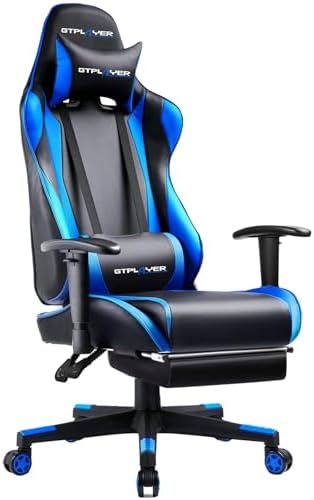
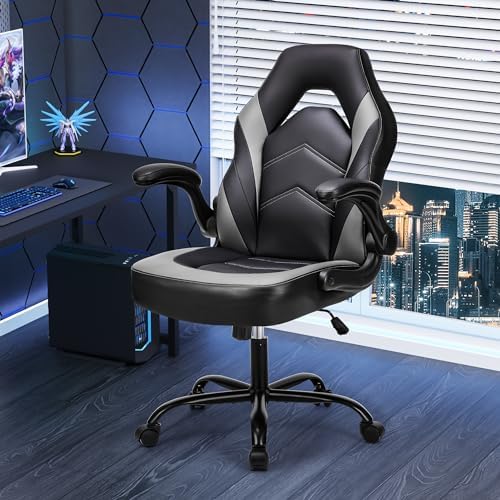
An ergonomic gaming chair from a brand like Secretlab or TechniSport ensures you maintain good posture and can focus on your gameplay, not your back pain.

For PC players, stable, high framerates are just as important. Your settings will feel much more responsive on a powerful machine that minimizes input lag. A pre-built system from a company like ORIGIN PC can deliver the consistent performance needed to make your gameplay feel as smooth as possible.

Frequently Asked Questions (FAQ)

What are the best Fortnite settings for controllers?

There's no single "best" set, but a great starting point for most players is: Look Sensitivity around 40-50%, ADS Sensitivity around 8-15%, Build/Edit Multipliers at 1.9x-2.2x, Linear input curve for responsiveness, and the lowest possible deadzone that doesn't cause stick drift (usually 5-10%). Always turn vibration off.

How can I aim better with a Fortnite controller?

Improving your aim involves several factors. First, find the right ADS sensitivityโ€”low enough for fine control but high enough to track targets. Use an aim training map in Creative mode daily. Ensure Aim Assist is at 100%.

Finally, practice crosshair placement; always try to keep your crosshair at head level where an opponent is likely to appear.

What are the best pro controller settings?

Pro settings vary, but they share common themes: low deadzones, high build/edit multipliers, and custom keybinds for fast editing. For example, a pro might use 43% X/Y sensitivity, 9% ADS, a 2.1x build multiplier, and L3 for edit. Use these as a baseline to find what works for you, but don't copy them exactly without testing.

What is the best sensitivity for Fortnite?

The best sensitivity is highly personal. A good method to find yours is to start in the middle (around 45%) and adjust. If you consistently overshoot targets when flicking, your sensitivity is too high. If you consistently undershoot and can't turn fast enough, it's too low.

Make small adjustments in Creative mode until it feels natural.

What is the best aim assist setting in Fortnite?

For 99.9% of players, the best aim assist setting is 100%. Aim assist is a crucial tool for controller players to compete with mouse and keyboard accuracy. Lowering it only puts you at a disadvantage against other controller players who are using its full strength. There is no competitive benefit to reducing it.

Do Fortnite pros use controllers?

Yes, absolutely! While many pros use a keyboard and mouse, there is a very strong contingent of professional players who dominate on controller. Players like Mero, Deyy, and Reet have won major tournaments and are considered some of the best players in the world, proving that controller is more than viable at the highest level of competition.

Final Thoughts: Finding Your Perfect Settings

Dialing in the best controller settings for Fortnite is a journey, not a destination. It's about understanding what each option does and then embarking on a process of testing and refinement until you've built a setup that feels perfect for you. Don't be afraid to experiment, but once you find something that feels comfortable, give it time. Consistency is how you build the muscle memory that leads to incredible mechanical skill.

Use this guide as your roadmap. Start with the recommended ranges, spend time in Creative mode feeling out the changes, and don't just blindly copy your favorite pro. The goal is to create an optimal controller setup that removes all friction between your intentions and your actions in the game. When your settings are perfect, your controller disappears, and it's just you and the game.

Now go out there and start claiming those Victory Royales.

7 Best Pre Built Gaming PCs Reddit Users Recommend in 2025

7 Best Pre Built Gaming PCs Reddit Users Recommend in 2025

Jumping into the world of PC gaming is an absolute blast, but the first big hurdle can be a real headache: choosing your rig. While building a PC from scratch is a rewarding journey, not everyone has the time, patience, or desire to piece together a complex machine. Thatโ€™s where pre-built gaming PCs come in, and if youโ€™re looking for honest, no-nonsense advice, finding the best pre built gaming PCs according to Reddit is the ultimate shortcut to a fantastic gaming experience.

The community has seen it allโ€”the good, the bad, and the systems with terrible cable managementโ€”and their collective wisdom is priceless.

Weโ€™ve spent hours digging through r/buildapc, r/suggestapc, and r/Prebuilts to find the rigs that get the most love from real gamers. This isnโ€™t just a list of specs; itโ€™s a guide built on community consensus, focusing on brands that deliver quality components, solid performance, and reliable customer support. Get ready to unbox your next gaming powerhouse without the stress!

In a Nutshell

  • Top Brands Matter: Reddit consistently recommends system integrators like ORIGIN PC, NZXT, and Maingear for their use of standard, off-the-shelf parts and superior build quality.
  • Pre-Built vs. Custom: The choice comes down to convenience versus cost. Pre-builts offer a plug-and-play experience with a single warranty, while custom builds provide more control and can be more cost-effective if you find good deals.
  • Check the Components: The most important advice from Reddit is to look past the CPU and GPU. Check the quality of the power supply (PSU), motherboard, RAM speed, and storage to avoid bottlenecks and ensure future upgradeability.
  • Budget Defines the Build: For around $1,200-$1,500, you can get a fantastic 1080p/1440p machine. High-end 4K gaming rigs typically start around $2,500 and go up from there.

Top Recommended Pre-Built Gaming PCs on Reddit

Shop On Amazon Now

After sifting through countless threads and user testimonials, a few names consistently rise to the top. These are the brands and systems that Reddit users trust for quality components, clean builds, and reliable performance right out of the box.

1. ORIGIN PC NEURON Series

When discussions on Reddit turn to high-end, premium pre-built PCs, ORIGIN PC is almost always mentioned. Known for their meticulous build quality, extensive customization options, and top-tier customer support, they are a favorite among gamers who want a boutique experience without building it themselves. The NEURON series strikes a great balance between a compact mid-tower form factor and the power to house the most powerful components on the market.

What sets ORIGIN apart is their commitment to using standard, name-brand parts. You wonโ€™t find proprietary motherboards or weirdly shaped power supplies here. This means that down the line, upgrading your PC is as straightforward as it would be with a custom-built machine. Their cable management is legendary, ensuring optimal airflow and a build that looks as good as it performs.

While they are on the pricier side, Reddit users often justify the cost by highlighting the peace of mind that comes with a lifetime support warranty and a professionally assembled and tested system. If youโ€™re looking for a no-compromise, high-performance machine, ORIGIN PC is one of the best gaming PCs on Reddit.

Pros

  • Exceptional Build Quality: Industry-leading cable management and assembly.
  • Standard Parts: Uses high-quality, off-the-shelf components for easy upgrades.
  • Excellent Customer Support: Lifetime 24/7 support based in the US.

Cons

  • Premium Price: You pay more for the boutique build experience and support.
  • Longer Lead Times: Custom builds can take a few weeks to be assembled and shipped.

2. NZXT Player Series

NZXT has built a massive following for its clean, minimalist case designs, and their pre-built Player series PCs live up to that reputation. Reddit users frequently recommend NZXT for gamers who want a stylish, well-built machine without a lot of fuss. Their builds are known for being clean, using their own high-quality cases, coolers, and motherboards.

The Player series is broken down into simple tiers (Player: One, Player: Two, Player: Three), making it easy to find a build that matches your performance needs and budget. A huge plus often cited on Reddit is NZXTโ€™s transparency; they clearly list every component used in the build, so you know exactly what youโ€™re getting. They stick to standard parts, which makes future upgrades a breeze.

Their two-year warranty on all parts and labor is another big selling point. While some users have reported mixed experiences with customer service response times, the overall sentiment is overwhelmingly positive, especially for those who value aesthetics as much as performance.

Pros

  • Sleek Aesthetics: Beautiful, minimalist case designs that look great in any setup.
  • Component Transparency: Clearly lists all parts used in the build.
  • Simple Tiers: Easy-to-understand product line for different budgets.

Cons

  • Can Be Pricier: Sometimes costs slightly more than competitors with similar specs.
  • Customer Service: Some users report slower-than-average support response times.

3. CyberPowerPC Gamer Xtreme VR Series

For gamers hunting for the absolute best bang for their buck, CyberPowerPC is a name that dominates Reddit discussions. They are masters of creating powerful builds at incredibly competitive price points. The Gamer Xtreme VR series, in particular, is frequently hailed as one of the best entry-level to mid-range options available.

You can often find these systems on sale at major retailers like Amazon or Best Buy, making them an accessible entry point into PC gaming. While they use standard parts, they sometimes opt for less-known brands for components like the PSU or RAM to keep costs down. This is the most common critique on Reddit, with many users advising a potential power supply upgrade down the line for peace of mind.

Despite this, the value proposition is undeniable. You get a capable gaming machine, often with the latest-gen CPUs and GPUs, for a price thatโ€™s hard to beat even if you were sourcing the parts yourself. For budget-conscious buyers, CyberPowerPC is one of the most recommended gaming PCs Reddit has to offer.

Pros

  • Excellent Value: Highly competitive pricing for the performance offered.
  • Widely Available: Easily found at major online and brick-and-mortar retailers.
  • Good Performance: Delivers solid frame rates for its price point.

Cons

  • Component Lottery: Can sometimes use lower-tier brands for PSU, RAM, or SSDs.
  • Bloatware: May come with pre-installed software that needs to be removed.

Finding Your Perfect Match: Budget vs. High-End Pre-Builts

The world of pre-built PCs isnโ€™t one-size-fits-all. Your budget and gaming ambitions will determine whether youโ€™re looking for a cost-effective workhorse or a top-of-the-line beast. Both paths are valid, and Reddit has strong opinions on what to expect from each.

Awesome Budget-Friendly Pre-Built Gaming PCs

When Redditors talk about budget-friendly PCs, theyโ€™re generally looking at the sub-$1,500 price range. The goal here is maximum performance per dollar, typically targeting excellent 1080p or solid 1440p gaming. At this price point, youโ€™ll find sweet-spot component pairings like an Intel Core i5 or AMD Ryzen 5 CPU combined with a GPU like the NVIDIA GeForce RTX 4060 or AMD Radeon RX 7600 XT.

The key to a good budget pre-built, according to the community, is not just the CPU/GPU combo. Smart builders will include at least 16GB of DDR4 or DDR5 RAM, a fast NVMe SSD for the operating system and key games (even if itโ€™s only 512GB or 1TB), and a power supply from a reputable brand. This is where you have to be careful. Some companies cut corners with a cheap, unreliable PSU, which can be a point of failure for the entire system.

Always check the brand and wattage of the power supply.

Brands like CyberPowerPC and iBuyPower often shine in this category, offering configurations that are tough to build for less, especially when theyโ€™re on sale. The consensus is clear: a well-chosen budget pre-built can deliver an amazing gaming experience without breaking the bank.

Unleashing Maximum Power: Top-Tier High-End Systems

Once you cross the $2,500 threshold, you enter the high-end territory. These are the systems built for no-compromise 1440p high-refresh-rate gaming or smooth 4K experiences. Here, youโ€™ll find top-tier components like Intel Core i7/i9 or AMD Ryzen 7/9 processors paired with powerhouse GPUs such as the NVIDIA GeForce RTX 4080 SUPER or RTX 4090.

In this premium bracket, Redditโ€™s focus shifts from pure price-to-performance to build quality, component selection, and customer service. This is where boutique builders like ORIGIN PC, Maingear, and Falcon Northwest earn their reputation. Users expect immaculate cable management, optimal cooling solutions (often custom water cooling), and the use of premium parts across the boardโ€”from the motherboard and RAM to the PSU and case fans.

A high-end pre-built is an investment. Youโ€™re not just paying for the parts; youโ€™re paying for expert assembly, rigorous testing, and a robust warranty with dedicated support. For gamers who want the best performance possible without the hassle of building, the extra cost for a premium, hand-built system is often considered well worth it.

The Reddit Seal of Approval: What Real Gamers Say

Redditโ€™s value comes from the unfiltered, honest feedback of thousands of users. When it comes to pre-built PCs, the community provides a treasure trove of insights that you wonโ€™t find in a marketing brochure.

User Reviews: The Good, The Bad, and The Overclocked

Digging into user reviews on Reddit reveals common themes. The โ€œgoodโ€ often revolves around convenience and peace of mind. Many users share positive unboxing experiences, praising the plug-and-play nature of pre-builts. A single point of contact for warranty and support is a huge plus, especially for those who arenโ€™t comfortable troubleshooting individual components.

One user on r/Prebuilts noted, โ€œMy father has bought two from [Maingear] and they will spend any amount of time and money to make right any problems you have,โ€ highlighting the value of strong customer service.

The โ€œbadโ€ usually centers on a few key issues. Proprietary parts are a major red flag for the community. Some large manufacturers (like Dell/Alienware or HP) use custom-shaped motherboards or power supplies that make future upgrades nearly impossible. Poor airflow due to restrictive case design is another frequent complaint, leading to thermal throttling that chokes performance.

Finally, the โ€œcomponent lotteryโ€ with some budget builders means you might get a lower-quality SSD or PSU than youโ€™d like.

The โ€œoverclockedโ€ represents the savvy user who buys a pre-built and makes it their own. Many Redditors share stories of buying a system with a great CPU/GPU combo and then upgrading the RAM, adding more storage, or even replacing the CPU cooler for better performance. This hybrid approach can offer a great balance of convenience and customization.

Best Brands for Pre-Built Gaming PCs According to Reddit

While individual experiences vary, a clear hierarchy of brands emerges from community discussions:

  1. Boutique Builders (Origin PC, Maingear, Falcon Northwest): Considered the gold standard. Praised for using high-quality, standard parts, expert craftsmanship, and stellar customer support. They command a premium price but deliver a premium product.
  2. System Integrators (NZXT, Corsair): These companies have built strong reputations for their well-designed systems that primarily use their own ecosystem of high-quality parts (cases, coolers, etc.). They offer a great balance of aesthetics, performance, and reliability.
  3. Mainstream Builders (CyberPowerPC, iBuyPower): The value kings. They offer the most performance for the money and are great for gamers on a tighter budget. The trade-off can sometimes be in the quality of secondary components, so it pays to inspect the parts list carefully.
  4. Major Manufacturers (Dell/Alienware, HP Omen): These are often viewed with caution by the Reddit community due to their frequent use of proprietary parts, which can limit upgradability and repair options. However, their high-end models can offer good performance and are often available at deep discounts.

Pro Tip: When evaluating a pre-built PC, search for a teardown or review video on YouTube from a trusted channel like Gamers Nexus. They often disassemble popular pre-builts to expose issues with airflow, proprietary parts, or poor build quality that you wouldnโ€™t see otherwise.

Pre-Built vs. Custom-Built: The Eternal Gaming Debate

No discussion about the best gaming PCs on Reddit would be complete without addressing the age-old question: should you buy pre-built or build your own? Both have distinct advantages, and the right choice depends entirely on your priorities.

Hereโ€™s a breakdown of how they stack up:

Factor Pre-Built PC Custom-Built PC
Convenience Winner. Arrives ready to go. Plug it in and start gaming immediately. Requires research, part selection, assembly, and software installation.
Cost Can be more expensive due to labor and markup. However, sales can make them competitive. Winner. Generally more cost-effective as youโ€™re not paying for labor. You can hunt for deals on individual parts.
Customization Limited to the options offered by the builder. Winner. Complete control over every single component, from the motherboard to the case fans.
Warranty Winner. A single warranty covers the entire system. If something goes wrong, you have one point of contact. Each component has its own manufacturer warranty, making troubleshooting more complex.
Performance Performance is determined by the chosen components. Can be equal to a custom build with the same specs. Potential for slightly better performance through careful component matching and overclocking.
Build Time Near-instant. Just order and wait for shipping. Can take several hours to days, depending on your experience level.

Redditโ€™s consensus is this: If your primary concerns are convenience, a simple warranty process, and getting into gaming as quickly as possible, a pre-built is an excellent choice. If you enjoy the process, want complete control over your machine, and are looking to maximize performance for every dollar spent, building your own is the more rewarding path.

Where to Buy the Best Pre-Built Gaming PCs

Shop On Amazon Now

Once youโ€™ve decided to go the pre-built route, you need to know where to look. The market is vast, with options ranging from massive online retailers to specialized boutique shops.

  • Boutique Builders (Online): Companies like ORIGIN PC, Maingear, and Falcon Northwest operate directly through their websites. This is where you go for deep customization, premium service, and handcrafted builds.
  • System Integrators (Online): NZXT, Corsair, iBuyPower, and CyberPowerPC also sell directly from their sites, often offering configuration tools to tweak your build before you buy.
  • Major Retailers (Online/In-Store): Amazon, Newegg, and Best Buy are huge marketplaces for pre-built PCs, especially from brands like CyberPowerPC, iBuyPower, and HP Omen. They are great places to find competitive deals and holiday sales.
  • Micro Center (In-Store): If youโ€™re lucky enough to live near one, Micro Center is often praised on Reddit for its in-house brand, PowerSpec, which offers excellent value and uses quality parts.

Decoding the Specs: Gaming Performance Benchmarks Explained

Itโ€™s easy to get lost in a sea of component names like โ€œRyzen 7 7800X3Dโ€ or โ€œRTX 4070 Ti SUPER.โ€ While these names are important, what truly matters is how they translate to in-game performance. This is where benchmarks come in.

Benchmarks are standardized tests that measure how many frames per second (FPS) a PC can produce in a specific game at a certain resolution (1080p, 1440p, 4K) and graphics setting (Medium, High, Ultra). A higher FPS means smoother gameplay. 60 FPS is generally considered the gold standard for smooth, responsive gaming.

When looking at a pre-built PC, donโ€™t just look at the parts list. Search for reviews of that specific GPU/CPU combination on YouTube. Youโ€™ll find countless videos showing that exact pairing running popular games like Cyberpunk 2077, Baldurโ€™s Gate 3, or Helldivers 2. This real-world data is far more valuable than any marketing claim and will tell you exactly what kind of performance to expect.

Level Up Your Pre-Built: Future-Proofing and Customization

One of the biggest anxieties about buying a pre-built is whether youโ€™ll be stuck with an obsolete machine in a few years. Thankfully, many of the top prebuilt gaming PCs are highly upgradeable, provided you know what to look for.

Future-Proofing Your Pre-Built Gaming PC

โ€œFuture-proofingโ€ is about making smart choices today to make upgrades easier and cheaper tomorrow. Here are some tips straight from the Reddit hive mind:

  1. Prioritize a Quality Power Supply (PSU): Get a PSU with more wattage than your current components need. If your system requires 550W, getting a 750W or 850W Gold-rated PSU gives you headroom to install a more powerful GPU in the future without needing to replace it.
  2. Check the Motherboard: Ensure the motherboard uses a modern chipset and has extra slots. Look for at least four RAM slots (so you can add more later) and an extra M.2 slot for adding a fast NVMe SSD.
  3. Choose a Standard Case: A standard ATX mid-tower case with good airflow provides space for larger GPUs and better cooling solutions. Avoid slim or proprietary cases that lock you into specific component sizes.
  4. Donโ€™t Skimp on the CPU: While the GPU is often the first component to be upgraded, a powerful CPU can last through several GPU generations. Investing in a solid i7/Ryzen 7 or better can extend the relevant lifespan of your core system.

Is It Worth Customizing a Pre-Built PC?

Absolutely! This is one of the best ways to get value. Many gamers buy a pre-built with a great CPU and GPU foundation and then perform simple, cost-effective upgrades themselves.
Common first upgrades include:

  • Adding More RAM: If your system came with 16GB, bumping it up to 32GB is an easy and relatively inexpensive way to improve multitasking and performance in memory-hungry games.
  • Expanding Storage: If your primary 1TB SSD is filling up, adding a second M.2 NVMe drive or a larger SATA SSD for your game library is a simple 10-minute job.
  • Improving Cooling: Replacing a stock CPU cooler with a more substantial air tower or an All-In-One (AIO) liquid cooler can lower temperatures, reduce noise, and potentially allow for better performance.

The only major obstacle is if the original builder used proprietary parts. This is why Reddit so heavily favors brands that use standard, off-the-shelf components. With the right foundation, your pre-built PC can evolve with your gaming needs for years to come.

Donโ€™t Forget the Gear! Essential Gaming Accessories
Your powerful new PC is only one part of the equation. To get the most out of it, you need the right peripherals. A fantastic PC paired with a subpar monitor or headset is like a sports car with cheap tiresโ€”youโ€™re just not getting the full experience.

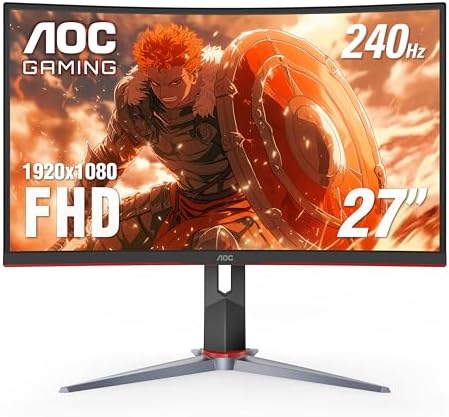
  • A Great Gaming Monitor: Your monitor is your window into the game world. Look for a display with a high refresh rate (144Hz or higher) for smooth motion and low response times (5ms or less) for snappy inputs. For an amazing secondary display for Discord, streaming software, or guides, The Portable Monitor is a fantastic, space-saving option.
  • Immersive Audio: Sound is crucial for both immersion and competitive play. A quality headset helps you pinpoint enemy footsteps and enjoy epic soundtracks. For crystal-clear audio that lets you hear every detail, a dedicated audio solution like BASN Audio provides professional-grade sound that can give you a competitive edge.
  • An Ergonomic Throne: Youโ€™re going to be spending hours at your desk, so a comfortable chair is non-negotiable. Itโ€™s an investment in your health and gaming endurance. Brands like Secretlab offer premium, highly adjustable chairs for ultimate comfort, while companies like TechniSport provide excellent ergonomic options that are both stylish and supportive.

Frequently Asked Questions

Are pre-built PCs worth it in 2025?

Yes, for many people, they are more worth it than ever. The convenience, single-point-of-contact warranty, and professional assembly are major benefits. While you might pay a small premium over building it yourself, the time saved and the peace of mind can easily justify the cost, especially for those who arenโ€™t interested in the DIY process.

What is the most reliable pre-built PC company?

Based on Reddit community feedback, boutique builders like ORIGIN PC and Maingear are often cited as the most reliable due to their use of high-quality components and rigorous testing. For more mainstream options, NZXT has a strong reputation for reliability and build quality. Reliability often comes from companies that use standard, off-the-shelf parts.

Can you upgrade a pre-built gaming PC?

In most cases, yes. If you buy from a system integrator that uses standard parts (like an ATX motherboard, standard PSU, etc.), upgrading components like the RAM, storage, GPU, and CPU cooler is straightforward. The main exceptions are some PCs from large manufacturers like Dell or HP, which may use proprietary parts that make upgrades difficult or impossible.

How much should I spend on a pre-built gaming PC?

This depends on your goals. For a solid 1080p gaming experience, expect to spend around $1,000-$1,200. For high-refresh-rate 1440p gaming, the sweet spot is typically between $1,500 and $2,200. If you want to play games smoothly in 4K resolution, you should budget for $2,500 or more.

Final Thoughts

Navigating the world of PC gaming can feel intimidating, but you donโ€™t have to go it alone. The collective wisdom of Reddit provides an incredible resource for finding a pre-built PC that delivers on its promises. By focusing on brands that use quality, standard components and listening to the real-world experiences of fellow gamers, you can confidently choose a machine that will serve you well for years to come.

Whether youโ€™re on a tight budget or ready to invest in a top-of-the-line beast, thereโ€™s a perfect pre-built PC out there for you. The key is to do your research, understand the trade-offs, and prioritize what matters most to your gaming experience. Happy gaming!

If youโ€™re looking for a premium, no-compromise system with fantastic support, a build from ORIGIN PC is one of the most consistently recommended options for a reason. For those wanting to complete their setup, donโ€™t forget to check out an ergonomic chair from Secretlab to ensure you can game in comfort for hours on end.

5 Best Gaming Monitors for Xbox Series X (2025): 4K & 1440p Picks

5 Best Gaming Monitors for Xbox Series X (2025): 4K & 1440p Picks

Youโ€™ve got the powerhouse console, the Xbox Series X, capable of delivering breathtaking 4K graphics and buttery-smooth 120 frames per second. But are you actually seeing all that power. If youโ€™re still gaming on an old TV or a basic office monitor, youโ€™re leaving a massive amount of performance on the table. Finding one of the best gaming monitors for the Xbox Series X is the single most important upgrade you can make to truly experience next-gen gaming the way it was intended.

Itโ€™s time to unlock the full visual potential of your console.

This guide is your ultimate resource for navigating the world of gaming displays for the Xbox Series X. Weโ€™re breaking down everything from must-have features like HDMI 2.1 to the heated debate between 4K and 1440p, all to help you find the perfect screen for your budget and playstyle. Get ready to see your favorite games in a whole new light!

What to Know

  • HDMI 2.1 is Key: To get the most out of your Xbox Series X, you need a monitor with an HDMI 2.1 port. This is the only way to achieve the holy grail of 4K resolution at a 120Hz refresh rate.
  • Resolution Isnโ€™t Everything: While 4K offers incredible detail, a 1440p monitor can provide a fantastic, high-frame-rate experience for a lower price, making it a performance sweet spot for many gamers.
  • Speed Matters: Look for a refresh rate of at least 120Hz and a response time of 5ms or less. These specs ensure your gameplay is fluid, responsive, and free of distracting motion blur, which is crucial for competitive games.
  • Good HDR is a Must: High Dynamic Range (HDR) dramatically improves contrast and color, making games look more vibrant and realistic. However, look for monitors with at least a DisplayHDR 400 certification, as poor HDR can be worse than none at all.

What Makes a Gaming Monitor Perfect for the Xbox Series X?

Shop On Amazon Now

Choosing one of the top Xbox Series X monitors isnโ€™t just about picking the biggest screen with the highest numbers. The Xbox Series X has specific features designed to create an optimal gaming experience, and your monitor needs to be able to support them. Without the right tech, youโ€™re essentially driving a sports car in a school zoneโ€”you have the power, but you canโ€™t use it.

The most critical feature to look for is HDMI 2.1. This latest HDMI standard provides the necessary bandwidth to transmit a 4K signal at 120 frames per second (fps). Older HDMI 2.0 ports are limited to 4K at 60Hz or 1440p at 120Hz. If you want the absolute best visual fidelity and smoothness combined, HDMI 2.1 is non-negotiable.

Beyond that, two other technologies are vital for console gaming: Variable Refresh Rate (VRR) and Auto Low Latency Mode (ALLM). The Xbox Series X supports AMD FreeSync, a popular form of VRR. This technology synchronizes the monitorโ€™s refresh rate with the consoleโ€™s frame rate in real-time. This eliminates screen tearing and stuttering, resulting in a much smoother visual experience, especially when frame rates fluctuate.

ALLM automatically puts your monitor into its fastest, low-lag โ€œgame modeโ€ when you fire up your console, ensuring you always have the most responsive experience without fiddling with settings.

Choosing Your Battleground: 4K vs. 1440p Resolution

One of the biggest decisions youโ€™ll make is choosing the right resolution. The two main contenders for the best monitors for Xbox are 4K (3840ร—2160) and 1440p (2560ร—1440), also known as QHD. Thereโ€™s no single right answer; the best choice depends entirely on your priorities and budget.

4K (UHD): The Visual Showcase
A 4K monitor is the ultimate choice for graphical fidelity. The sheer pixel density creates incredibly sharp, detailed, and immersive worlds. For single-player, story-driven games like Cyberpunk 2077 or Assassinโ€™s Creed Valhalla, the visual difference is stunning. Youโ€™ll notice finer textures, clearer distant objects, and an overall crispness that 1440p canโ€™t quite match.

If your goal is to be completely absorbed in a gameโ€™s atmosphere and you want the most cinematic experience possible, 4K is the way to go. The downside. 4K monitors, especially those with high refresh rates and HDMI 2.1, are more expensive.

1440p (QHD): The Performance Sweet Spot
On the other hand, 1440p resolution has become the darling of the gaming community for a reason. It offers a significant visual upgrade over 1080p without the demanding hardware requirements (and cost) of 4K. For the Xbox Series X, this means itโ€™s easier for the console to maintain a stable 120 fps in more games at 1440p than at 4K. For competitive players who prioritize frame rate and responsiveness in titles like Call of Duty: Warzone or Halo Infinite, a 1440p 120Hz+ monitor is often the smarter choice.

You get incredibly smooth gameplay and a sharp image, all at a more accessible price point.

Speed is Everything: Refresh Rates and Response Times Explained

When it comes to gaming displays for Xbox Series X, resolution is only half the story. The other half is speed, which is defined by two key specs: refresh rate and response time. These numbers directly impact how smooth and clear your game looks in motion, and they can be the difference between victory and defeat in fast-paced games.

Refresh Rate (Hz)
The refresh rate, measured in Hertz (Hz), tells you how many times per second the monitor can update the image on the screen. A 60Hz monitor updates 60 times per second, while a 120Hz monitor updates 120 times per second. The Xbox Series X can output up to 120 frames per second, so to see that benefit, you need a monitor with at least a 120Hz refresh rate. The difference is night and day.

Gameplay at 120Hz is incredibly fluid, animations are smoother, and your input feels more immediate and connected. While you might see 240Hz monitors on the market for PC gaming, the Xbox Series X is capped at 120Hz, so thereโ€™s no need to spend extra for a higher refresh rate for your console.

Response Time (ms)
Response time, measured in milliseconds (ms), is how quickly a pixel can change from one color to another (typically gray-to-gray, or GTG). A slow response time can lead to motion blur or โ€œghosting,โ€ where you see a faint trail behind moving objects. This can be incredibly distracting and make it difficult to track fast-moving targets. For gaming, you want a response time of 5ms or lower.

The best gaming monitors often boast a 1ms response time, which virtually eliminates motion blur and ensures the image remains sharp and clear, even during the most chaotic action sequences.

Pro Tip: Donโ€™t confuse response time with input lag! Input lag is the delay between you pressing a button and the action appearing on screen. While related, they are different. Most modern gaming monitors have very low input lag, but enabling your monitorโ€™s โ€œGame Modeโ€ is the best way to ensure itโ€™s as low as possible.

The Top 5 Best Gaming Monitors for Xbox Series X in 2025

Shop On Amazon Now

Alright, letโ€™s get to the main event! Weโ€™ve analyzed the specs, scoured reviews, and identified the top monitors that will make your Xbox Series X sing. Here are our picks for every type of gamer.

1. Gigabyte M32U: The Best Overall 4K Monitor

When it comes to the perfect blend of features, performance, and price, the Gigabyte M32U is an absolute champion. This 32-inch 4K monitor has everything you need to take full advantage of the Xbox Series X. It features two HDMI 2.1 ports, meaning you can hit that glorious 4K at 120Hz target with ease. The IPS panel delivers fantastic colors and wide viewing angles, making your games look vibrant and beautiful from any position.

What really sets the M32U apart is its versatility. It includes a built-in KVM switch, which is a huge bonus if you also use a PC or laptop at your desk. With excellent response times and low input lag, itโ€™s a beast for both competitive and cinematic gaming. Itโ€™s the complete package and one of the best monitors for Xbox you can buy today.

Pros

  • Full HDMI 2.1 support for 4K @ 120Hz
  • Beautiful 32-inch IPS display with great color accuracy
  • Fast response times for clear motion

Cons

  • HDR performance is decent but wonโ€™t blow you away
  • Local dimming feature is mediocre

2. Samsung Odyssey G7 (G70B): The 1440p Performance King

If you prioritize frame rates over raw pixel count, the Samsung Odyssey G7 is your weapon of choice. This monitor is a favorite among competitive gamers for a reason. While this is the flat IPS version (not to be confused with the older curved VA model), it still packs a punch with a 1440p resolution and a blazing-fast 165Hz refresh rate (which easily handles the Xboxโ€™s 120Hz output).

The G70B model includes HDMI 2.1, so you get all the next-gen features like VRR and 1440p @ 120Hz support. Its response times are among the best in its class, delivering exceptionally clear motion with no ghosting. The result is a hyper-responsive and incredibly smooth gaming experience that can give you a real edge in fast-paced shooters and racing games.

Pros

  • Excellent motion handling and fast response time
  • Supports 1440p @ 120Hz with VRR
  • Bright and colorful IPS panel

Cons

  • Some users report issues with quality control
  • Lower contrast ratio typical of IPS panels

3. ASUS TUF Gaming VG289Q: The Best Budget 4K Option

Want to experience the sharpness of 4K without breaking the bank? The ASUS TUF Gaming VG289Q is an incredible value proposition. This 28-inch 4K monitor delivers a stunningly crisp image for a fraction of the price of its high-refresh-rate cousins. The trade-off is that itโ€™s limited to a 60Hz refresh rate via its HDMI 2.0 ports.

While you wonโ€™t get 120fps gameplay, 4K at 60fps is still a fantastic and immersive experience, especially for adventure, RPG, and strategy games where reaction time is less critical. The IPS panel provides rich colors, and it even supports FreeSync to prevent screen tearing. If youโ€™re a cinematic gamer on a budget, this is one of the best deals in gaming.

Pros

  • Excellent price for a 4K resolution monitor
  • Sharp image with great color reproduction
  • Solid build quality for its price point

Cons

  • Limited to a 60Hz refresh rate
  • HDR performance is very basic

4. LG UltraGear 27GR95QE-B: The Ultimate OLED Experience

If money is no object and you demand the absolute best picture quality, look no further than an OLED monitor. The LG UltraGear 27GR95QE-B is a game-changer. Unlike traditional LCD monitors, OLED panels have self-lit pixels, which means they can achieve perfect black levels and an infinite contrast ratio. The result is an image with breathtaking depth, vibrancy, and realism.

This 27-inch monitor combines a 1440p resolution with a lightning-fast 240Hz refresh rate and near-instantaneous response times. For your Xbox Series X, it will handle 1440p at 120Hz flawlessly. HDR content looks absolutely spectacular on this display, with highlights that pop and shadows that are truly black. Itโ€™s a premium experience with a premium price tag, but for visual purists, itโ€™s worth every penny.

Pros

  • Stunning picture quality with perfect blacks and infinite contrast
  • Near-instantaneous response time for zero motion blur
  • Excellent HDR performance

Cons

  • Extremely expensive
  • Risk of permanent burn-in with static images over time

5. The Portable Monitor: Best for Gaming On the Go

What if your gaming setup isnโ€™t confined to a desk? For gamers who travel, live in a dorm, or simply want a flexible secondary screen, The Portable Monitor is a fantastic and often overlooked solution. These lightweight, slim displays are designed to be taken anywhere, allowing you to set up an Xbox gaming session in minutes, wherever you are.

Most portable monitors connect via USB-C or Mini HDMI, making them perfectly compatible with the Xbox Series X (with the right adapter). While they typically come in 1080p or 1440p resolutions and are often capped at 60Hz, they provide a sharp, low-latency experience that is miles better than not being able to play at all. Itโ€™s the perfect companion for keeping up with your games while on vacation or for setting up a quick multiplayer match at a friendโ€™s house.

Pros

  • Incredibly lightweight and easy to transport
  • Simple plug-and-play setup
  • A great solution for small spaces or travel

Cons

  • Typically limited to 60Hz refresh rates
  • Smaller screen size and lower brightness than desktop monitors

If you need a flexible gaming solution, check out The Portable Monitor on Amazon to see how it can fit into your lifestyle.

Budget vs. Premium: Is a High-End Monitor Worth It?

The price of gaming monitors can range from a couple of hundred dollars to well over a thousand. This huge gap often leaves gamers wondering: is a premium monitor really worth the extra cash? The answer is a definite maybeโ€”it all comes down to what features you value most.

A budget monitor (typically under $300) will get the job done. You can easily find a 1080p or even a 1440p screen that supports a 120Hz refresh rate. However, manufacturers have to cut corners to hit that price point. Youโ€™ll likely get a panel with less accurate colors, lower peak brightness, and non-existent HDR performance.

The build quality might feel cheaper, and youโ€™ll miss out on quality-of-life features like adjustable stands or USB hubs.

Step up to a premium monitor ($700+), and the differences become immediately apparent. Youโ€™re paying for superior panel technology like OLED or high-end IPS with Quantum Dot films, which deliver vastly better colors and contrast. HDR performance is a key differentiator; a premium monitor with a DisplayHDR 600 or 1000 certification will provide a true, impactful HDR experience. You also get better build quality, full ergonomic adjustments, more connectivity options, and a product that is generally more polished and reliable.

For gamers who spend hours in front of their screen and want the most immersive and visually stunning experience, the investment in a premium monitor is often well worth it.

Seeing is Believing: The Importance of HDR for Xbox Gaming

High Dynamic Range, or HDR, is one of the most significant advancements in display technology in years, and itโ€™s a feature the Xbox Series X fully supports. In simple terms, HDR allows a monitor to display a much wider range of brightness and color than a standard display (SDR). This creates a more realistic and impactful image.

Think about a scene in a game where youโ€™re looking out of a dark cave into a bright, sunlit landscape. On an SDR display, the bright areas might look washed out, or the dark areas might be crushed into a murky black with no detail. With good HDR, you can see all the intricate rock details inside the cave while the sunlit area outside remains bright and vibrant without losing detail. It makes bright explosions feel more intense and dark, spooky corridors feel more ominous.

The Xbox Series X supports the HDR10 standard. When shopping for a monitor, youโ€™ll see VESA DisplayHDR certifications like DisplayHDR 400, 600, and 1000. These numbers indicate the monitorโ€™s peak brightness in nits. A higher number generally means a better, more impactful HDR experience.

Be wary of monitors that claim HDR support without a certification, as their performance is often disappointing. A DisplayHDR 400 certification is a good entry point, while DisplayHDR 600 or higher is where HDR really starts to shine.

The Best Brands for Xbox Series X Gaming Monitors

Shop On Amazon Now

Navigating the sea of monitor brands can be confusing, but a few names consistently rise to the top for their quality and innovation in the gaming space. While personal preference plays a role, these brands have a proven track record of producing some of the best gaming displays for Xbox Series X.

  • LG: A true industry leader, especially known for its high-performance IPS panels and pioneering OLED display technology. LGโ€™s UltraGear lineup is consistently praised for its fast response times and excellent color accuracy.
  • Samsung: A powerhouse in display technology, Samsung is famous for its vibrant QLED panels and its aggressive, immersive curved monitors in the Odyssey line. They often push the boundaries of brightness and contrast.
  • Gigabyte / AORUS: Gigabyte has made a huge splash in the monitor market by offering feature-packed displays at highly competitive prices. Their โ€˜Mโ€™ series monitors are known for their practicality and value, while the โ€˜AORUSโ€™ line is aimed at high-end enthusiasts.
  • ASUS: A long-time favorite in the PC gaming community, ASUS offers a massive range of monitors under their TUF (budget-friendly) and ROG (premium) brands. They are known for excellent performance and gamer-centric features.
  • Dell / Alienware: Dellโ€™s gaming monitors often provide a great balance of performance and price, while their Alienware brand is synonymous with premium, high-end gaming hardware with a distinct aesthetic and top-tier performance.

Size Matters: Finding the Perfect Monitor Size for Your Setup

Choosing the right monitor size is crucial for an immersive experience. The most popular sizes for desktop gaming are 27 inches and 32 inches, and each has its own advantages.

A 27-inch monitor is often considered the sweet spot for desktop gaming. At this size, a 1440p resolution provides excellent pixel density, resulting in a sharp and detailed image where you donโ€™t need to use scaling. Itโ€™s also large enough to be immersive without requiring you to move your head to see the entire screen, which is important for competitive gaming where you need to see the whole HUD at a glance.

A 32-inch monitor offers a more cinematic and immersive experience. The larger screen fills more of your field of view, which is fantastic for single-player adventure and racing games. At this size, a 4K resolution is ideal to maintain a high pixel density and keep the image looking sharp. For some, a 32-inch screen can be too large for competitive play on a desk, but for a more relaxed, lean-back experience, itโ€™s hard to beat.

No matter the size, your comfort is paramount. Long gaming sessions can lead to neck and back strain if your setup isnโ€™t ergonomic. This is where a quality gaming chair becomes essential. A chair with proper lumbar support and adjustability, like those from Secretlab or TechniSport, ensures you can stay comfortable and focused on the game, not on your aching back.

Get Set, Go! How to Set Up Your Monitor for the Best Xbox Experience

So youโ€™ve unboxed your shiny new monitor. Now what? Properly setting it up with your Xbox Series X is crucial to ensure youโ€™re getting all the features you paid for. Hereโ€™s a quick guide to get you started.

Shop On Amazon Now

  1. Use the Right Cable and Port: First, make sure youโ€™re using the Ultra High-Speed HDMI cable that came with your Xbox Series X. Connect it from the console to an HDMI 2.1 port on your monitor (it will usually be labeled). This is the only way to get 4K at 120Hz.
  2. Configure Xbox Display Settings: Turn on your Xbox and navigate to Settings > General > TV & display options. Hereโ€™s what to check:
    • Resolution: Set this to your monitorโ€™s native resolution (e.g., 4K UHD or 1440p).
    • Refresh rate: Set this to 120Hz. If the option is grayed out, your monitor may not support it, or you might need to lower the resolution.
  3. Enable Gaming Features: Go to Settings > General > TV & display options > Video modes. Here you can enable key features:
    • Allow auto low-latency mode (ALLM): Check this box.
    • Allow variable refresh rate (VRR): Check this box to enable FreeSync and eliminate screen tearing.
    • Allow HDR10: If your monitor supports HDR, make sure this is checked.

Finally, consider your audio. While monitor speakers will work in a pinch, they rarely provide an immersive experience. For competitive gaming where hearing footsteps is critical, or for simply getting lost in a gameโ€™s soundtrack, a dedicated audio solution is a must. High-quality headphones or in-ear monitors like those from BASN Audio can deliver the detailed, directional sound you need.

What Real Gamers Think: User Reviews and Ratings

Lab tests and specs are great, but sometimes the most valuable insights come from fellow gamers who use these monitors every day. Scouring forums like Reddit provides a wealth of real-world feedback.

In a discussion on the r/XboxSeriesX subreddit, users consistently highlight the importance of HDMI 2.1 for future-proofing their setup. One user commented, โ€œDonโ€™t skimp on HDMI 2.1. Even if not many games use 4K/120 now, more will in the future. Itโ€™s the whole point of the console.โ€ This sentiment is echoed across many threads, with gamers emphasizing that buying a monitor is a long-term investment.

Another common theme is the 1440p vs. 4K debate. A gamer in a thread about the Gigabyte M28U noted, โ€œI went with 1440p/120Hz and have no regrets. The smoothness is more noticeable to me than the extra pixels from 4K, especially in shooters.โ€ This reflects a growing consensus that for many, performance and fluidity trump absolute visual fidelity.

These firsthand accounts are invaluable for understanding the practical benefits of different features beyond the marketing hype.

Frequently Asked Questions About Xbox Series X Monitors

What gaming monitor is best for the Xbox Series X?

The best overall gaming monitor for most people is the Gigabyte M32U. It offers a fantastic 32-inch 4K display with full HDMI 2.1 support, allowing it to run games at 4K resolution and a 120Hz refresh rate. It combines excellent performance, great features, and a competitive price, making it the top choice for unlocking the full potential of the Xbox Series X.

Is it worth getting a 4K monitor for the Xbox Series X?

Yes, it is absolutely worth getting a 4K monitor if you prioritize visual fidelity and immersion. The Xbox Series X is designed for 4K gaming, and on a native 4K display, games look incredibly sharp and detailed. For single-player, story-driven games, the visual upgrade is significant and makes for a more cinematic experience. However, youโ€™ll need to ensure it also has a 120Hz refresh rate and HDMI 2.1 to get the best of both worlds.

Is 4K or 1440p better for gaming?

Neither is definitively โ€œbetterโ€; it depends on your priorities. 4K is better for visual quality, offering the sharpest, most detailed image possible. 1440p is often better for performance, as itโ€™s less graphically demanding, allowing the Xbox Series X to more easily maintain a high and stable 120 frames per second. Competitive gamers often prefer 1440p for the smoother gameplay, while cinematic gamers prefer 4K for the stunning visuals.

Should I get a 240Hz monitor for Xbox Series X?

No, there is no need to get a 240Hz monitor specifically for the Xbox Series X. The consoleโ€™s maximum output is capped at 120Hz (120 frames per second). While a 240Hz monitor will work perfectly fine, you wonโ€™t see any benefit from the higher refresh rate beyond 120Hz when playing on your console. Itโ€™s better to invest that money in other features like better HDR or a larger screen size.

Do you need a 120Hz monitor for Xbox Series X?

While you donโ€™t strictly need a 120Hz monitor to use the Xbox Series X, it is highly recommended to experience one of its biggest advantages. A 120Hz monitor allows you to play supported games at up to 120 frames per second, which makes gameplay look and feel significantly smoother and more responsive than the old 60fps standard. If you play fast-paced or competitive games, the difference is substantial.

Final Thoughts: Choosing Your Ultimate Xbox Display

Choosing the right monitor is the final, crucial step in building an incredible next-gen gaming setup. Your Xbox Series X is a beast of a machine, and pairing it with a capable display ensures youโ€™re not just playing gamesโ€”youโ€™re experiencing them. The leap from 60Hz to 120Hz is transformative, and the vibrant detail of 4K or the fluid performance of 1440p will make your favorite titles feel brand new.

Your decision ultimately comes down to what you value most. Do you crave the sharpest, most cinematic visuals. A 4K monitor like the Gigabyte M32U is your ticket. Do you prioritize silky-smooth frame rates for a competitive edge.

A 1440p performer like the Samsung Odyssey G7 is the way to go. And if your gaming life is on the move, a unique solution like The Portable Monitor ensures you never have to leave your games behind.

Whatever you choose, investing in one of the best monitors for Xbox is an investment in countless hours of immersive fun. Now go get that upgrade and see what youโ€™ve been missing!

The 10 Best Black Friday Deals on Gaming PCs for 2025

The 10 Best Black Friday Deals on Gaming PCs for 2025ย 

Itโ€™s that time of year again. The air is getting crisp, the holidays are around the corner, and the digital battlegrounds are calling for an upgrade. If youโ€™ve been waiting for the perfect moment to ascend to PC gaming glory or replace your aging rig, your patience is about to pay off. Weโ€™re diving headfirst into the absolute best black friday deals gaming pcs, the one time of year when high-end performance becomes surprisingly affordable.

This isnโ€™t just about finding a discount; itโ€™s about securing a powerhouse that will dominate the latest titles for years to come.

This guide is your ultimate co-pilot for navigating the chaotic, exciting world of gaming PC Black Friday sales. Weโ€™ll break down everything from the top brands to watch, what specs actually matter, and how to spot a genuinely incredible offer from a mediocre one. Get ready to snag the machine of your dreams without emptying your wallet. Letโ€™s get this mission started!

What to Know

  • Start Your Hunt Early: Many of the most significant gaming PCs discounts for Black Friday go live days or even weeks before Thanksgiving. Keep your eyes peeled starting in early November to catch the best doorbuster deals.
  • Focus on Core Components: The GPU, CPU, and RAM are the holy trinity of gaming performance. Prioritize deals that offer a powerful graphics card (like an NVIDIA RTX 40 or 50-series) and a modern processor over flashy RGB lighting.
  • Compare Pre-Built vs. DIY Parts: While this guide focuses on pre-built systems, always cross-reference the price of a full PC with the cost of its individual components on sale. Sometimes, building it yourself can still offer better value if youโ€™re comfortable with it.
  • Donโ€™t Forget Your Battle Station: A powerful PC is only half the equation. Black Friday is the best time to find massive discounts on essential peripherals like high-refresh-rate monitors, mechanical keyboards, ergonomic gaming chairs, and immersive headsets.

1. Top Gaming PC Brands to Watch This Black Friday

Shop On Amazon Now

When the floodgates of Black Friday gaming PC offers open, knowing which brands to trust is half the battle. Not all pre-built PCs are created equal. Some brands focus on delivering raw value, others on premium aesthetics and custom-shop quality. Here are the names you should have on your radar.

For the Ultimate Customization: ORIGIN PC
If you want a machine that feels truly yours, ORIGIN PC is a top contender. Known for their meticulous build quality, extensive customization options, and top-tier customer support, ORIGIN PC offers high-performance rigs that are built to last. While they occupy the premium end of the market, Black Friday is the perfect time to snag one of their bespoke creations with a rare and valuable discount. Look for deals on their Neuron, Millennium, and Chronos lines.

For Mainstream Power: Alienware & HP Omen
Alienware (Dellโ€™s gaming division) is one of the most recognizable names in PC gaming, famous for its unique, futuristic designs and powerful configurations. Similarly, HPโ€™s Omen series has earned a reputation for offering sleek, powerful, and reliable gaming desktops that donโ€™t scream โ€œgamerโ€ quite as loudly. Both brands are sold through major retailers like Best Buy and directly from their websites, making them prime candidates for deep Black Friday discounts.

For Unbeatable Value: CyberPowerPC & iBUYPOWER
These two brands are champions of the price-to-performance ratio. CyberPowerPC and iBUYPOWER specialize in creating systems with the latest components at highly competitive prices. They are often the first to feature new GPUs and CPUs in accessible builds. If youโ€™re looking to maximize your FPS-per-dollar, these are the brands to watch closely on sites like Amazon, Newegg, and Best Buy.

For Component Synergy: Corsair
Known for years as a leader in high-quality PC components like RAM, cases, and power supplies, Corsair now builds complete systems. Their Vengeance and ONE series PCs are packed with their own premium parts, ensuring fantastic synergy and reliability. Their Black Friday deals are a great opportunity to get a system built with a level of component consistency thatโ€™s hard to match.

2. Best Budget Gaming PCs: Black Friday Steals Under $1000

Jumping into PC gaming doesnโ€™t have to cost a fortune, especially during Black Friday. For gamers targeting excellent 1080p performance, the sub-$1000 category is where the magic happens. These machines are perfect for enjoying popular titles like Fortnite, Valorant, Apex Legends, and even graphically demanding single-player games with some settings adjustments.

During the sales, you can expect a budget gaming PC to pack a serious punch. Look for systems equipped with an NVIDIA GeForce RTX 3060 or RTX 4060, or an AMD Radeon RX 7600. These GPUs are 1080p powerhouses. For the CPU, an Intel Core i5 or AMD Ryzen 5 processor is the sweet spot, providing more than enough power for gaming without bottlenecking your graphics card.

16GB of DDR4 or even DDR5 RAM is the standard you should aim for, along with a speedy 1TB NVMe SSD for fast boot times and game loading.

Brands like CyberPowerPC, iBUYPOWER, and Skytech Gaming often dominate this space. They are known for creating well-balanced systems that prioritize gaming performance over unnecessary frills. Keep a close eye on Best Buyโ€™s daily deals and Amazonโ€™s Lightning Deals, as these retailers frequently feature exclusive configurations from these builders at jaw-dropping prices.

Shop On Amazon Now

Pro Tip: When shopping for a budget PC, pay attention to the power supply unit (PSU) and motherboard. Some manufacturers cut corners here. Look for PSUs with at least an 80+ Bronze rating to ensure stable power delivery and a motherboard that offers some room for future upgrades.

3. High-End Powerhouses: Premium Gaming PCs on Sale

If your goal is to crank every setting to ultra, game in glorious 4K, or stream your gameplay to the world without a single stutter, then the high-end market is for you. Black Friday is the one time of year when these top-tier machines, normally priced at $2,500 and up, can dip into a more manageable range. These are the rigs that donโ€™t just play games; they obliterate them.

In this tier, you should be looking for nothing less than the best. Weโ€™re talking about NVIDIAโ€™s GeForce RTX 4080, RTX 4090, or the latest 50-series GPUs. These cards are built for 4K gaming, high refresh rates, and advanced features like path tracing. On the CPU side, an Intel Core i7/i9 or an AMD Ryzen 7/9 is essential to keep up with these monster GPUs.

For memory, 32GB of fast DDR5 RAM is the new standard, ensuring smooth performance in even the most demanding games and applications.

This is where premium builders like ORIGIN PC and Alienware truly shine. They combine these powerful components with expert cable management, robust cooling solutions (often liquid cooling), and premium cases. An ORIGIN PC, for example, offers not just power but a clean, professional build thatโ€™s as beautiful to look at as it is to play on. Their attention to detail ensures that every component runs at its peak potential.

While their regular prices reflect this quality, their Black Friday offers can provide hundreds of dollars in savings, making premium performance more accessible than ever.

4. How to Compare Black Friday Gaming PC Discounts

Navigating the sea of deals requires a sharp eye. A massive โ€œ50% OFF!โ€ banner can be tempting, but itโ€™s crucial to know if the deal is genuinely good. Some retailers inflate the original price (MSRP) to make a discount appear larger than it is. Hereโ€™s how to become a savvy shopper and compare gaming PCs discounts on Black Friday effectively.

First, ignore the percentage and focus on the final price and the components youโ€™re getting. The most important factor is the Graphics Card (GPU). A PC with an RTX 4070 for $1,400 is a much better deal than a PC with an RTX 4060 for $1,200, even if the second one has a bigger discount percentage. Create a simple spreadsheet or a note on your phone to track the deals you find.

Hereโ€™s a sample comparison table you can use:

Feature Deal A (CyberPowerPC) Deal B (Alienware) Deal C (Local Store)
Final Price $1,499 $1,699 $1,399
GPU NVIDIA RTX 4070 NVIDIA RTX 4070 NVIDIA RTX 4060 Ti
CPU Intel Core i7-13700F Intel Core i7-14700F Intel Core i5-14600K
RAM 32GB DDR5 16GB DDR5 32GB DDR4
Storage 2TB NVMe SSD 1TB NVMe SSD 1TB NVMe SSD
Value Score Excellent Good (Paying for brand/design) Fair (Weaker GPU/RAM)

Second, use online tools to check the current market price of the individual components. Websites like PCPartPicker can give you a rough idea of what the parts would cost if you bought them separately. If the pre-built PCโ€™s sale price is close to or even below the sum of its parts, youโ€™ve likely found a fantastic deal. This step helps you see past the marketing and understand the true value of the offer.

5. Your Buying Guide: Choosing the Right Gaming PC During the Sales

With so many options, choosing the right PC can feel overwhelming. Follow this simple, step-by-step process to narrow down your choices and find the perfect machine for your needs and budget during the gaming PC Black Friday sales.

Step 1: Define Your Gaming Needs

First, be honest about what you want to do. Are you a competitive gamer who needs the highest possible frame rates at 1080p? Or are you a single-player enthusiast who wants to experience stunning visuals in 4K? Your target resolution and desired frame rate are the most important factors in determining what kind of power you need.

  • 1080p Gaming: The most common resolution. Look for a PC with an RTX 3060/4060 or RX 7600.
  • 1440p Gaming: The new sweet spot for many gamers, offering a great balance of visual fidelity and performance. An RTX 4070 or RX 7700 XT is a great target.
  • 4K Gaming: The most demanding resolution, requiring a top-tier GPU like an RTX 4080/4090 or RX 7900 XTX.

Step 2: Set a Realistic Budget

Decide how much you are willing to spend and try to stick to it. Black Friday deals can create a sense of urgency, leading to impulse buys. Having a firm budget helps you stay focused. Remember to account for a monitor, keyboard, and mouse if you donโ€™t already have them.

Step 3: Research Key Components

Donโ€™t just look at the brand name; look at the specs. The GPU is king, but the CPU is also vital. A weak CPU can โ€œbottleneckโ€ a powerful GPU, meaning the GPU canโ€™t run at its full potential. Look for a balanced system. For example, a Core i5/Ryzen 5 is a great match for an RTX 4060, while a Core i7/Ryzen 7 is better suited for an RTX 4070 or higher.

Step 4: Read Reviews and Watch Benchmarks

Once youโ€™ve found a few potential PCs, search for reviews of that specific model on YouTube or tech websites. Video reviews are especially helpful as they often show benchmark results, giving you a clear idea of how the PC performs in real games. A Reddit user on r/Prebuilts noted, โ€œWatching a benchmark video saved me from buying a PC with a great GPU but terrible cooling. The performance dropped after 10 minutes of gaming!โ€ This kind of real-world feedback is invaluable.

6. Decoding the Specs: Essential Components to Prioritize

Shop On Amazon Now

When youโ€™re looking at a product page filled with technical jargon, itโ€™s easy to get lost. Letโ€™s break down the most important components so you know exactly what to look for when evaluating Black Friday gaming PC offers.

The Graphics Card (GPU): The Heart of Your Rig

This is the single most important component for gaming. Itโ€™s responsible for rendering the images you see on screen. The better the GPU, the higher the resolution and graphical settings you can play at smoothly. For NVIDIA, the hierarchy is simple: a higher number is better (e.g., an RTX 4070 is more powerful than an RTX 4060). The โ€œTiโ€ or โ€œSuperโ€ suffix indicates a more powerful version of the same card.

The Processor (CPU): The Brains of the Operation

The CPU handles game logic, physics, and AI calculations. While the GPU is more critical for high resolutions, a good CPU is essential for high frame rates, especially in strategy games or large-scale multiplayer titles. For Intel, the hierarchy goes Core i3, i5, i7, i9. For AMD, itโ€™s Ryzen 3, 5, 7, 9. For most gamers, a modern Core i5/Ryzen 5 is perfect, while enthusiasts should look for a Core i7/Ryzen 7.

Memory (RAM): How Much is Enough?

RAM is your PCโ€™s short-term memory. It holds the data for the games and applications youโ€™re currently running. For modern gaming, 16GB is the recommended minimum. If you like to multitaskโ€”say, game while streaming a video on a second monitor and having Discord openโ€”then 32GB is a worthwhile upgrade that provides a much smoother experience. Also, pay attention to the speed (measured in MHz); faster is better.

Storage (SSD vs. HDD): Speed is Everything

Your storage drive holds your operating system, games, and files. There are two main types: Hard Disk Drives (HDDs) and Solid State Drives (SSDs). SSDs are dramatically faster than HDDs. A PC with an NVMe SSD as its primary drive will boot up in seconds and load games incredibly quickly. Aim for a PC with at least a 1TB NVMe SSD. Some systems may include a larger HDD for extra storage, which is fine for media files but always install your favorite games on the SSD.

7. Are Black Friday Gaming PC Deals Really Cheaper?

This is the million-dollar question every shopper asks. Is the hype real, or is it just clever marketing? The short answer is yes, Black Friday and Cyber Monday offer some of the best prices on pre-built gaming PCs all year. However, you need to be a discerning customer to find the true gems.

Manufacturers and retailers use this period to clear out older inventory to make way for new models. This can mean fantastic deals on PCs with last-generation components (like an NVIDIA 30-series GPU) that still offer incredible performance. For example, a PC with an RTX 3080 might be discounted more heavily than one with a newer but similarly performing RTX 4070, offering amazing value.

Letโ€™s look at a hypothetical example. A mid-range gaming PC with a Core i5 CPU, RTX 4060, and 16GB RAM might typically sell for around $1,200 throughout the year. During Black Friday, itโ€™s common to see that same configuration drop to $950-$1,000. Thatโ€™s a real saving of $200-$250, which you could put towards a better monitor or a new gaming chair.

The savings on high-end systems can be even more substantial, often reaching $500 or more. The key is to have a baseline understanding of what these systems normally cost before the sale season begins.

8. Real Gamer Experiences: What Buyers Say About Past Deals

Data sheets and product descriptions only tell part of the story. To get the full picture, itโ€™s wise to listen to the experiences of gamers who have navigated these sales before. Forums like Reddit are a goldmine of firsthand accounts. A discussion on the r/Prebuilts subreddit about last yearโ€™s deals revealed a common theme: the best offers sold out in minutes.

One user shared, โ€œI had the perfect iBUYPOWER deal in my cart at Best Buy, hesitated for five minutes to double-check a review, and it was gone. My advice: if youโ€™ve done your research and see a great price, pull the trigger.โ€ This highlights the speed at which you need to operate. Another common piece of feedback is to check the entire spec sheet. A user on r/computers warned, โ€œI got a great deal on a PC with a 4070 Ti, but it came with a single stick of slow RAM, which hurt performance.

I had to spend another $80 on a proper dual-channel kit.โ€.

These stories teach us valuable lessons. First, preparation is key. Know what you want ahead of time so you can act decisively. Second, look beyond the headline components (GPU and CPU).

Check the details like RAM configuration (dual-channel is better), storage speed, and the quality of the power supply. The collective wisdom of the gaming community can help you avoid common pitfalls and make a purchase youโ€™ll be happy with for years.

9. Pro Tips for Snagging the Best Black Friday Gaming PC Offers

Finding the best deal is a game in itself. To win, you need a strategy. Here are some pro tips to help you secure the best possible rig at the lowest possible price.

  1. Use Price Tracking Tools: Websites like CamelCamelCamel (for Amazon) and Honey can show you the price history of a product. This helps you verify if a โ€œdealโ€ is actually a new low price or just a return to its normal cost.

  2. Sign Up for Newsletters: Subscribe to the email lists of brands like ORIGIN PC, Dell, HP, and retailers like Newegg and Best Buy. They often send out early-access links and exclusive coupon codes to their subscribers.

  3. Check Deals Early and Often: Black Friday is no longer a one-day event. Sales start early in November and can change daily. Bookmark the pages of the PCs youโ€™re interested in and check them every morning and evening.

  4. Have Your Payment Info Ready: The hottest deals sell out in minutes. Have your credit card information and shipping address pre-saved in your accounts on retail websites. This can save you precious seconds during checkout.

  5. Build Your Complete Battle Station: A powerful PC deserves an equally amazing setup. Black Friday is the perfect time to bundle your PC purchase with peripherals. A high-quality ergonomic chair from Secretlab or TechniSport can save your back during long gaming sessions. Immersive audio from a quality headset, like those from BASN Audio, can give you a competitive edge. And for streamers or multitaskers, adding a The Portable Monitor as a second screen can be a huge quality-of-life improvement. All of these items see major discounts during the sales event.

10. Gaming PCs vs. Console Deals: Which is Right for You This Black Friday?

The battle between PC and console is as old as gaming itself. With both platforms offering big discounts on Black Friday, you might be wondering which path to take. Letโ€™s break down the pros and cons to help you decide.

The Case for a Gaming PC

Versatility is the PCโ€™s greatest strength. A gaming PC is not just for gaming; itโ€™s a powerful tool for school, work, content creation, and anything else you can imagine. It offers unparalleled customization, allowing you to upgrade individual components over time to keep up with new technology. Performance is another key advantage. Even a mid-range gaming PC can offer higher frame rates and better graphical fidelity than the latest consoles. Plus, you gain access to a massive library of games on platforms like Steam, Epic Games, and GOG, where sales are frequent and deep.

The Case for a Console

Simplicity and convenience are the hallmarks of console gaming. There are no drivers to update or settings to tweak. You just plug it in, and it works. Consoles also have a strong lineup of exclusive titles that you simply canโ€™t play on PC. The initial cost of a console, especially with Black Friday deals, is typically much lower than that of a comparable gaming PC. If you want a straightforward, couch-based gaming experience with minimal fuss, a console is an excellent choice.

Making the Final Call

Your choice depends on your budget and what you value most. If you want the ultimate performance, customization, and a machine that does more than just play games, a gaming PC is the clear winner. The gaming PCs discounts Black Friday brings to the table make this powerful option more affordable than ever. If you prioritize ease of use, console exclusives, and a lower entry cost, then grabbing a PlayStation 5 or Xbox Series X deal might be the better move for you.

Frequently Asked Questions (FAQ)

Is it better to buy a pre-built gaming PC or build one on Black Friday?

This depends on your comfort level and goals. Building a PC can sometimes be slightly cheaper and offers total control over every component. However, Black Friday often features โ€œdoorbusterโ€ deals on pre-built PCs where the total cost is actually less than the sum of the individual parts on sale. For most people, a pre-built PC offers convenience, a single point of warranty, and is ready to go right out of the box, making it the better option during the hectic sales season.

When do Black Friday gaming PC deals usually start?

While Black Friday is officially the day after Thanksgiving, the deals start much earlier. You can expect to see the first wave of โ€œearly Black Fridayโ€ sales pop up in the first or second week of November. The best and most aggressive deals are typically concentrated in the week of Thanksgiving, from Monday through Cyber Monday. Itโ€™s a marathon, not a sprint!

What GPU should I look for in a gaming PC deal?

For 2025, a great target for mainstream 1080p/1440p gaming is the NVIDIA GeForce RTX 4060 or RTX 4070. These cards offer excellent performance and support modern features like DLSS 3. If youโ€™re on a tighter budget, an RTX 3060 is still a very capable card. For high-end 4K gaming, youโ€™ll want to look for deals on systems with an RTX 4080 or even an RTX 4090 for the absolute best performance.

Are gaming laptops also on sale during Black Friday?

Absolutely. Gaming laptops see some of the steepest discounts during Black Friday. Itโ€™s an excellent time to buy if you need a portable gaming solution. Just remember that a gaming laptopโ€™s GPU (e.g., a mobile RTX 4070) is typically less powerful than its desktop counterpart.

However, they offer the unbeatable advantage of being able to game anywhere.

Final Thoughts

Navigating the world of Black Friday deals for gaming PCs can be an exhilarating experience. Itโ€™s your chance to secure a massive upgrade and unlock new levels of performance and immersion in your favorite games. By doing your research, setting a clear budget, and knowing which components to prioritize, you can confidently find a machine that will serve you well for years to come.

Remember to look beyond just the tower. A complete gaming setup, from an ergonomic chair to a high-fidelity headset, makes the experience truly special. Premium builders like ORIGIN PC offer the pinnacle of performance for those ready to invest in a top-tier system, while brands like CyberPowerPC provide incredible value for gamers on a budget.

This year, donโ€™t just play the gameโ€”upgrade it. Prepare your wish lists, set your alerts, and get ready to snag the perfect gaming rig. Happy hunting!

Gaming Chairs on Black Friday: Your 2025 Buyerโ€™s Guide for Gamers

Gaming Chairs on Black Friday: Your 2025 Buyerโ€™s Guide for Gamers

The air is electric with anticipation. Your wishlist is prepped, your wallet is ready, and the biggest shopping event of the year is just around the corner. If youโ€™re looking to score an epic deal on gaming chairs on Black Friday, youโ€™ve come to the right place! This is the one time of year when premium, back-saving thrones become seriously affordable, transforming your gaming setup from standard to spectacular without breaking the bank.

Upgrading your chair isnโ€™t just about aesthetics; itโ€™s a massive quality-of-life improvement. A proper gaming chair provides the ergonomic support needed for long hours of comfortable play, helping you stay focused, reduce fatigue, and even improve your in-game performance. This guide will walk you through everything you need to know to find the perfect chair at the perfect price.

What to Know

  • Massive Savings: Black Friday and Cyber Monday offer the steepest discounts of the year on top-tier gaming chairs, often ranging from 20% to over 40% off.
  • Ergonomics First: Prioritize features like adjustable lumbar support, 4D armrests, and neck pillows over flashy designs. Your long-term comfort is the most important factor.
  • Preparation is Key: Start your research weeks in advance. Identify the brands and models youโ€™re interested in, set a firm budget, and sign up for brand newsletters to get early access to deals.
  • Top Brands Offer Big Deals: Expect significant price drops from industry leaders like Secretlab and TechniSport, making their premium models more accessible than ever.
  • Donโ€™t Forget Cyber Monday: Many sales extend through the weekend into Cyber Monday, sometimes with different or even better offers. Keep your eyes peeled!

Why a Great Gaming Chair is a Must-Have Upgrade

Shop On Amazon Now

Letโ€™s be real: that old office chair or dining room seat just isnโ€™t cutting it for marathon gaming sessions. A dedicated gaming chair is far more than just a piece of furniture; itโ€™s a crucial part of your gaming hardware, an investment in your health, comfort, and performance. The core benefit lies in ergonomicsโ€”the science of designing things for efficient and safe human use. Standard chairs are not built to support the dynamic postures gamers adopt over several hours.

Proper gaming chairs are engineered to combat the physical toll of prolonged sitting. They feature high backrests that support your entire spine, from your pelvis to your neck. Integrated or adjustable lumbar support helps maintain the natural curve of your lower back, preventing the slouching that leads to chronic pain. A dedicated head or neck pillow cradles your cervical spine, reducing strain on your neck and shoulders, which is a common complaint after hours of looking at a monitor.

This focus on ergonomic support directly translates to better gaming. When your body is comfortable and properly aligned, you experience less fatigue and fewer distracting aches. This allows you to maintain peak concentration for longer, keeping your reaction times sharp and your decision-making clear. Think of it this way: you invest in a powerful GPU for better frames per second, so why not invest in a great chair for more hours of comfortable, high-performance play?

Top Gaming Chair Brands to Watch This Black Friday

Navigating the sea of brands during a massive gaming chairs sale can be overwhelming. To help you focus your search, here are the top-tier brands that consistently offer incredible products and are known for their Black Friday deals.

Secretlab: The Premium Pick

Secretlab has earned its reputation as a leader in the gaming chair market, and for good reason. Their chairs, particularly the Titan Evo series, are celebrated for their premium build quality, sophisticated design, and cutting-edge ergonomic features. They offer a range of upholstery options, from their durable NEOโ„ข Hybrid Leatherette to the incredibly breathable SoftWeaveยฎ Plus Fabric, catering to different preferences.

What sets Secretlab apart is its focus on integrated, adjustable support. The Titan Evo features a 4-way L-ADAPTโ„ข Lumbar Support system built directly into the backrest, allowing you to customize both the height and depth of the support. This is a significant step up from the simple pillows found on many other chairs. During Black Friday, you can often find substantial discounts on their entire lineup, making it the perfect time to invest in a Secretlab chair that will last for years.

TechniSport: The Ergonomic Powerhouse

If youโ€™re looking for a chair that combines bold, esports-inspired aesthetics with serious ergonomic engineering, TechniSport should be high on your list. These chairs are built to withstand the rigors of competitive gaming, offering a firm yet comfortable seat that promotes good posture. They are known for their durable steel frames and high-density foam padding that resists compression over time.

TechniSport chairs come packed with adjustability features, including height-adjustable memory foam headrests and lumbar cushions, 4D armrests, and a deep 150-degree recline. This level of customization ensures you can dial in the perfect fit for your body and desk setup. Keep an eye out for TechniSport models during the Black Friday sales, as they often feature aggressive pricing on their most popular designs.

Other Noteworthy Brands

Beyond the top two, several other brands offer fantastic value, especially when you find discount gaming chairs during sales events. Razer is known for chairs like the Iskur that integrate seamlessly into their ecosystem of peripherals. DXRacer is one of the original gaming chair brands with a long history of producing reliable, race-car-style seats. For budget-conscious shoppers, GTRacing and Dowinx offer feature-packed chairs at a more accessible price point, which becomes even more attractive during Black Friday.

Decoding Black Friday Deals: What Discounts to Expect

Black Friday is synonymous with deep discounts, and the gaming chair market is no exception. But what kind of deals should you realistically expect? Understanding the typical sale structures can help you identify a truly great offer from a mediocre one. Historically, you can expect discounts ranging from a modest 15-20% on newer or extremely popular models to a whopping 40% or more on slightly older models that retailers are looking to clear out.

Premium brands like Secretlab often offer sitewide discounts in the 15-25% range, which can translate to over $100 in savings on their flagship chairs. Mid-range brands like TechniSport and Razer might offer more aggressive deals, sometimes hitting the 30-35% off mark. Budget-friendly brands found on Amazon or at big-box retailers can see even steeper price cuts, with some chairs dropping below the $100 threshold, making them incredible entry-level options.

Beyond simple percentage-off deals, look for other value-adds. Many companies will offer free shipping, which can save you a significant amount on a large, heavy item like a chair. Another common promotion is the bundle deal. You might find a chair packaged with a matching gaming desk, footrest, or even a headset for a single, heavily discounted price.

These bundles can be an amazing way to overhaul your entire setup at once.

The Ultimate Checklist: Features to Look for in a Gaming Chair

When the deals start flying, itโ€™s easy to get caught up in the excitement and buy the first flashy chair you see. To avoid buyerโ€™s remorse, go in with a checklist of essential features. This ensures you get a chair that not only looks cool but also provides the support you need.

Adjustability is King (4D Armrests, Recline, Tilt)

A great gaming chair should adapt to you, not the other way around. Look for 4D armrests, which can be adjusted up/down, forward/backward, in/out, and rotated. This allows you to position your arms perfectly to support your wrists and shoulders, reducing strain. A deep recline function (up to 150 degrees or more) is fantastic for relaxing between matches, while a tilt mechanism with a lock allows you to rock back or fix the chair in a position that feels most comfortable.

Material Matters (Fabric vs. PU Leather vs. Real Leather)

The upholstery affects comfort, durability, and maintenance. PU (Polyurethane) leather is the most common material, offering a sleek look thatโ€™s easy to clean. However, it can be less breathable, which might be an issue in warmer climates. Fabric chairs (like Secretlabโ€™s SoftWeaveยฎ) are highly breathable and soft to the touch but can be more susceptible to stains.

Real leather is the premium option, offering incredible durability and a luxurious feel, but it comes at a much higher price point.

The Right Size and Weight Capacity

Chairs are not one-size-fits-all. Brands typically offer different sizes (e.g., Small, Regular, XL) designed for different height and weight ranges. Always check the manufacturerโ€™s recommendations. Sitting in a chair thatโ€™s too small or too large can negate all its ergonomic benefits.

Pay close attention to the maximum weight capacity to ensure the chairโ€™s gas lift and frame can safely support you.

Lumbar and Neck Support

This is arguably the most critical ergonomic feature. Most gaming chairs come with detachable foam or memory foam pillows for your neck and lower back. While these are effective, premium chairs are moving towards integrated, adjustable lumbar support. This system is built into the chairโ€™s backrest and can be tuned for height and depth, providing a more precise and stable form of support that doesnโ€™t shift around like a pillow.

Pro Tip: When testing lumbar support, aim for a position that fills the natural curve of your lower back without pushing you forward. It should feel supportive and natural, not like a hard object pressing into your spine.

Head-to-Head: Comparing Top Black Friday Gaming Chairs

To help you visualize your options, letโ€™s compare three popular chairs youโ€™re likely to see on sale this Black Friday. Weโ€™ll look at a premium model, a strong mid-range contender, and a popular budget option.

Feature Secretlab Titan Evo 2022 TechniSport TS-83 GTRacing Pro Series GT099
Upholstery NEOโ„ข Hybrid Leatherette, SoftWeaveยฎ Plus TechniFlex Synthetic Leather PU Leather
Lumbar Support 4-Way Integrated, Adjustable Detachable Memory Foam Pillow Detachable Foam Pillow
Armrests 4D Full-Metal 4D 2D or 3D (varies by model)
Recline Up to 165ยฐ Up to 150ยฐ Up to 170ยฐ
Typical Price Range $500 โ€“ $650 $300 โ€“ $400 $150 โ€“ $200
Best For Uncompromising Quality & Ergonomics Esports Enthusiasts & Style Budget-Conscious Beginners

Secretlabโ€™s Titan Evo is the top-of-the-line choice. Its integrated lumbar support and premium materials provide a level of comfort and customization thatโ€™s hard to beat. If you see a good deal on a Secretlab chair, itโ€™s a fantastic long-term investment.

The TechniSport TS-83 represents a perfect middle ground. It offers robust build quality and the essential 4D armrests, making it a significant upgrade over basic models. Its vibrant color schemes also appeal to gamers who want their chair to make a statement.

GTRacingโ€™s GT099 is a perennial favorite in the budget category. While it uses simpler pillow-based support and has less adjustable armrests, it provides the core gaming chair experience at an incredibly accessible price, especially during a black friday gaming chairs event.

Your Game Plan: How to Snag the Best Black Friday Gaming Chair Sale

https://amzn.to/4iGyzs7

Finding the best deal requires more than just luck; it requires a strategy. Follow these steps to maximize your chances of landing the chair of your dreams at a dream price.

1. Start Your Research Early

Donโ€™t wait until the week of Thanksgiving to start looking. Begin your research in October or early November. Read reviews, watch YouTube videos, and identify two or three models that fit your needs and budget. Knowing exactly what you want prevents impulse buys on inferior products.

2. Make a Wishlist and Set a Budget

Once youโ€™ve identified your target chairs, create a wishlist. Note the regular price of each. Then, set a realistic budget for what youโ€™re willing to spend. This helps you stay focused and immediately recognize when a deal is good enough to act on.

3. Sign Up for Email Alerts

Go directly to the source! Visit the websites of brands like Secretlab, TechniSport, and others on your list and sign up for their newsletters. Companies often give their email subscribers early access to Black Friday deals or provide exclusive discount codes.

4. Follow Deal Aggregators and Communities

Keep an eye on deal websites and online communities. Subreddits like r/buildapcsales are fantastic resources where users post deals the moment they go live. This is a great way to catch flash sales or limited-time offers you might otherwise miss.

5. Check Price History

Use browser extensions or websites that track price history on platforms like Amazon. This allows you to verify if a Black Friday โ€œdealโ€ is genuinely a discount or just a slightly marked-down price that has been available before. This ensures youโ€™re getting a true bargain.

The Voice of the People: Why Customer Reviews Matter

Product pages and professional reviews are great, but the real story often lies in customer reviews. These are firsthand accounts from people who have bought, built, and used the chair for weeks or months. Reading them is a critical step in making an informed decision, but you need to know how to read them effectively.

First, look for patterns, not just individual glowing or scathing reviews. If one person complains about a squeaky part, it could be a fluke. If dozens of people mention the same squeak developing after three months, youโ€™ve identified a potential design flaw. Similarly, if multiple reviewers praise a companyโ€™s responsive customer service, thatโ€™s a good sign of a trustworthy brand.

Second, seek out detailed, balanced reviews. A review that just says โ€œGreat chair, 5 stars!โ€ isnโ€™t very helpful. Look for reviews that explain why itโ€™s great. Do they mention the lumbar support helping their back pain.

Do they praise the smooth roll of the casters on their specific floor type. These details provide valuable context. Also, pay attention to reviews that mention the userโ€™s height and weight, as this can help you gauge if the chair will be a good fit for your own body type.

Finally, donโ€™t limit your search to the brandโ€™s website. Check reviews on Amazon, Best Buy, and especially Reddit, where users often provide brutally honest, long-term feedback that you wonโ€™t find anywhere else.

Unboxing and Setup: Getting Your New Throne Ready

Congratulations, you snagged an amazing deal! Now comes the fun part: assembly. While the process is generally straightforward, taking the time to set it up and adjust it properly is crucial for unlocking its full ergonomic potential.

Most chairs come with all the necessary tools and a set of instructions. Itโ€™s usually a two-person job, so grab a friend if you can. Lay out all the parts and follow the steps carefully. Once itโ€™s built, donโ€™t just start gaming.

Take 15 minutes to dial in the ergonomics for your specific body and desk.

  1. Adjust Seat Height: Sit in the chair and adjust the height until your feet are flat on the floor and your knees are at a 90-degree angle. Your thighs should be parallel to the ground.
  2. Position Lumbar Support: Place the lumbar pillow or adjust the internal support so it fits snugly in the curve of your lower back. It should provide support without forcing your spine forward.
  3. Set Armrest Height: Adjust the armrests so they are level with your desk. Your elbows should be at a 90-degree angle when typing or using your mouse, allowing your shoulders to relax.
  4. Tune the Recline and Tilt: Set the backrest to a slightly reclined position (around 100-110 degrees is ideal for active work or gaming) and adjust the tilt tension so you can rock back with gentle pressure but still feel supported.

Shop On Amazon Now

Beyond the Sale: What Happens After Black Friday?

What if you miss out on the perfect deal on Black Friday. Donโ€™t despair. The shopping season isnโ€™t over. Cyber Monday is your next best opportunity.

Many brands simply extend their Black Friday sales through the weekend, while others launch entirely new deals on Monday. Sometimes, these deals can be even better, especially on digital goods or from online-only retailers.

Even after Cyber Week, the holiday shopping season continues. You might see โ€œHoliday Saleโ€ or โ€œYear-End Clearanceโ€ events pop up in December. While the discounts may not be quite as deep as on Black Friday, they can still offer substantial savings compared to the rest of the year. This is also a great time to look for open-box or refurbished deals from people who bought a chair on Black Friday and returned it.

Ultimately, purchasing a high-quality gaming chair during a major sales event is about securing long-term value. Youโ€™re not just saving money in the short term; youโ€™re investing in a piece of equipment that will provide comfort and support for thousands of hours of gaming and work over the next several years. The initial savings you get from a Black Friday deal just makes that long-term investment even smarter.

Frequently Asked Questions About Black Friday Gaming Chairs

Is it cheaper to buy on Black Friday or Cyber Monday?

Historically, the deals are very similar. Black Friday often has better โ€œdoorbusterโ€ deals at brick-and-mortar stores, but for online items like gaming chairs, the sales tend to blend into a four-day event. Some brands offer their best deals on Friday, while others save a unique offer for Monday. The best strategy is to buy if you see a price youโ€™re happy with on Friday, but keep an eye out on Monday just in case a better deal appears from a different brand.

How much should you pay for a good gaming chair?

This depends on your needs, but there are general price tiers. Entry-level chairs with basic features typically cost $150-$250. A good mid-range chair with better materials and more adjustability (like 4D armrests) will fall in the $300-$450 range. Premium chairs with top-tier materials and integrated ergonomic systems usually start at $500 and go up.

Black Friday is the best time to get a chair from a higher tier for the price of a lower one.

Are gaming chairs actually worth it?

For anyone who spends several hours a day sitting at a desk, yes, they are absolutely worth it. The ergonomic support they provide is far superior to standard office chairs, helping to prevent back pain, neck strain, and poor posture. The investment in your health and comfort pays for itself over time, especially when you can get a high-quality chair at a discount.

Whatโ€™s the lifespan of a gaming chair?

A gaming chairโ€™s lifespan depends heavily on its build quality and how itโ€™s used. A budget chair under $200 might last 1-2 years before the padding compresses or the PU leather starts to peel. A high-quality chair from a reputable brand like Secretlab or TechniSport, which uses a steel frame and dense foam, can easily last 5+ years with proper care, making the higher initial investment (especially with a Black Friday discount) a better value in the long run.

What are the disadvantages of gaming chairs?

The primary disadvantages are often cost and aesthetics. Premium models can be expensive outside of sales events. Additionally, the โ€œracerโ€ style isnโ€™t for everyone and may not fit in a professional office environment. Some people also find the side bolsters on the seat to be restrictive, which is why itโ€™s important to choose a chair size that fits your body type.

Final Thoughts: Is a Black Friday Gaming Chair Deal Right for You?

The hunt for the perfect gaming chair on Black Friday is an exciting one. Itโ€™s the single best time of year to make a significant, lasting upgrade to your gaming setup. By focusing on ergonomic features, doing your research ahead of time, and having a clear strategy, you can cut through the noise and find a chair that will support you through countless future victories.

Remember, this is more than just a purchase; itโ€™s an investment in your comfort and well-being. A great chair can reduce physical strain, improve your focus, and make your time spent gaming more enjoyable. The incredible deals available during this period simply make that investment more accessible to everyone.

If youโ€™re ready to elevate your gaming experience, keep a close watch on top-tier brands like Secretlab for their premium features and TechniSport for their solid ergonomic designs as the big day approaches. Your back, neck, and shoulders will definitely thank you for it!

Good Gaming Laptops Under 500.00: A 2025 Buyerโ€™s Guide

Shop On Amazon Now

Good Gaming Laptops Under 500.00: A 2025 Buyerโ€™s Guide

Ready to jump into the world of PC gaming without emptying your wallet. Youโ€™ve come to the right place. Finding good gaming laptops under 500.00 that can actually handle modern titles feels like a quest in itself, but itโ€™s absolutely possible. Forget the myth that you need to spend a fortune to get a solid gaming experience.

With the right knowledge, you can snag a powerful machine that will have you climbing the leaderboards and exploring vast open worlds in no time. This guide is your ultimate companion on that quest.

Weโ€™re going to break down everything you need to know, from decoding confusing spec sheets to highlighting the top models available right now. Weโ€™ll show you what to prioritize, what you can compromise on, and how to squeeze every last drop of performance out of your new rig. Letโ€™s get you geared up for victory!

What to Know

  • GPU is King: The Graphics Processing Unit (GPU) is the single most important component for gaming. In this budget, aim for an NVIDIA GeForce RTX 3050 or, if you find a great sale, an RTX 4050. A GTX 1650 is a decent entry point but the RTX series offers better features.
  • Dual-Channel RAM is Crucial: Many budget laptops come with a single 8GB RAM stick, which severely limits performance. Look for models with two 4GB sticks or plan to add a second 8GB stick yourself for a massive, yet affordable, performance boost.
  • The Display Matters More Than You Think: Donโ€™t just look at the size. A high refresh rate (120Hz or 144Hz) makes gameplay feel incredibly smooth and responsive, giving you a competitive edge in fast-paced games.
  • Sales Are Your Best Friend: The best gaming laptops below โ‚น50,000 are often models that normally cost a bit more. Keep an eye out during major sales events like Amazonโ€™s Great Indian Festival or Flipkartโ€™s Big Billion Days to get the best bang for your buck.

Decoding the Specs: Top Features in a Gaming Laptop Under 500.00

Walking into the world of gaming laptops can feel like learning a new language. CPU, GPU, RAM, Hz. what does it all mean. Donโ€™t worry, weโ€™ll make it simple.

Understanding these core components is the key to choosing a machine that meets your needs and doesnโ€™t disappoint.

The Graphics Card (GPU): The Heart of Your Gaming Rig

This is it. The single most important part of any gaming machine. The GPU, or graphics card, is responsible for rendering all the beautiful images you see on screen, from the detailed character models to the explosive special effects. A weak GPU means low frame rates, stuttering gameplay, and having to turn all the graphics settings down to โ€œpotato mode.โ€

In the sub-500.00 range, youโ€™re primarily looking at a few key options from NVIDIA:

  • NVIDIA GeForce GTX 1650: This is the old reliable entry point. It can handle most modern games at 1080p resolution with low to medium settings, making it a viable choice if your budget is very strict. Itโ€™s great for esports titles like Valorant and CS:GO.
  • NVIDIA GeForce RTX 3050: This is the sweet spot. The RTX 3050 offers a significant performance jump over the GTX 1650 and introduces two amazing technologies: Ray Tracing for more realistic lighting and DLSS (Deep Learning Super Sampling), an AI-powered feature that boosts your frame rates with minimal impact on visual quality. This is the GPU you should be aiming for.
  • NVIDIA GeForce RTX 4050: Finding a laptop with this GPU under โ‚น50,000 is rare, but it happens during major sales. Itโ€™s the newest entry-level card and offers even better efficiency and performance, making it an absolute steal if you can find one in your budget.

The Processor (CPU): The Brains of the Operation

If the GPU is the heart, the CPU is the brain. It handles all the gameโ€™s logic, physics, AI, and background tasks. A good CPU ensures that your GPU isnโ€™t held back (a situation known as a โ€œbottleneckโ€) and that the entire system runs smoothly, both in and out of games.

For gaming laptops for โ‚น50,000, youโ€™ll want to look for these processors:

  • Intel: An Intel Core i5 from the 11th generation or newer (e.g., i5-11400H, i5-12450H) is a fantastic choice. These processors offer a great balance of single-core performance (important for many games) and multi-core capabilities for other tasks.
  • AMD: An AMD Ryzen 5 from the 5000 series or newer (e.g., Ryzen 5 5600H, Ryzen 5 7535HS) is an excellent competitor. AMD CPUs are often praised for their multi-core performance and power efficiency, which can sometimes translate to slightly better battery life for non-gaming use.

RAM: How Much is Enough?

RAM (Random Access Memory) is your laptopโ€™s short-term memory. It holds all the data your game needs to access quickly. Too little RAM, and your game will stutter and your system will feel sluggish as it struggles to load assets from the much slower storage drive.

For modern gaming, 8GB of RAM is the absolute minimum, but 16GB is the recommended amount for a smooth experience. However, itโ€™s not just about the amount; itโ€™s about the configuration. This is critical for affordable gaming laptops under โ‚น50,000.

Many budget models ship with a single 8GB stick of RAM to cut costs. This forces the system to run in โ€œsingle-channel mode,โ€ which can reduce gaming performance by up to 20-30%! Always look for a laptop that has two RAM sticks (e.g., 2x4GB for 8GB total, or 2x8GB for 16GB total) to enable โ€œdual-channel mode.โ€ If you find the perfect laptop but it only has one stick, make sure it has a second, empty slot so you can easily and cheaply add another stick yourself.

Display: Refresh Rate and Resolution Matter!

The display is your window into the game world, so donโ€™t overlook it! At this price point, youโ€™ll be looking at 1080p (Full HD) resolution, which is perfect for the GPUs weโ€™ve discussed. The key feature to look for is the refresh rate, measured in Hertz (Hz).

A standard laptop display has a 60Hz refresh rate, meaning it can show 60 frames per second (FPS). A gaming laptop with a 120Hz or 144Hz display can show 120 or 144 FPS, respectively. This makes motion on screen look incredibly fluid and smooth. In fast-paced competitive games, a high refresh rate can give you a real advantage by reducing motion blur and improving your reaction time.

Storage: The SSD vs. HDD Debate

Your storage drive is where your operating system, games, and files are kept. There are two main types: Hard Disk Drives (HDDs) and Solid State Drives (SSDs).

  • HDDs are older, mechanical drives. They are cheap and offer large capacities, but they are very slow.
  • SSDs use flash memory, like a giant USB drive. They are significantly faster than HDDs, meaning your laptop will boot up in seconds, applications will open instantly, and game loading screens will be much shorter.

For any gaming laptop in 2025, an SSD is non-negotiable. Look for a model with at least a 512GB NVMe SSD. This gives you enough space for Windows and a handful of your favorite games. Some models might offer a smaller SSD paired with a larger HDD, which is a decent compromise, but a single, larger SSD is always preferable for the best experience.

The Champions: Best Gaming Laptops Below 500.00 in 2025

Now for the exciting part! Letโ€™s look at some of the top contenders youโ€™re likely to find in this price range. Remember, prices fluctuate wildly, and the best deals are found during sales, so use this as a guide to what you should be looking for.

1. HP Victus Series

The HP Victus line is often a top recommendation for budget gamers, and for good reason. It strikes a fantastic balance between performance, design, and price. The design is more minimalist and less โ€œgameryโ€ than some competitors, which many people appreciate.

  • Typical Specs: You can often find Victus models with an AMD Ryzen 5 5600H or an Intel Core i5 12th Gen processor paired with an NVIDIA RTX 3050 GPU. They usually come with a 144Hz display, making them perfect for competitive gaming.
  • Pros: Solid performance, clean design, good keyboard, and often a high-refresh-rate screen.
  • Cons: The build is mostly plastic (common at this price), and some users report a slight screen wobble on the hinge.

2. Lenovo IdeaPad Gaming 3 / LOQ Series

Lenovo has a strong reputation for build quality, and their budget gaming laptops are no exception. The IdeaPad Gaming 3 and its successor, the LOQ series, are known for their excellent keyboards and efficient cooling systems, which help maintain performance during long gaming sessions.

  • Typical Specs: These laptops frequently feature AMD Ryzen 5 processors and NVIDIA GPUs, ranging from the GTX 1650 to the RTX 3050. The newer LOQ models can sometimes be found with an RTX 4050 during a deep discount sale.
  • Pros: Great thermal performance, top-tier keyboard, sturdy build quality for the price.
  • Cons: The design can be a bit bulky, and the base model displays are sometimes less vibrant than competitors.

3. Acer Nitro 5 / Aspire 7

Acer has been a dominant force in the budget gaming market for years. The Nitro 5 is their dedicated gaming line, known for aggressive styling and packing a lot of power for the price. The Aspire 7 is a more subdued option that looks like a standard notebook but hides gaming-capable hardware inside.

  • Typical Specs: Youโ€™ll find a wide variety of configurations, often with Intel Core i5 or AMD Ryzen 5 CPUs. The GPU is typically a GTX 1650 or RTX 3050. Acer is known for offering good value, so you might find a model with 16GB of RAM out of the box.
  • Pros: Excellent value for money, often comes with good specs for the price, strong brand recognition.
  • Cons: The Nitro 5โ€™s design can be too loud for some, and build quality can feel a bit cheaper than Lenovo or HP.

4. ASUS TUF Gaming Series

The ASUS TUF (The Ultimate Force) lineup is built with durability in mind. These laptops often feature military-grade durability ratings, meaning they can withstand a bit more wear and tear than the average machine. They also tend to have solid performance and cooling.

  • Typical Specs: Usually powered by AMD Ryzen processors, you can find TUF models with a GTX 1650 or RTX 3050. They often come with good displays and a decent selection of ports.
  • Pros: Durable build, reliable performance, effective cooling systems.
  • Cons: Can be heavier than competitors, and the fans can get loud under load.

Shop On Amazon Now

Head-to-Head: Comparing Popular Affordable Gaming Laptops

Seeing the specs side-by-side can make the decision process much clearer. Hereโ€™s a quick comparison of what you can typically expect from the top models in this category. Note that exact configurations and prices change constantly.

Feature HP Victus Lenovo LOQ Acer Nitro 5 ASUS TUF Gaming
Typical CPU Intel Core i5-12th Gen / AMD Ryzen 5 5600H Intel Core i5-12th Gen / AMD Ryzen 5 7000 Series Intel Core i5-11th/12th Gen / AMD Ryzen 5 5600H AMD Ryzen 5 5600H / Ryzen 7
Typical GPU NVIDIA RTX 3050 NVIDIA RTX 3050 / RTX 4050 (on sale) NVIDIA GTX 1650 / RTX 3050 NVIDIA GTX 1650 / RTX 3050
Display 15.6โ€ณ FHD 144Hz 15.6โ€ณ FHD 120Hz/144Hz 15.6โ€ณ FHD 144Hz 15.6โ€ณ FHD 144Hz
RAM 8GB/16GB DDR4 8GB/16GB DDR5 8GB/16GB DDR4 8GB/16GB DDR4
Storage 512GB NVMe SSD 512GB NVMe SSD 512GB NVMe SSD 512GB NVMe SSD
Key Feature Clean, minimalist design Excellent cooling and keyboard Aggressive gaming aesthetic Military-grade durability

This table shows that while the core components are often similar, the key differences lie in the design philosophy, build quality, and extra features like the keyboard and cooling system. Your choice will likely come down to which brandโ€™s approach you prefer and, of course, who has the best deal at the moment youโ€™re buying.

Real-World Gaming: Can You Actually Play AAA Titles?

This is the million-dollarโ€”or rather, the 500.00โ€”question. The answer is a resounding YES! You absolutely can play modern AAA titles on these machines, but you need to have realistic expectations about the settings.

You wonโ€™t be running Cyberpunk 2077 with Ray Tracing on Ultra settings. However, you can definitely get a smooth, playable experience at 1080p by using a mix of low, medium, and sometimes even high settings. For laptops with an RTX card, NVIDIAโ€™s DLSS technology is a huge help, allowing you to use the โ€œPerformanceโ€ or โ€œBalancedโ€ mode to gain a significant FPS boost.

Hereโ€™s a breakdown of what to expect:

  • Esports Titles (Valorant, CS:GO, Apex Legends, Rocket League): These games are designed to run well on a wide range of hardware. On a laptop with an RTX 3050 and a 144Hz screen, you can expect to get well over 100 FPS, often at high settings. This gives you the smooth, responsive gameplay you need to be competitive.
  • AAA Action/RPG Titles (Elden Ring, God of War, The Witcher 3): You can comfortably aim for 40-60 FPS in these demanding games by using a combination of medium and high settings at 1080p. DLSS, if available, will be your best friend here.
  • MMORPGs (World of Warcraft, Final Fantasy XIV): These laptops are perfect for MMOs. You can run them at high settings and enjoy a great experience. For dedicated WoW players looking to optimize their questing and leveling, a tool like Zygor Guides can be an awesome companion, running perfectly on these machines.

The Unplugged Experience: Battery Life on Budget Gaming Laptops

Letโ€™s be blunt: gaming laptops and long battery life do not go hand-in-hand, especially in the budget category. When youโ€™re gaming, the powerful CPU and GPU are drawing a massive amount of power, and the battery will drain very quicklyโ€”often in an hour or less.

For the best performance, you should always have your laptop plugged into the wall while gaming. This ensures the components get the full power they need and you donโ€™t experience performance throttling. Think of the battery as a built-in uninterruptible power supply (UPS) for moving from one room to another.

However, for non-gaming tasks like browsing the web, watching videos, or doing schoolwork, you can expect much better results. By switching to a power-saver mode and lowering the screen brightness, you can typically get 3 to 5 hours of use out of a single charge, which is respectable for a powerful machine like this.

Future-Proofing Your Purchase: A Guide to Upgradability

One of the best things about many affordable gaming laptops is the ability to upgrade them down the line. This is a fantastic way to extend the life of your machine and improve its performance as your needs change or new, more demanding games are released.

There are two main components you can almost always upgrade:

  1. RAM: As we discussed, this is the most impactful and easiest upgrade. If your laptop comes with 8GB of RAM, adding another 8GB stick to get to 16GB in dual-channel mode will provide a noticeable boost in both gaming and multitasking performance. Itโ€™s a relatively inexpensive upgrade that takes only a few minutes to install.
  2. Storage: Running out of space is a common problem, with some modern games taking up over 100GB each. Most gaming laptops come with an extra, empty slot for another SSD (either a 2.5-inch SATA drive or another M.2 NVMe slot). Adding a second drive is the perfect way to expand your game library without having to uninstall your favorites.

What you cannot upgrade is the CPU and GPU. These components are soldered directly onto the laptopโ€™s motherboard. This is why itโ€™s so important to choose the best possible CPU and GPU you can afford from the start, as youโ€™ll be stuck with them for the life of the laptop.

Pro Tip: Before you buy, watch or read a review of the specific model youโ€™re interested in that includes a teardown. This will show you exactly how many RAM and SSD slots are available, so you know your upgrade path from day one.

Beyond the Spec Sheet: User Reviews and Real-World Experiences

Spec sheets only tell half the story. To get the full picture, itโ€™s a great idea to see what actual owners are saying on forums and communities. A quick search on a platform like the r/GamingLaptops subreddit will reveal a wealth of firsthand experience.

Common themes youโ€™ll find in user reviews for budget gaming laptops include:

  • Fan Noise: These powerful components generate a lot of heat, and the fans have to work hard to dissipate it. Expect the fans to be audible, and sometimes quite loud, when youโ€™re gaming. This is normal. A good pair of headphones is highly recommended.
  • Thermals: How well a laptop manages heat is crucial. Some models are praised for their excellent cooling, while others are known to get hot and potentially โ€œthrottleโ€ (reduce performance to cool down). Reviews will often include temperature readings under load.
  • Build Quality: To hit a low price point, manufacturers have to make compromises, and this is often in the chassis material. Most laptops in this range are made of plastic. While some feel sturdy, others might have more flex in the keyboard deck or a wobbly screen hinge.

Despite these compromises, the overwhelming sentiment is positive. Gamers are consistently amazed at the level of performance they can get for under โ‚น50,000, making these laptops an incredible entry point into the world of PC gaming.

Building Your Ultimate Battle Station: Laptop vs. Desktop

Should you get a laptop or build a desktop? Itโ€™s the classic debate. A desktop will almost always give you more performance for the same amount of money and is fully upgradable. However, itโ€™s chained to your desk.

The magic of a gaming laptop is its portability. You can take it to a friendโ€™s house for a LAN party, use it for classes or work, and game from the couch. Itโ€™s an all-in-one solution.

Plus, a gaming laptop can be the heart of a fantastic desktop-like setup. You can create an amazing and comfortable gaming station around it with the right peripherals. This gives you the best of both worlds: power and portability.

  • Expand Your View: A second screen is a massive quality-of-life improvement. You can have your game on the main display and Discord, a guide, or a stream on the other. A product like The Portable Monitor is perfect for this, giving you a dual-screen setup you can take anywhere.
  • Immerse Yourself in Sound: Laptop speakers are never great. A quality headset is essential for hearing enemy footsteps and enjoying the epic soundtracks of your favorite games. A great audio solution like BASN Audio provides the crystal-clear sound you need for total immersion.
  • Game in Comfort: Long gaming sessions demand an ergonomic setup. Investing in a proper gaming chair from a brand like TechniSport or Secretlab will save your back and allow you to play comfortably for hours on end.

Trusted Brands for Affordable Gaming Laptops Under 500.00

When youโ€™re investing in a new piece of tech, brand reputation matters. In the budget gaming space, a few key players have consistently delivered reliable and high-value products. Sticking with these brands is generally a safe bet.

  • HP: Their Victus line has become a fan favorite for its balanced approach, offering good performance in a stylish, understated chassis.
  • Lenovo: Known for their Legion series at higher price points, Lenovo brings that same focus on quality keyboards and cooling to their more affordable IdeaPad Gaming and LOQ models.
  • Acer: A long-time champion of the budget category, Acerโ€™s Nitro and Aspire lines are all about maximizing performance-per-rupee.
  • ASUS: The TUF Gaming series lives up to its name, offering robust and durable laptops that can take a beating while still delivering a great gaming experience.

While other brands exist, these four are the most prominent and have a proven track record in the sub-500.00 gaming laptop market in India.

The Savvy Gamerโ€™s Secret: Buying Used or Refurbished

Want to stretch your budget even further? Consider the used or refurbished market. You can often find a laptop with a more powerful GPU, like an RTX 3060, for the same price as a new RTX 3050 model. However, this path comes with risks.

If you decide to go this route, follow these tips:

  • Buy from a Trusted Source: Look for manufacturer-certified refurbished products or reputable sellers with a strong history of positive feedback. Avoid random listings with little information.
  • Check for a Warranty: A refurbished product from a good seller should come with at least a short-term warranty (e.g., 90 days). This gives you peace of mind and protection against any immediate hardware failures.
  • Inspect Thoroughly: If buying in person, check for any physical damage, test all the keys and ports, and run a benchmark test to ensure the components are performing as they should.
  • Ask About Battery Health: Laptop batteries degrade over time. Ask the seller about the batteryโ€™s condition or use a utility like Windowsโ€™ built-in battery report to check its health.

Buying used can land you an incredible deal, but be diligent and cautious to avoid getting burned.

Frequently Asked Questions (FAQ)

How much RAM does a gaming laptop need?

For 2025, 16GB of RAM is the sweet spot for a smooth gaming experience. While 8GB is the minimum to get by, many modern games will run much better with 16GB, and it also gives you more headroom for multitaskingโ€”like running Discord or a web browser in the background while you play. Make sure itโ€™s running in dual-channel mode (2x8GB sticks) for the best performance.

Does 16GB vs 32GB make a difference for gaming?

For pure gaming, the difference between 16GB and 32GB of RAM is currently minimal to non-existent. Most games donโ€™t use more than 16GB. 32GB is really only beneficial if youโ€™re doing heavy productivity tasks like video editing, 3D modeling, or running multiple virtual machines alongside your gaming.

Which brand of laptop is best for gaming?

There is no single โ€œbestโ€ brand, as each has its strengths. ASUS and Lenovo are often praised for their build quality and cooling systems. Acer is known for offering incredible value and packing high-end specs into lower price points. HPโ€™s Victus line is celebrated for its clean, professional design that doesnโ€™t scream โ€œgamer.โ€ The best brand for you depends on your personal preferences for design, features, and the specific deals available when youโ€™re buying.

Which laptop can run GTA 5 smoothly?

Virtually any gaming laptop you can find under โ‚น50,000 with a dedicated GPU like a GTX 1650 or RTX 3050 will run Grand Theft Auto V beautifully. GTA V is an older, well-optimized title. You can expect to play it at 1080p with high settings and achieve a very smooth 60+ FPS, making for a fantastic experience.

Is MSI or ROG better?

Both MSI and ASUSโ€™s Republic of Gamers (ROG) are premium gaming brands that produce some of the best high-end laptops on the market. In the budget segment under โ‚น50,000, you are more likely to see ASUSโ€™s TUF series than their ROG series. MSI also has budget-friendly lines like the GF series. Generally, both are excellent brands, but at this price point, you should focus more on the specific components (CPU, GPU, RAM) of the laptop rather than just the brand name.

Final Thoughts

Jumping into PC gaming doesnโ€™t have to be an expensive hobby. As youโ€™ve seen, there are plenty of good gaming laptops under 500.00 that offer incredible performance and value. By focusing on the most important componentsโ€”a solid GPU like the RTX 3050, a modern CPU, and a dual-channel RAM setupโ€”you can build a portable gaming powerhouse that will serve you well for years to come.

Remember to keep an eye out for sales, as thatโ€™s when the best deals appear. Whether you choose an HP Victus for its sleek design, a Lenovo LOQ for its amazing keyboard, an Acer Nitro for its raw value, or an ASUS TUF for its durability, youโ€™re on the path to an amazing gaming experience.

Now go out there, find your perfect machine, and weโ€™ll see you on the battlefield!

Choosing Among the Best Good Gaming Laptops Under 500.00

Nintendo Switch 2 Console Games Explained: A Gamerโ€™s Guide to Whatโ€™s Coming

Nintendo Switch 2 Console Games Explained: A Gamerโ€™s Guide to Whatโ€™s Coming

The air is electric with anticipation. For months, the gaming community has been buzzing with rumors, leaks, and whispers about Nintendoโ€™s next big move. The successor to the wildly successful Nintendo Switch is on the horizon, and with it comes the promise of a new era of gaming. This guide is your ultimate resource for everything we know about the upcoming nintendo switch 2 console games, from blockbuster exclusives to the powerful hardware that will run them.

Weโ€™re diving deep into the specs, the titles, and the features that will define the next generation of Nintendo.

This isnโ€™t just another console; itโ€™s the continuation of a legacy that changed how we play. The original Switch blended home and portable gaming perfectly, and its successor aims to build upon that foundation in spectacular fashion. Get ready to explore new worlds, experience familiar franchises in stunning new detail, and discover what Nintendo has in store for us all.

What to Know

  • Next-Gen Power: The Switch 2 is expected to feature a significant leap in processing power, likely using a custom Nvidia Tegra chip with DLSS technology for enhanced graphics and performance, targeting 4K resolution when docked.
  • A Stellar Game Library: Expect a mix of brand-new titles and next-gen versions of beloved franchises. Games like Metroid Prime 4 and a new 3D Mario are heavily anticipated as launch window titles.
  • Backward Compatibility is Key: Strong rumors suggest the Switch 2 will be backward compatible with original Switch cartridges and digital games, ensuring a seamless transition for millions of players and their existing libraries.
  • Improved Player Experience: Anticipate quality-of-life upgrades, including a larger, higher-resolution screen (possibly OLED), improved Joy-Con controllers to address drift, and a faster, more intuitive user interface.

The Next Generation of Play: An Overview of the Nintendo Switch 2

Shop On Amazon Now

The Nintendo Switch 2, or whatever its final name may be, represents more than just a hardware refresh. Itโ€™s Nintendoโ€™s answer to the evolving landscape of gaming, a direct successor poised to carry the torch from one of the most successful consoles of all time. The original Switch sold over 140 million units by breaking down the barrier between home console and handheld device, and the core philosophy of โ€œplay anywhere, anytimeโ€ is certain to remain at the heart of its successor.

The hype isnโ€™t just about better graphics; itโ€™s about new possibilities. What kind of games can developers create when they have more power to work with. How will beloved franchises like The Legend of Zelda and Pokรฉmon evolve on a more capable system. These are the questions fueling excitement across the globe.

Nintendo has a reputation for innovation, not just in raw power but in creating unique gameplay experiences, and the Switch 2 is their next canvas.

Weโ€™re expecting an evolution, not a revolution, of the hybrid concept. The core design will likely feel familiarโ€”a tablet-like screen with detachable controllersโ€”but refined in every way. From the feel of the buttons to the speed of the eShop, every aspect is poised for an upgrade that will make the entire experience smoother and more enjoyable for years to come.

Powering Up: Expected Features and Specifications

While Nintendo remains tight-lipped about official specs, a consensus is forming based on industry reports and leaks. The heart of the Switch 2 is expected to be a custom Nvidia Tegra T239 chip, a significant upgrade that brings modern graphical architecture to a Nintendo handheld for the first time. This isnโ€™t just about more pixels; itโ€™s about smarter pixels.

The biggest feature this new chip enables is NVIDIAโ€™s DLSS (Deep Learning Super Sampling). This AI-powered technology allows the console to render games at a lower resolution and then intelligently upscale them to a higher one, like 1080p or even 4K, with minimal performance loss. For a hybrid console where battery life is crucial, this is a massive advantage. It means we could see games that look incredibly sharp on a TV without draining the battery in minutes when played on the go.

Hereโ€™s a quick rundown of the most anticipated specs:

  • Display: A larger screen, potentially around 8 inches with a 1080p resolution. While an OLED panel like the current Switch model would be fantastic for vibrant colors, an LCD is also possible to keep costs down.
  • Performance Targets: The goal appears to be 4K resolution with stable frame rates when docked to a TV and a crisp 1080p experience in handheld mode.
  • Storage: Internal storage is expected to get a boost from the originalโ€™s 32GB/64GB, with rumors pointing to 128GB or more of faster internal flash storage, reducing load times significantly.
  • Controllers: New and improved Joy-Con controllers are a must. Fans are desperately hoping for a design that finally solves the infamous โ€œJoy-Con driftโ€ issue, possibly using magnetic Hall effect joysticks.

For gamers who love the docked experience but want more flexibility, the added power opens up new possibilities. For those who want a bigger screen experience without being tied to a TV, a high-quality portable monitor like The Portable Monitor can turn any desk or table into a full gaming setup, perfect for travel or a dorm room.

The Most Anticipated Nintendo Switch 2 Console Games

A console is nothing without its games, and this is where the excitement for the Switch 2 truly ignites. Nintendoโ€™s first-party studios are legendary, and theyโ€™ve undoubtedly been working on titles that will take full advantage of the new hardware. While the official launch lineup is still under wraps, we have a good idea of what to expect in the first year.

Metroid Prime 4: Beyond
Originally announced years ago for the Switch, its development was famously rebooted. Itโ€™s now widely expected to be a cross-generation title, launching on both the original Switch and as a flagship showpiece for the Switch 2, showcasing the graphical leap with stunning environments and fluid combat.

A New 3D Mario Platformer
Itโ€™s been years since Super Mario Odyssey, and a new mainline 3D Mario game is traditionally a launch title for new Nintendo hardware. Imagine sprawling, seamless worlds with even more creative Cappy-like mechanics, running at a buttery-smooth 60 frames per second. This is the kind of title that sells millions of consoles on day one.

Pokรฉmon Legends: Z-A
Announced for a 2025 release, this new entry in the Pokรฉmon Legends series is perfectly timed for the Switch 2โ€™s rumored launch window. The game is set entirely within Lumiose City, promising a dense, futuristic urban environment that would benefit immensely from the next-gen hardwareโ€™s ability to render more complex and populated areas.

Mario Kart 9 (or Mario Kart World)
Mario Kart 8 Deluxe is the best-selling Switch game of all time, but itโ€™s fundamentally a Wii U port. A brand-new Mario Kart built from the ground up for the Switch 2 is a certainty. Rumors suggest an ambitious new entry, possibly with an ever-expanding roster of characters from across the Nintendo universe and beyond.

Shop On Amazon Now

Evolution of a Classic: Switch 2 vs. The Original Nintendo Switch

To truly appreciate what the Switch 2 brings to the table, itโ€™s helpful to compare it directly with its predecessor. The original Nintendo Switch was a marvel of engineering for its time, but technology has advanced significantly since its 2017 launch. The Switch 2 is set to deliver the generational leap that fans have been waiting for.

The most immediate difference will be visual fidelity and performance. Original Switch games often had to make compromises, running at 720p or lower in handheld mode with frame rates that could sometimes dip during intense moments. The Switch 2 aims to eliminate these compromises, delivering a consistently smooth and high-resolution experience whether youโ€™re on the couch or on the bus.

Hereโ€™s a speculative comparison of what we expect:

Feature Original Nintendo Switch (OLED Model) Rumored Nintendo Switch 2
CPU/GPU Custom Nvidia Tegra X1 Custom Nvidia Tegra T239 with modern architecture
Display 7-inch 720p OLED ~8-inch 1080p LCD or OLED
Docked Output 1080p Up to 4K (with DLSS)
Internal Storage 64GB 128GB+
RAM 4GB 8GB โ€“ 12GB
Controllers Joy-Con with IR and HD Rumble Upgraded Joy-Con with improved ergonomics and durability
Backward Compatibility No Yes (Physical and Digital)

Beyond the raw numbers, the gameplay experience itself will feel different. Faster loading times mean less waiting and more playing. A more powerful processor allows for more complex AI, larger worlds, and more sophisticated physics. Games that were impossible on the original Switch, like recent AAA titles from other platforms, could now get high-quality ports, dramatically expanding the library of available switch console titles.

Pro Tip: Donโ€™t sell your original Switch right away! Even with backward compatibility, it will remain a fantastic secondary console for the family or for travel. Its massive library of existing games isnโ€™t going anywhere.

What Will We Be Playing? Popular Game Genres on Switch 2

The increased power of the Nintendo Switch 2 wonโ€™t just make existing games look better; it will fundamentally expand the types of games we can play. Certain genres that were challenging to execute on the original Switch will now have room to flourish.

Open-World RPGs: Games like The Legend of Zelda: Tears of the Kingdom pushed the original Switch to its absolute limits. On the Switch 2, developers will be able to create even larger, more detailed, and more dynamic worlds with longer draw distances, denser environments, and fewer loading screens. Imagine a future Xenoblade Chronicles or Pokรฉmon game with a truly seamless, massive world to explore.

First-Person Shooters (FPS): The original Switch struggled with demanding FPS titles, often resulting in ports with significant visual downgrades and unstable performance. With a more powerful CPU and modern GPU features, the Switch 2 could become a viable platform for popular shooters like Call of Duty or Apex Legends, running them closer to how they perform on other home consoles.

Life Simulation & Crafting: Cozy games like Animal Crossing: New Horizons were immensely popular, but players often hit performance limits when their islands became too decorated. The Switch 2 will allow for much greater creative freedom, enabling larger, more complex islands or towns with more items on screen at once without any slowdown.

Platformers and Action Games: Nintendoโ€™s bread and butter will shine brighter than ever. A new 3D Mario could feature physics and environmental interactions weโ€™ve never seen before. Action games like a potential Bayonetta 4 could deliver spectacular set pieces with rock-solid 60 FPS performance, making the action feel incredibly responsive.

Beyond Nintendo: Strong Third-Party Developer Support

For any console to succeed, it needs more than just great first-party games. Strong support from third-party developers is essential for a diverse and healthy game library. This was a weakness for past Nintendo consoles like the Wii U, but the massive success of the Switch changed that perception. Developers are reportedly very excited about the Switch 2.

Reports indicate that development kits have been in the hands of key studios for some time. This means major publishers like Capcom, Square Enix, Ubisoft, and Electronic Arts are likely already working on switch 2 games. The consoleโ€™s increased power makes it much easier for them to port their multi-platform titles without having to completely rebuild them from the ground up. This is a huge win for players, as it means the Switch 2 is less likely to miss out on major multi-platform releases.

We could see a new Monster Hunter from Capcom that looks and runs significantly better than Monster Hunter Rise. Square Enix could bring future Final Fantasy or Dragon Quest titles to the platform. The possibilities are vast and signal a healthy future for the consoleโ€™s game library, ensuring a steady stream of new experiences beyond Nintendoโ€™s own fantastic output.

The System Sellers: Exclusive Titles and Beloved Franchises

While third-party support is important, Nintendoโ€™s greatest strength has always been its iconic, exclusive franchises. These are the games you canโ€™t play anywhere else, the system sellers that define each console generation. The Switch 2 will be no different, serving as the new home for some of the most beloved characters in gaming history.

The Legend of Zelda: After two groundbreaking open-world titles, where does Zelda go next? A new game built for the Switch 2 could feature a world with unprecedented density and interactivity, perhaps with even more advanced physics-based puzzles and a more dynamic, living Hyrule. The graphical leap alone will make exploring its world a breathtaking experience.

Mario Universe: Beyond the next 3D platformer, we can expect the entire Mushroom Kingdom to arrive on Switch 2. This includes a new Mario Kart, new sports titles like Mario Tennis or Golf, and potentially new RPGs in the Paper Mario or Mario & Luigi series. Each will use the hardware to introduce new gameplay mechanics and vibrant visuals.

Metroid: With Metroid Prime 4 on the way and the success of Metroid Dread, Samus Aranโ€™s adventures are back in the spotlight. The Switch 2 can deliver the atmospheric, immersive, and graphically intense experiences that the series is known for, with no compromises.

Splatoon: The colorful and chaotic ink-splatting shooter has become one of Nintendoโ€™s biggest new franchises. A Splatoon 4 on Switch 2 could offer larger and more complex maps, new game modes, and improved online performance, taking its unique brand of competitive action to the next level.

Connecting with Friends: Online Multiplayer and Services

Online multiplayer is a cornerstone of modern gaming, and itโ€™s an area where Nintendo has room to grow. The Nintendo Switch Online service on the original console was functional but lacked many features found on competing platforms. The Switch 2 presents a perfect opportunity for a complete overhaul.

Fans are hoping for a more robust online infrastructure that provides more stable connections and lower latency, which is crucial for competitive games like Mario Kart and Super Smash Bros. An integrated, system-level voice chat and party system is one of the most requested features, allowing players to easily communicate with friends without relying on a separate smartphone app.

The subscription service itself is also likely to evolve. The base tier will probably continue to offer access to online play and a library of classic NES, SNES, and Game Boy games. The Expansion Pack tier could be enhanced with new console libraries (fans dream of GameCube) or other perks to provide more value. To get the most out of competitive play, crystal-clear audio is non-negotiable.

A good set of gaming earbuds, like those from BASN Audio, can give you the edge by letting you hear every footstep and communicate clearly with your team.

Can You Play Your Old Favorites? Backward Compatibility Explained

Shop On Amazon Now

This is one of the biggest questions on every Switch ownerโ€™s mind: will my old games work on the new console? All signs point to a resounding yes. Nintendo knows that millions of players have invested heavily in their libraries of nintendo switch games, both physical and digital. Forcing them to start over would be a massive mistake.

Backward compatibility is expected to work in two ways. First, for physical games, the Switch 2 is rumored to feature a cartridge slot that accepts original Switch game cards. This means you can simply pop in your copy of Breath of the Wild and start playing immediately, potentially with performance benefits like faster loading times or more stable frame rates.

Second, for the massive library of digital games purchased from the eShop, your Nintendo Account will be the key. Itโ€™s expected that youโ€™ll be able to log in on your Switch 2 and re-download any digital games you already own. This seamless transition is crucial for customer loyalty and makes the decision to upgrade to the new hardware much easier for existing players.

This approach respects the playerโ€™s investment and ensures the Switch 2 launches with a gigantic, instant library of thousands of playable titles from day one, even before its own dedicated games are released.

A Fresh Coat of Paint: UI and User Experience Improvements

Beyond the games themselves, the day-to-day experience of using the console is incredibly important. The original Switch UI was clean and fast, but also very basic. The Switch 2 is an opportunity to add much-needed quality-of-life features that fans have been requesting for years.

One of the most anticipated improvements is better game organization. The ability to create folders on the home screen to group games by genre, franchise, or any other category is a top request. With digital libraries growing larger every year, this is no longer a luxury but a necessity for keeping your collection tidy.

We also expect a much faster and more responsive eShop. The current eShop can be sluggish, especially when browsing through hundreds of titles. A redesigned digital storefront built for the new hardware would make discovering and purchasing new games a much more pleasant experience. Finally, features like custom themes, a more detailed activity log, and better social integration would go a long way toward making the Switch 2โ€™s user experience feel truly next-generation.

When Can We Get It? Launch Timing and Market Impact

All current speculation and industry reporting point toward a launch in 2025, likely in the first half of the year. Nintendo has officially stated that it will announce the successor to the Switch within this fiscal year (which ends March 31, 2025), lining up perfectly with a release shortly after.

The timing is strategic. It allows the original Switch to have one more strong holiday season while giving developers ample time to prepare a strong launch lineup for the new console. When it does launch, the Switch 2 will enter a market with established competitors in the PlayStation 5 and Xbox Series X/S. However, Nintendo has never competed on raw power alone.

Its unique hybrid design and exclusive first-party games give it a distinct advantage and a different target audience. It wonโ€™t be a โ€œPS5 killerโ€ because itโ€™s not trying to be. Instead, it will carve out its own space as the ultimate flexible gaming machineโ€”powerful enough for stunning AAA experiences but portable enough to take anywhere. Its market impact will be defined by its ability to once again deliver unique experiences that you simply canโ€™t get on any other platform.

The Community is Buzzing: Fan Reactions and Anticipation

The anticipation for the Nintendo Switch 2 is palpable across the internet. On platforms like Reddit, fans are constantly discussing their hopes and dreams for the new console. A thread on r/NintendoSwitch asking about desired features is filled with passionate pleas for everything from better Joy-Cons to the return of StreetPass.

One of the biggest hopes, as mentioned in many discussions, is for Nintendo to finally address the Joy-Con drift issue that plagued the original console. Gamers are willing to pay for a premium product, but they expect durability. The community is also incredibly excited about the prospect of seeing their favorite franchises in high definition with stable performance.

Of course, there are concerns as well. Will the price be reasonable. Will there be enough stock at launch to avoid the shortages that affected other recent console releases. And will the launch lineup of games be compelling enough to justify an immediate upgrade.

These are the conversations happening every day as fans eagerly await the official reveal, ready to dissect every frame of the announcement trailer.

Frequently Asked Questions About Switch 2 Games

Will the Switch 2 have its own games?

Absolutely. The Switch 2 will have its own library of games designed specifically to take advantage of its more powerful hardware. While it is expected to be backward compatible with original Switch games, its main appeal will be brand-new titles that can only run on the new system, offering better graphics, performance, and gameplay possibilities.

Will Switch 2 be able to use switch cartridges?

All credible rumors suggest that the Switch 2 will have a physical cartridge slot that is compatible with original Nintendo Switch game cards. This is a key part of the backward compatibility feature that will allow players to continue enjoying their existing physical game library on the new console.

Are Switch 2 games $90?

There has been speculation about a potential price increase for next-generation games, possibly to $70, which is the current standard for PS5 and Xbox Series X titles. However, there is no official confirmation on pricing for Switch 2 games yet. Nintendo has historically priced its standard edition games at $60, and we will have to wait for an official announcement to know for sure.

Will PS5 games work on Switch 2?

No, you cannot play PS5 discs or digital PS5 games directly on a Nintendo Switch 2. They are entirely different platforms with different operating systems and game formats. However, the Switch 2โ€™s increased power makes it much more likely that we will see high-quality ports of games that are also available on the PS5, but they would have to be purchased separately for the Nintendo console.

Final Thoughts: Are You Ready for the Switch 2?

The next chapter in Nintendoโ€™s storied history is about to begin. The Nintendo Switch 2 is shaping up to be a thoughtful and powerful evolution of a beloved concept, promising to enhance everything we loved about the original while opening the door to a new generation of incredible gaming experiences. From stunning new entries in legendary franchises to long-awaited quality-of-life improvements, itโ€™s a console built on listening to its players.

The combination of next-generation power, a strong commitment to backward compatibility, and the unmatched creativity of Nintendoโ€™s developers creates a recipe for success. Whether youโ€™re a lifelong Nintendo fan or someone looking for a versatile console that fits your lifestyle, the Switch 2 is poised to be one of the most exciting hardware launches in years.

The wait is almost over. The future of play is just around the corner, and it looks brighter, faster, and more fun than ever before. Start saving up, because the lineup of Nintendo Switch 2 console games is going to be impossible to resist.

Exit mobile version