



Step-by-Step Custom Gaming PC Building: A Guide for First-Time Builders
There’s nothing quite like the feeling of powering on a gaming PC that you designed and built yourself. The hum of the fans, the glow of the RGB lights, and the knowledge that every single component was chosen by you for one purpose: to create the ultimate gaming experience. The journey of custom gaming PC building is one of the most rewarding projects a gamer can undertake, giving you total control over performance, aesthetics, and budget. It’s your machine, built for your games, your way.
Whether you’re diving in hands-first with a screwdriver and a pile of components or enlisting the help of a professional builder, you’re on the path to a superior gaming setup. This guide is your co-pilot, designed to walk you through every decision, from choosing between DIY and a pro service to selecting the perfect parts and peripherals. Let’s get you ready to build something amazing!
What You’ll Learn
- The Core Benefits: Understand exactly why a custom gaming PC offers a superior experience in performance, personalization, and long-term value compared to off-the-shelf options.
- DIY vs. Pro Builder: We’ll break down the pros and cons of building it yourself versus using a professional service, helping you choose the right path for your skills and budget.
- Component Selection 101: Get a clear, beginner-friendly overview of the essential parts of a gaming PC, from the CPU and GPU to the motherboard and power supply.
- Completing Your Setup: A great PC is just the beginning. We’ll cover the essential peripherals like monitors, audio, and chairs that complete your dream gaming PC setup.
- Budgeting Your Build: Learn how to plan your costs effectively, with realistic price brackets for entry-level, mid-range, and high-end gaming rigs.
What is Custom Gaming PC Building, Anyway?
At its heart, custom gaming PC building is the process of selecting individual computer components to create a machine tailored specifically to your needs. Unlike buying a pre-built computer from a major brand like Dell or HP, where your options are limited to a few configurations, a custom build gives you complete freedom. You are the architect of your own gaming destiny!
This process involves choosing every single part: the central processing unit (CPU) that acts as the brain, the graphics processing unit (GPU) that renders breathtaking visuals, the motherboard that connects everything, the RAM for snappy multitasking, the storage for your game library, the power supply to fuel it all, and the case that gives it a unique personality. It’s about creating a balanced system where each part works in harmony to deliver the best possible performance for the games you love to play.
But it’s more than just a technical assembly. It’s an expression of your personal style. Do you want a sleek, minimalist black box that’s silently powerful. Or do you want a dazzling spectacle of RGB lights visible through a tempered glass panel.
The choice is entirely yours. This level of personalization is what separates a simple computer from a true custom gaming PC.
The Unbeatable Benefits: Why Build a Custom Gaming PC?

Deciding to go custom is a big step, but the advantages are massive. It’s about taking control and getting more value, performance, and satisfaction from your gaming rig. Here’s why so many gamers swear by it.
Total Performance Control
When you build a custom gaming PC, you dictate the performance. You can allocate your budget to the components that matter most to you. If you’re a competitive esports player who needs the highest frame rates in Valorant or Apex Legends, you can prioritize a powerful CPU and a high-refresh-rate monitor. If you’re a fan of immersive single-player adventures like Cyberpunk 2077 or Starfield, you can invest more in a top-tier GPU for stunning 4K visuals and ray tracing.
Future-Proofing and Upgradability
Off-the-shelf PCs often use proprietary parts that are difficult or impossible to upgrade. With a custom build, you’re in charge of your PC’s entire lifecycle. When a new, more powerful graphics card is released in a few years, you can easily swap it in. Need more storage? Just add another SSD. This modularity means your initial investment lasts much longer, as you can upgrade your machine piece by piece instead of buying a whole new computer.
Aesthetics and Personalization
Your gaming PC setup is the centerpiece of your space, so it should look exactly how you want it to. Custom building lets you choose from thousands of cases, cooling solutions, and lighting options. You can create a theme based on your favorite game, match your room’s decor, or build a rainbow-fueled RGB monster. This level of aesthetic control just isn’t possible with standard pre-built machines.
No Bloatware, Just Pure Gaming
Big-brand PCs often come pre-loaded with unnecessary software, trial applications, and advertisements known as bloatware. This junk software can slow down your system from day one. When you build a gaming PC, you start with a clean installation of your operating system. No bloat, no clutter—just the drivers, launchers, and games you choose to install, ensuring your PC runs at peak performance.
The Big Decision: DIY Build vs. Professional Builder Service
This is the first major crossroad on your custom PC journey. Do you roll up your sleeves and assemble it yourself, or do you hand the task over to seasoned experts? Both paths lead to an amazing custom PC, but they offer very different experiences.
The Thrill of the DIY Build: For the Hands-On Gamer
Building your own PC is an incredibly educational and satisfying experience. It’s like building with high-tech LEGOs. You gain an intimate understanding of how computers work, and the sense of accomplishment when it boots up for the first time is unmatched. This path is perfect for tinkerers, learners, and those who want absolute, granular control over every single component and cable.
Pros:
- Deep Learning: You’ll learn a valuable skill and understand your machine inside and out.
- Maximum Customization: You have the final say on every single part, down to the brand of thermal paste.
- Potential Cost Savings: You avoid paying for labor, so your budget goes directly into better components.
Cons:
- Time Commitment: Researching parts and the assembly itself can take many hours, especially for a first-timer.
- Risk of Error: Static electricity, a dropped screw, or an incorrectly seated component can potentially damage expensive parts.
- Warranty Maze: Each part has its own warranty, so if something fails, you have to diagnose the problem and deal with the specific manufacturer.
The Convenience of a Pro Builder: For the Plug-and-Play Enthusiast
If you want the benefits of a custom PC—the performance, aesthetics, and lack of bloatware—without the stress and time commitment of building it yourself, a professional builder service is the perfect solution. These companies employ experts who assemble and test your machine to perfection, guaranteeing compatibility and providing a comprehensive warranty for the entire system.
Pros:
- Stress-Free Experience: Experts handle the assembly, cable management, and rigorous testing.
- Guaranteed Compatibility: You don’t have to worry if your chosen RAM will work with your motherboard; they ensure it all works together flawlessly.
- System-Wide Warranty & Support: If anything goes wrong with the PC, you have one point of contact for support and repairs.
Cons:
- Higher Cost: You’re paying a premium for the labor, expertise, and warranty service.
- Less Hands-On: You miss out on the learning experience of the physical build process.
For those leaning towards a professional service, a company like ORIGIN PC represents the pinnacle of this approach, offering meticulous builds and fantastic customer support.
How to Build Your Own Gaming PC: A Beginner’s Roadmap
So, you’ve decided to take the plunge and build a gaming PC yourself? Awesome! It might seem daunting, but by breaking it down into logical steps, the process becomes much more manageable. Here’s a high-level roadmap to guide you.
Step 1: Set Your Budget and Performance Goals
Before you look at a single component, decide two things: how much you want to spend and what you want your PC to do. Are you aiming for 1080p gaming at 60 frames per second (FPS), or are you targeting a 4K, 144Hz experience? Your performance goals will directly influence your budget and component choices. Be realistic, but also remember that you can always upgrade later.
Step 2: Choosing Your Core Components (The “Big 7”)
This is the fun part—shopping for your parts! While there are other bits and pieces, these seven components form the heart of your build:
- CPU (Central Processing Unit): The brain of your PC. Intel and AMD are the two main players. Your choice here will determine which motherboards are compatible.
- GPU (Graphics Processing Unit): The most important component for gaming. This is what renders the images on your screen. NVIDIA and AMD are the top contenders.
- Motherboard: The central hub that everything else plugs into. Its “chipset” and “socket” must be compatible with your chosen CPU.
- RAM (Random Access Memory): Your PC’s short-term memory, used for running applications and games. For most gaming PCs in 2026, 16GB is the sweet spot, with 32GB becoming more common for high-end builds.
- Storage (SSD/NVMe): Where your operating system, games, and files are stored. A fast NVMe SSD is essential for quick boot times and loading screens.
- PSU (Power Supply Unit): This component supplies power to your entire system. Don’t cheap out here; a reliable PSU from a reputable brand is crucial for system stability and safety.
- Case: The chassis that houses all your components. This is largely an aesthetic choice, but make sure it has good airflow and is large enough for your parts.
Pro Tip: Use a website like PCPartPicker. It’s an invaluable tool that helps you choose components and automatically checks for compatibility issues, saving you from costly mistakes.
Step 3: The Assembly Process – A Visual Guide
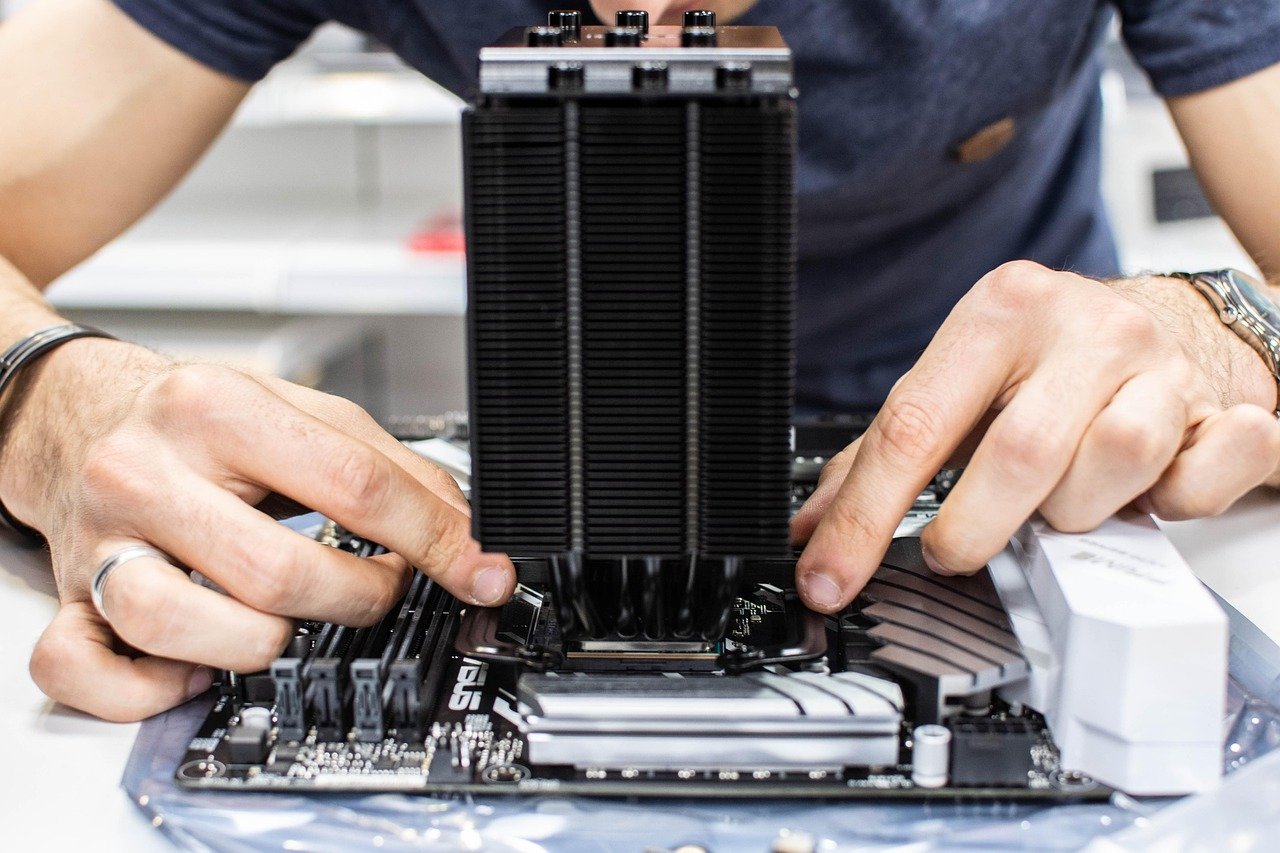
Once your parts arrive, it’s time to build! The best way to learn is by watching an expert. There are countless video guides online that walk you through the physical assembly step-by-step. This process generally involves installing the CPU and RAM on the motherboard first, then mounting the motherboard in the case, followed by the GPU, storage drives, and PSU.
For a great overview of what the process looks like, especially for a budget-friendly build, check out this fantastic video guide:
Step 4: Cable Management and Final Checks
After everything is plugged in, take the time to manage your cables. Good cable management isn’t just for looks; it improves airflow inside the case, which helps keep your components cool. Route cables behind the motherboard tray and use zip ties to keep everything neat. Before you close up the case, double-check that every component is securely seated and every power cable is firmly connected.
Top Recommendations: Choosing a Custom PC Builder
If the DIY route sounds like too much hassle, don’t worry. Opting for a professional custom PC builder gives you all the performance and personalization with none of the stress. These companies are experts at creating balanced, powerful, and beautiful machines. While there are many great options, some stand out for their quality and service.


Why We Recommend ORIGIN PC for a Premium Experience
For gamers who want a top-of-the-line, boutique build experience, ORIGIN PC is a fantastic choice. They are known for their meticulous craftsmanship, use of high-end components, and exceptional U.S.-based customer support. Their online configurator is incredibly detailed, allowing you to customize nearly every aspect of your build, from the specific model of GPU to custom paint and laser etching on the case.
Pros
- Exceptional Build Quality: ORIGIN PC’s technicians are known for their flawless assembly and pristine cable management.
- Lifetime Support: They offer 24/7 lifetime support from their U.S.-based team, a huge plus for peace of mind.
- Premium Components: They offer a wide selection of the best components on the market, ensuring you get top-tier performance.
Cons
- Premium Price Tag: This level of quality and service comes at a higher cost compared to more budget-oriented builders or DIY.
Other Reputable Builders to Consider
While ORIGIN PC is a premium option, other builders offer fantastic value at different price points. Companies like iBUYPOWER and CyberPowerPC are extremely popular for providing a wide range of customizable options that cater to more budget-conscious gamers. As one user on the r/pcmasterrace subreddit noted, these companies are often considered the best options for getting a pre-configured or custom-built PC without the premium boutique price tag. They provide a great middle ground between a full DIY build and a high-end service.
Crafting the Perfect Gaming PC Setup
Your custom-built tower is the star of the show, but it’s only one part of the complete gaming PC setup. To truly unlock its potential, you need peripherals that can keep up. Investing in the right monitor, audio, and chair will elevate your gaming experience from great to absolutely incredible.
Your Visuals: Monitors Matter
Your powerful new GPU is wasted if it’s connected to an old, low-resolution monitor. Key features to look for are resolution (1080p, 1440p, or 4K), refresh rate (measured in Hz; 144Hz or higher is ideal for smooth gameplay), and response time (1ms is best for competitive gaming). For an even more versatile setup, consider adding a second screen. A product like The Portable Monitor is an amazing addition, perfect for displaying Discord, streaming software, or a game guide while you play on your main screen.
Immersive Audio
A great audio setup helps you hear enemy footsteps in competitive shooters and enjoy the epic soundtracks of story-driven games. While over-ear headsets are popular, many pro gamers are turning to in-ear monitors (IEMs) for their superior noise isolation and detailed sound. BASN Audio specializes in high-fidelity IEMs that deliver crystal-clear audio, helping you pinpoint every sound with precision.
The Throne: Your Gaming Chair
You’re going to be spending hours in front of your new PC, so comfort is non-negotiable. A good ergonomic gaming chair supports your posture and prevents fatigue during long gaming sessions. Brands like Secretlab are famous for their premium materials and adjustable features, providing a perfect blend of comfort and style. For those looking for a race-car-inspired aesthetic with solid ergonomic support, TechniSport also offers a fantastic range of chairs that are built to last.
Pro Tip: When planning your setup, don’t treat peripherals as an afterthought. Allocate at least 20-25% of your total budget to your monitor, keyboard, mouse, and audio. These are your primary points of interaction with the game and have a huge impact on your overall experience.
Understanding the Cost: Pricing Your Dream Rig
The cost of a custom gaming PC can vary wildly, from a few hundred dollars to the price of a used car. The beauty is that you set the price. Here’s a general breakdown of what you can expect at different budget tiers as of 2026.
Budget Build ($800 – $1,200)
This is the entry point for solid 1080p gaming. At this price, you can build a machine that will comfortably play most modern games at medium to high settings with smooth frame rates. You’ll be focusing on getting the best value CPU and GPU combination, like an AMD Ryzen 5 or Intel Core i5 paired with a mid-range graphics card.
Mid-Range Sweet Spot ($1,200 – $2,000)
This is where you get the most bang for your buck. A PC in this range is perfect for high-refresh-rate 1080p or excellent 1440p gaming. You can afford more powerful components, more storage, and a nicer case. This is the ideal target for most gamers who want a high-quality experience without breaking the bank.
High-End Enthusiast Build ($2,000+)
If you want to push the limits with 4K gaming, high-fidelity VR, and maxed-out settings in every game, this is the tier for you. This budget allows for top-of-the-line CPUs and GPUs, 32GB or more of RAM, and premium components across the board. These are the kinds of no-compromise machines that will handle anything you throw at them for years to come.
FAQ: Your Custom Gaming PC Building Questions Answered
Navigating the world of PC building can bring up a lot of questions. Here are answers to some of the most common ones.
Is it cheaper to build your own gaming PC?
Generally, yes. When you build a PC yourself, you are only paying for the raw cost of the components. Pre-built services and custom builders charge a fee for their labor, expertise, and the warranty they provide. You can typically save anywhere from $100 to $300 or more by assembling it yourself, money that can be reinvested into a better graphics card or a larger SSD.
How hard is it to build a gaming PC?
It’s easier than you think! If you can follow instructions and have a bit of patience, you can build a PC. The process is often compared to building a complex LEGO set. Most components are designed to fit in only one way, which minimizes the risk of major errors. The wealth of online tutorials and video guides makes it more accessible than ever for beginners.
How long does it take to build a PC?
For a first-time builder, it’s wise to set aside a full afternoon or evening, around 4 to 6 hours. This gives you plenty of time to read the manuals, work carefully, and manage your cables without rushing. Experienced builders can often assemble a full system in about 2 hours, but there’s no prize for speed. Take your time and enjoy the process.
What is the most important part of a gaming PC?
The graphics card (GPU) is almost always the most critical component for gaming performance. The GPU is responsible for rendering the 3D graphics you see on screen. While a balanced system is important, your choice of GPU will have the single biggest impact on your frame rates and your ability to play games at higher resolutions and settings.
Final Thoughts
Embarking on your custom gaming PC building journey is an exciting adventure that puts you in complete control. You get to create a machine that is perfectly tuned to your favorite games, your personal style, and your budget. Whether you choose the hands-on satisfaction of a DIY build or the convenient expertise of a professional builder, the end result is the same: a gaming PC that is uniquely yours.
Remember to take your time with research, set a clear budget, and don’t be afraid to ask for help from the vibrant online PC building communities. The effort you put in now will pay off for years to come with incredible gaming experiences.
If you decide that a professional build is the right path for you, a service like ORIGIN PC offers an exceptional, stress-free way to get a meticulously crafted machine. For those looking to complete their battle station, don’t forget essential peripherals like a comfortable Secretlab chair or immersive BASN Audio IEMs to round out your perfect setup. Now go build something amazing!














Leave a Reply