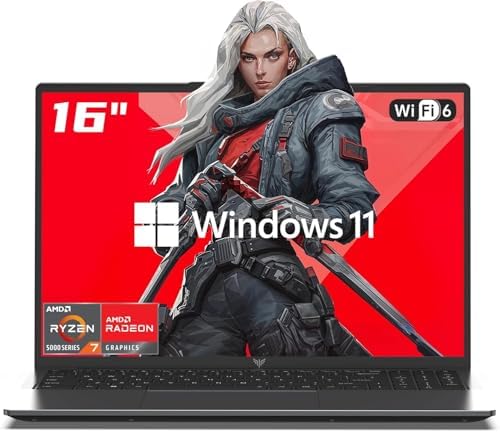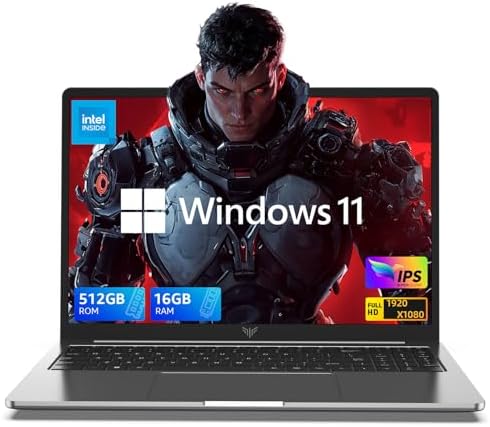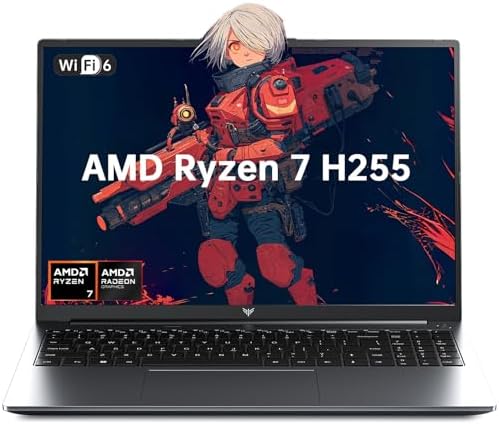
Gaming Laptops Under 50k: The 2025 Buyerโ€™s Guide for Max Performance

Gaming Laptops Under 50k: The 2025 Buyer's Guide for Max Performance

Entering the world of PC gaming is an electrifying experience, but the price tag on high-end hardware can feel like a final boss battle you're not ready for. What if I told you that you don't need to spend a fortune to get in the game. Finding good gaming laptops under 50000 is not just possible; it's an exciting hunt for the ultimate value. These machines are your ticket to exploring vast open worlds, climbing the ranks in competitive shooters, and joining your friends in the latest co-op adventures, all without emptying your wallet.

This guide is your treasure map to navigating the market and finding a rig that punches way above its price class.

We're going to break down everything you need to know, from the critical components that power your games to the top models you should have on your radar. Get ready to find an awesome, affordable gaming laptop that will serve as your trusted companion for countless hours of fun. Let's get you geared up and ready to play!

In a Nutshell

  • GPU is Priority #1: For gaming laptops under 50k, the graphics card is king. Aim for an NVIDIA GeForce RTX 2050 or RTX 3050 if you can find one on sale, as these offer the best performance for modern 1080p gaming.
  • Don't Settle for a Slow Screen: A high refresh rate display (120Hz or 144Hz) is a must-have for smooth gameplay, especially in fast-paced competitive titles. It makes a massive difference compared to a standard 60Hz screen.
  • RAM and SSD are Key: While 8GB of RAM is common in this price range, look for laptops with an extra slot for an easy upgrade to 16GB. A fast NVMe SSD (at least 512GB) is non-negotiable for quick game load times.
  • Sales Are Your Superpower: The absolute best deals on affordable gaming laptops under 50000 appear during major sales events. Being patient can land you a laptop with a significantly better graphics card for the same price.

The Thrill of the Hunt: An Introduction to Budget Gaming Laptops

The term "budget gaming" used to come with a lot of compromises. It often meant choppy frame rates, low-resolution textures, and being locked out of the latest AAA titles. But things have changedโ€”dramatically. Today, the market for affordable gaming laptops under 50000 is more competitive and exciting than ever before.

Advances in mobile CPU and GPU technology mean that entry-level machines can now deliver a genuinely fantastic 1080p gaming experience.

You can absolutely play modern, demanding games on these laptops. You might need to adjust some settings from 'Ultra' to 'High' or 'Medium,' but the core experience remains intact. You'll be able to enjoy stunning visuals, smooth gameplay, and all the features that make PC gaming great. This price point is the sweet spot for students, casual gamers, or anyone who wants a versatile machine for both work and play without making a massive financial commitment.

Think of these laptops as the perfect entry point. They are powerful enough to handle today's most popular esports titles like Valorant, Apex Legends, and CS2 at high frame rates, giving you a competitive edge. They can also run beautiful single-player adventures like The Witcher 3 or Elden Ring with impressive fidelity. It's all about finding that perfect balance of components to maximize your performance per dollar.

The Non-Negotiables: Key Features for Gaming Laptops Under 50k

When you're hunting for a deal, you need to know where to focus your attention. Not all specs are created equal, and in a budget gaming laptop, some components have a much bigger impact on your experience than others. Hereโ€™s a breakdown of the absolute essentials.

The Heart of the Machine: CPU (Processor)

The Central Processing Unit (CPU) is like the brain of your laptop. It handles game logic, physics, AI, and countless background tasks. In the under 50k segment, you'll primarily see two contenders: Intel's Core i5 and AMD's Ryzen 5 processors. Both are fantastic choices and offer more than enough power for gaming and multitasking.

Don't get too bogged down in comparing the latest generations. A recent-gen Core i5 or Ryzen 5 will not be the bottleneck for gaming in this price range; that role almost always falls to the GPU. Focus on getting at least a 4-core, 8-thread processor, which is standard for modern i5 and Ryzen 5 chips. This ensures your laptop can handle modern games and won't stutter when you have Discord or a web browser open in the background.

The Soul of Gaming: GPU (Graphics Card)

This is it. The single most important component for a gaming laptop. The Graphics Processing Unit (GPU) is what renders the images on your screen, from epic landscapes to fast-paced action. A better GPU means higher frame rates, better visual quality, and the ability to play more demanding games.

In the world of gaming laptops below 50000, your main options will be from NVIDIA:

  • NVIDIA GeForce GTX 1650: This is a reliable entry-level card that can handle most esports titles and older AAA games at 1080p with medium settings. It's a capable starting point but lacks modern features like DLSS.
  • NVIDIA GeForce RTX 2050: This is a significant step up. It not only offers better raw performance than the GTX 1650 but also includes support for Ray Tracing and, more importantly, DLSS (Deep Learning Super Sampling). DLSS uses AI to boost your frame rates, giving you a massive performance lift in supported games.
  • NVIDIA GeForce RTX 3050 / RTX 4050: These are the golden geese of this budget. While typically found in laptops above 50k, they frequently drop into this price range during sales. Securing a laptop with an RTX 3050 or 4050 is a huge win, offering excellent 1080p performance and longevity.

Pro Tip: Always prioritize the best GPU you can find within your budget. A laptop with a Ryzen 5 and an RTX 3050 will provide a much better gaming experience than one with a Core i7 and a GTX 1650.

The Speed Factor: RAM (Memory)

RAM (Random Access Memory) is your laptop's short-term memory, holding data for the games and applications you're currently running. For gaming, 8GB of RAM is the absolute minimum, and it's what you'll find in most laptops under 50k. It's enough to get you started, but you may notice some stuttering in newer games or if you multitask heavily.

The ideal amount for smooth gaming is 16GB. The good news is that most budget gaming laptops have an empty RAM slot, making it incredibly easy and affordable to upgrade. When buying, check if the laptop has two RAM slots. This allows you to simply add another 8GB stick down the line, instantly doubling your memory and giving your system a noticeable performance boost.

The Loading Screen Killer: Storage (SSD)

Long gone are the days of slow, mechanical hard disk drives (HDDs). Today, a Solid State Drive (SSD) is essential for any gaming machine. SSDs are exponentially faster than HDDs, which means your operating system boots in seconds, applications open instantly, and most importantly, game loading screens are drastically reduced.

For affordable gaming laptops under 50000, the standard is a 512GB NVMe SSD. This provides a great balance of speed and capacity, giving you enough space to install your operating system, essential programs, and a handful of your favorite games. Like RAM, many laptops also have a spare slot for adding a second SSD later if you find yourself running out of space.

Graphics and Display: Your Window to New Worlds

A powerful GPU is useless if the screen can't keep up. The display is your direct connection to the game world, and its quality can make or break your immersion and even your competitive performance. Hereโ€™s what to look for.

Refresh Rate is King

The refresh rate, measured in Hertz (Hz), is the number of times your screen updates per second. A standard laptop screen is 60Hz, but for gaming, you want more. Much more. A 120Hz or 144Hz display updates more than twice as often, resulting in incredibly smooth and fluid motion.

This isn't just a cosmetic upgrade. In fast-paced games like first-person shooters, a high refresh rate gives you a clearer picture during quick movements, making it easier to track targets and react faster. Once you experience 144Hz, going back to 60Hz feels like watching a slideshow. It's one of the most impactful features you can get in a budget gaming laptop.

Resolution and Panel Type

At this price point, the target resolution is 1920ร—1080, also known as Full HD or 1080p. This resolution is the sweet spot for the GPUs we've discussed, allowing them to push high frame rates without being overtaxed. It also looks sharp and detailed on the typical 15.6-inch screens found on these laptops.

Pay attention to the panel type as well. Look for laptops with an IPS (In-Plane Switching) panel. Compared to older TN panels, IPS displays offer vastly superior color accuracy and wider viewing angles. This means your games will look more vibrant and lifelike, and the picture won't wash out if you're not looking at the screen from a perfect head-on angle.

Expanding Your View

A laptop screen is great for portability, but when you're at your desk, more screen real estate is always better. This is where a second monitor can completely transform your setup. You can have your game running on the main display while keeping Discord, a streaming video, or a game guide open on the other.

Instead of a bulky traditional monitor, consider a sleek, modern solution like The Portable Monitor. These lightweight screens connect via a single USB-C cable for both power and video, making them incredibly easy to set up and take with you. It's the perfect way to create a powerful dual-screen battle station anywhere you go, giving you a huge productivity and gaming advantage.

The Big Players: Top Gaming Laptop Brands Under 50000

Several major brands are fiercely competing in the budget gaming space, which is great news for consumers. This competition leads to better products and more aggressive pricing. Here are some of the key players you'll encounter in your search:

  • ASUS: Known for their Republic of Gamers (ROG) line, ASUS also brings great value to the budget segment with their TUF (The Ultimate Force) series. TUF Gaming laptops are praised for their durable builds and reliable performance, often packing great components for the price.
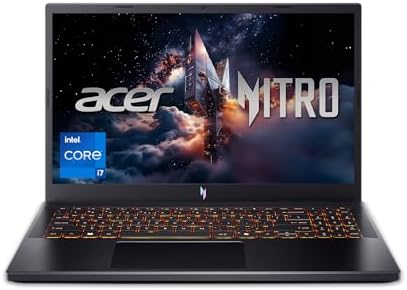
  • Acer: Acer's Nitro series is a titan in the budget gaming world. The Acer Nitro 5 has been a top recommendation for years, consistently offering a fantastic balance of performance, features, and price. They also have the Aspire 7 Gaming line, which offers a more understated look.
  • HP: HP has made a huge splash with its Victus lineup. These laptops feature a clean, modern aesthetic that doesn't scream "gamer," making them a great choice for students or professionals. They often come with excellent screens and solid cooling systems.
  • Lenovo: Lenovo's Legion series is a high-end favorite, but their IdeaPad Gaming and newer LOQ series bring that design expertise to a more affordable price point. Lenovo is known for fantastic keyboards and efficient, quiet cooling solutions.
  • MSI: A brand synonymous with PC gaming, MSI offers its GF series, like the Katana and Thin, in the budget category. They often provide strong performance and gamer-centric features, though sometimes at the cost of battery life or build materials.

There is no single "best" brand. Each has its strengths and weaknesses. The best approach is to focus on the specific model and its components rather than brand loyalty. A great deal on an HP Victus with an RTX 3050 is always better than a full-priced ASUS TUF with a GTX 1650.

Performance Showdown: What to Expect from Laptops Under 50k

So, what can you actually do with one of these machines? Let's manage expectations and talk about real-world performance. A gaming laptop under 50k is a 1080p powerhouse, but you'll need to match the game's demands to the hardware's capabilities.

Casual Gaming vs. Competitive Esports

These laptops are absolutely perfect for the world's most popular esports titles. Games like Valorant, CS2, League of Legends, Dota 2, and Apex Legends are designed to run well on a wide range of hardware. On a machine with an RTX 2050 and a 144Hz screen, you can expect to easily push over 100 frames per second (FPS) at medium-to-high settings, giving you that buttery-smooth experience competitive players crave.

For more graphically intense, single-player AAA titles like Cyberpunk 2077, Baldur's Gate 3, or Starfield, you'll need to be more strategic with your settings. You can achieve a stable 40-60 FPS by running the game at 1080p with a mix of medium and high settings. If your laptop has an RTX card, enabling DLSS on the "Quality" or "Balanced" preset will give you a huge FPS boost with minimal impact on visual quality. It's an incredible feature that makes modern gaming on a budget possible.

The Audio Edge

Visuals are only half the battle. In competitive games, audio is just as important. Hearing enemy footsteps, reloads, or ability cues before you see them can be the difference between winning and losing a round. The built-in speakers on laptops are never good enough for this level of precision.

A high-quality gaming headset is a non-negotiable accessory. You need clear, accurate positional audio to pinpoint enemy locations. For an immersive experience without breaking the bank, check out the lineup from BASN Audio. Their in-ear monitors and headphones are designed for audio clarity, ensuring you hear every critical sound cue with precision.

This investment will give you a tangible competitive advantage.

On the Move: Balancing Battery Life and Portability

One of the main appeals of a laptop is its portability, but this is an area where gaming laptops make a significant trade-off. The powerful CPUs and GPUs inside these machines are incredibly power-hungry. While you can expect several hours of battery life for light tasks like web browsing or watching videos, you should not expect to game for long without being plugged in.

When running a demanding game, even the best gaming laptop battery will typically last for only about 60 to 90 minutes. The system also throttles performance significantly when on battery power to conserve energy. For the best experience, think of a gaming laptop as a portable desktop. You can easily move it from room to room or take it to a friend's house, but you'll want to plug it into the wall for any serious gaming session.

Weight is another factor. These laptops pack in a lot of hardware and the cooling systems required to keep it from overheating, so they are generally heavier and bulkier than a standard ultrabook. Most 15.6-inch gaming laptops weigh between 2.2 to 2.5 kg (about 5 to 5.5 lbs), plus the weight of the large power brick. They are still perfectly portable in a backpack, but it's something to be aware of.

The Human Element: User Reviews and Community Wisdom

Specs on a page only tell part of the story. To get the full picture of a laptop's real-world performance, build quality, and potential quirks, you need to dig into user reviews and community discussions. This is a crucial step before making a purchase.

Start with reviews on the e-commerce site where you plan to buy, but don't stop there. Watch video reviews on YouTube from trusted tech channels. They often provide in-depth thermal testing, screen analysis, and gaming benchmarks that you won't find on a product page. They'll show you exactly how the laptop performs under pressure.

Forums like Reddit are an invaluable resource. Subreddits like r/GamingLaptops or regional deal-hunting communities are filled with owners sharing their long-term experiences. You can find discussions about common issues, such as a particular model's tendency to run hot, a wobbly screen hinge, or poor Wi-Fi card performance. This firsthand information is priceless and can help you dodge a bullet and avoid a laptop with known flaws.

Keeping Your Rig Ready: Tips for Maintaining a Budget Gaming Laptop

Once you've got your new machine, you'll want to keep it running in peak condition. Proper maintenance is key to ensuring longevity and consistent performance, especially for a budget laptop where thermal limits can be tight.

Cooling is Crucial

Heat is the number one enemy of performance. Gaming laptops generate a lot of it, and the cooling system has to work hard to dissipate it. Over time, dust can build up in the fans and clog the vents, restricting airflow and causing temperatures to rise. When components get too hot, they automatically slow down (thermal throttle) to protect themselves, which results in lower frame rates and stuttering.

At least once every few months, use a can of compressed air to blow dust out of the intake and exhaust vents. Always game on a hard, flat surface (like a desk, not a bed or couch) to ensure the air vents aren't blocked. Investing in a laptop cooling pad can also help improve airflow and lower temperatures by a few degrees.

Software and Driver Updates

Keeping your software up to date is essential. Regularly check for Windows updates, as these often include security patches and performance improvements. Most importantly, keep your graphics drivers updated. NVIDIA frequently releases new drivers that are optimized for the latest games, often providing a significant performance boost and fixing bugs.

Pro Tip: Use NVIDIA's GeForce Experience software to manage your graphics drivers. It will automatically notify you when a new driver is available and allows for one-click installation. It also has a feature to optimize game settings for your specific hardware automatically.

The Long-Term Setup

Your gaming setup is more than just the laptop. Ergonomics play a huge role in your comfort during long gaming sessions. Hunching over a laptop for hours can lead to neck and back pain. Creating a comfortable and supportive setup is a worthwhile investment.

Consider elevating your laptop on a stand to bring the screen to eye level and using an external keyboard and mouse. The most important upgrade you can make for your long-term health and comfort is a quality chair. A dedicated gaming chair from a brand like TechniSport provides the ergonomic support your body needs, with adjustable armrests, lumbar support, and a reclining back. It's an investment in your well-being that will pay off for years to come.

Playing the Long Game: Future-Proofing Your Purchase

When buying a budget-friendly device, it's smart to think about its lifespan. While you can't upgrade the CPU or GPU in a laptop, there are strategic choices you can make to ensure your machine stays relevant and useful for as long as possible.

Upgrade Paths

The easiest way to future-proof your laptop is by choosing a model with clear upgrade paths for RAM and storage. As mentioned earlier, a laptop with two RAM slots allows you to easily jump from 8GB to 16GB, a crucial upgrade for modern games. Similarly, a second M.2 SSD slot means you can add another terabyte of storage when your game library outgrows the initial 512GB drive. These two upgrades can significantly extend the useful life of your laptop for a relatively small cost.

The Power of Sales

This cannot be overstated: the single best way to future-proof a budget laptop is to buy it during a major sale. During events like Amazon's Prime Day or other holiday sales, laptops that normally cost 60-65k can drop down into the sub-50k range. This is your chance to snag a model with a much more powerful GPU, like an RTX 3050 Ti or even an RTX 4050.

A laptop with an RTX 4050 will be able to play new games at higher settings for much longer than one with a GTX 1650. It's a massive leap in performance and longevity. If your purchase isn't urgent, exercising a little patience and waiting for the right deal is the smartest move you can make.

Cloud Gaming as an Alternative

Even when your hardware starts to show its age, it doesn't mean your gaming days are over. Cloud gaming services like NVIDIA GeForce NOW allow you to stream games from powerful remote servers directly to your laptop. This means you can play the latest, most demanding titles at max settings, even on an older machine, as long as you have a fast and stable internet connection. It's a fantastic way to extend the life of your hardware indefinitely.

Frequently Asked Questions (FAQ)

Is the RTX 4050 enough for gaming?

Absolutely! The RTX 4050 is a fantastic GPU for 1080p gaming. It provides excellent performance in modern AAA titles, often achieving 60+ FPS at high settings. Its support for DLSS 3 with Frame Generation is a huge advantage, significantly boosting frame rates in supported games and making it a very capable and future-proof choice for a budget laptop.

Which is the No. 1 gaming laptop brand?

There's no single "number one" brand, as the best choice often depends on the specific model and current pricing. However, brands like ASUS (ROG/TUF), Acer (Nitro), Lenovo (Legion/LOQ), and HP (Victus) are consistently praised for offering great value, performance, and reliability in the gaming laptop space. It's better to research individual models than to be loyal to one brand.

Do gaming laptops overheat easily?

Gaming laptops generate a lot of heat by design, but a well-designed model should not overheat to the point of causing damage or severe performance loss. Reputable brands invest heavily in their cooling systems with multiple fans, heat pipes, and large vents. However, all gaming laptops will get warm to the touch under load, and it's crucial to ensure proper airflow by using them on a hard, flat surface.

Should I get a 4050 or 4060 laptop?

If your budget allows, the RTX 4060 is a noticeable step up from the RTX 4050, offering roughly 20-25% better performance and more VRAM (8GB vs 6GB). This makes it better for higher settings and future games. However, laptops with an RTX 4060 are typically in a higher price bracket, well above the 50k mark. For a budget-focused purchase, the RTX 4050 offers incredible value and is more than capable for 1080p gaming.

What is the downside to gaming laptops?

The main downsides are trade-offs for their power and portability. They typically have poor battery life (especially when gaming), can be loud due to the cooling fans, and are heavier and bulkier than non-gaming laptops. They are also not as easily upgradeable as a desktop PC, as the CPU and GPU are soldered to the motherboard.

Conclusion: Making Your Perfect Choice

Finding a great gaming laptop under 50000 is an achievable and rewarding quest. It's about being a smart shopper: knowing which components matter most, understanding the trade-offs, and having the patience to wait for the right deal. By prioritizing a powerful GPU like an RTX 2050 or better, ensuring you have a high refresh rate screen, and picking a model with clear upgrade paths for RAM and storage, you can secure a machine that will deliver incredible gaming experiences for years to come.

Remember to complete your setup for the best experience. Great audio is crucial for competitive play, and a quality headset from a brand like BASN Audio can give you the edge. For marathon sessions, expand your view with The Portable Monitor to multitask like a pro. And don't forget ergonomicsโ€”a supportive chair from TechniSport will keep you comfortable and focused.

Now you have the knowledge and the tools to make an informed decision. The world of PC gaming is waiting for you. Happy hunting, and I'll see you in the game!

Good Gaming Laptops Under 500.00: A 2025 Buyerโ€™s Guide

Shop On Amazon Now

Good Gaming Laptops Under 500.00: A 2025 Buyerโ€™s Guide

Ready to jump into the world of PC gaming without emptying your wallet. Youโ€™ve come to the right place. Finding good gaming laptops under 500.00 that can actually handle modern titles feels like a quest in itself, but itโ€™s absolutely possible. Forget the myth that you need to spend a fortune to get a solid gaming experience.

With the right knowledge, you can snag a powerful machine that will have you climbing the leaderboards and exploring vast open worlds in no time. This guide is your ultimate companion on that quest.

Weโ€™re going to break down everything you need to know, from decoding confusing spec sheets to highlighting the top models available right now. Weโ€™ll show you what to prioritize, what you can compromise on, and how to squeeze every last drop of performance out of your new rig. Letโ€™s get you geared up for victory!

What to Know

  • GPU is King: The Graphics Processing Unit (GPU) is the single most important component for gaming. In this budget, aim for an NVIDIA GeForce RTX 3050 or, if you find a great sale, an RTX 4050. A GTX 1650 is a decent entry point but the RTX series offers better features.
  • Dual-Channel RAM is Crucial: Many budget laptops come with a single 8GB RAM stick, which severely limits performance. Look for models with two 4GB sticks or plan to add a second 8GB stick yourself for a massive, yet affordable, performance boost.
  • The Display Matters More Than You Think: Donโ€™t just look at the size. A high refresh rate (120Hz or 144Hz) makes gameplay feel incredibly smooth and responsive, giving you a competitive edge in fast-paced games.
  • Sales Are Your Best Friend: The best gaming laptops below โ‚น50,000 are often models that normally cost a bit more. Keep an eye out during major sales events like Amazonโ€™s Great Indian Festival or Flipkartโ€™s Big Billion Days to get the best bang for your buck.

Decoding the Specs: Top Features in a Gaming Laptop Under 500.00

Walking into the world of gaming laptops can feel like learning a new language. CPU, GPU, RAM, Hz. what does it all mean. Donโ€™t worry, weโ€™ll make it simple.

Understanding these core components is the key to choosing a machine that meets your needs and doesnโ€™t disappoint.

The Graphics Card (GPU): The Heart of Your Gaming Rig

This is it. The single most important part of any gaming machine. The GPU, or graphics card, is responsible for rendering all the beautiful images you see on screen, from the detailed character models to the explosive special effects. A weak GPU means low frame rates, stuttering gameplay, and having to turn all the graphics settings down to โ€œpotato mode.โ€

In the sub-500.00 range, youโ€™re primarily looking at a few key options from NVIDIA:

  • NVIDIA GeForce GTX 1650: This is the old reliable entry point. It can handle most modern games at 1080p resolution with low to medium settings, making it a viable choice if your budget is very strict. Itโ€™s great for esports titles like Valorant and CS:GO.
  • NVIDIA GeForce RTX 3050: This is the sweet spot. The RTX 3050 offers a significant performance jump over the GTX 1650 and introduces two amazing technologies: Ray Tracing for more realistic lighting and DLSS (Deep Learning Super Sampling), an AI-powered feature that boosts your frame rates with minimal impact on visual quality. This is the GPU you should be aiming for.
  • NVIDIA GeForce RTX 4050: Finding a laptop with this GPU under โ‚น50,000 is rare, but it happens during major sales. Itโ€™s the newest entry-level card and offers even better efficiency and performance, making it an absolute steal if you can find one in your budget.

The Processor (CPU): The Brains of the Operation

If the GPU is the heart, the CPU is the brain. It handles all the gameโ€™s logic, physics, AI, and background tasks. A good CPU ensures that your GPU isnโ€™t held back (a situation known as a โ€œbottleneckโ€) and that the entire system runs smoothly, both in and out of games.

For gaming laptops for โ‚น50,000, youโ€™ll want to look for these processors:

  • Intel: An Intel Core i5 from the 11th generation or newer (e.g., i5-11400H, i5-12450H) is a fantastic choice. These processors offer a great balance of single-core performance (important for many games) and multi-core capabilities for other tasks.
  • AMD: An AMD Ryzen 5 from the 5000 series or newer (e.g., Ryzen 5 5600H, Ryzen 5 7535HS) is an excellent competitor. AMD CPUs are often praised for their multi-core performance and power efficiency, which can sometimes translate to slightly better battery life for non-gaming use.

RAM: How Much is Enough?

RAM (Random Access Memory) is your laptopโ€™s short-term memory. It holds all the data your game needs to access quickly. Too little RAM, and your game will stutter and your system will feel sluggish as it struggles to load assets from the much slower storage drive.

For modern gaming, 8GB of RAM is the absolute minimum, but 16GB is the recommended amount for a smooth experience. However, itโ€™s not just about the amount; itโ€™s about the configuration. This is critical for affordable gaming laptops under โ‚น50,000.

Many budget models ship with a single 8GB stick of RAM to cut costs. This forces the system to run in โ€œsingle-channel mode,โ€ which can reduce gaming performance by up to 20-30%! Always look for a laptop that has two RAM sticks (e.g., 2x4GB for 8GB total, or 2x8GB for 16GB total) to enable โ€œdual-channel mode.โ€ If you find the perfect laptop but it only has one stick, make sure it has a second, empty slot so you can easily and cheaply add another stick yourself.

Display: Refresh Rate and Resolution Matter!

The display is your window into the game world, so donโ€™t overlook it! At this price point, youโ€™ll be looking at 1080p (Full HD) resolution, which is perfect for the GPUs weโ€™ve discussed. The key feature to look for is the refresh rate, measured in Hertz (Hz).

A standard laptop display has a 60Hz refresh rate, meaning it can show 60 frames per second (FPS). A gaming laptop with a 120Hz or 144Hz display can show 120 or 144 FPS, respectively. This makes motion on screen look incredibly fluid and smooth. In fast-paced competitive games, a high refresh rate can give you a real advantage by reducing motion blur and improving your reaction time.

Storage: The SSD vs. HDD Debate

Your storage drive is where your operating system, games, and files are kept. There are two main types: Hard Disk Drives (HDDs) and Solid State Drives (SSDs).

  • HDDs are older, mechanical drives. They are cheap and offer large capacities, but they are very slow.
  • SSDs use flash memory, like a giant USB drive. They are significantly faster than HDDs, meaning your laptop will boot up in seconds, applications will open instantly, and game loading screens will be much shorter.

For any gaming laptop in 2025, an SSD is non-negotiable. Look for a model with at least a 512GB NVMe SSD. This gives you enough space for Windows and a handful of your favorite games. Some models might offer a smaller SSD paired with a larger HDD, which is a decent compromise, but a single, larger SSD is always preferable for the best experience.

The Champions: Best Gaming Laptops Below 500.00 in 2025

Now for the exciting part! Letโ€™s look at some of the top contenders youโ€™re likely to find in this price range. Remember, prices fluctuate wildly, and the best deals are found during sales, so use this as a guide to what you should be looking for.

1. HP Victus Series

The HP Victus line is often a top recommendation for budget gamers, and for good reason. It strikes a fantastic balance between performance, design, and price. The design is more minimalist and less โ€œgameryโ€ than some competitors, which many people appreciate.

  • Typical Specs: You can often find Victus models with an AMD Ryzen 5 5600H or an Intel Core i5 12th Gen processor paired with an NVIDIA RTX 3050 GPU. They usually come with a 144Hz display, making them perfect for competitive gaming.
  • Pros: Solid performance, clean design, good keyboard, and often a high-refresh-rate screen.
  • Cons: The build is mostly plastic (common at this price), and some users report a slight screen wobble on the hinge.

2. Lenovo IdeaPad Gaming 3 / LOQ Series

Lenovo has a strong reputation for build quality, and their budget gaming laptops are no exception. The IdeaPad Gaming 3 and its successor, the LOQ series, are known for their excellent keyboards and efficient cooling systems, which help maintain performance during long gaming sessions.

  • Typical Specs: These laptops frequently feature AMD Ryzen 5 processors and NVIDIA GPUs, ranging from the GTX 1650 to the RTX 3050. The newer LOQ models can sometimes be found with an RTX 4050 during a deep discount sale.
  • Pros: Great thermal performance, top-tier keyboard, sturdy build quality for the price.
  • Cons: The design can be a bit bulky, and the base model displays are sometimes less vibrant than competitors.

3. Acer Nitro 5 / Aspire 7

Acer has been a dominant force in the budget gaming market for years. The Nitro 5 is their dedicated gaming line, known for aggressive styling and packing a lot of power for the price. The Aspire 7 is a more subdued option that looks like a standard notebook but hides gaming-capable hardware inside.

  • Typical Specs: Youโ€™ll find a wide variety of configurations, often with Intel Core i5 or AMD Ryzen 5 CPUs. The GPU is typically a GTX 1650 or RTX 3050. Acer is known for offering good value, so you might find a model with 16GB of RAM out of the box.
  • Pros: Excellent value for money, often comes with good specs for the price, strong brand recognition.
  • Cons: The Nitro 5โ€™s design can be too loud for some, and build quality can feel a bit cheaper than Lenovo or HP.

4. ASUS TUF Gaming Series

The ASUS TUF (The Ultimate Force) lineup is built with durability in mind. These laptops often feature military-grade durability ratings, meaning they can withstand a bit more wear and tear than the average machine. They also tend to have solid performance and cooling.

  • Typical Specs: Usually powered by AMD Ryzen processors, you can find TUF models with a GTX 1650 or RTX 3050. They often come with good displays and a decent selection of ports.
  • Pros: Durable build, reliable performance, effective cooling systems.
  • Cons: Can be heavier than competitors, and the fans can get loud under load.

Shop On Amazon Now

Head-to-Head: Comparing Popular Affordable Gaming Laptops

Seeing the specs side-by-side can make the decision process much clearer. Hereโ€™s a quick comparison of what you can typically expect from the top models in this category. Note that exact configurations and prices change constantly.

Feature HP Victus Lenovo LOQ Acer Nitro 5 ASUS TUF Gaming
Typical CPU Intel Core i5-12th Gen / AMD Ryzen 5 5600H Intel Core i5-12th Gen / AMD Ryzen 5 7000 Series Intel Core i5-11th/12th Gen / AMD Ryzen 5 5600H AMD Ryzen 5 5600H / Ryzen 7
Typical GPU NVIDIA RTX 3050 NVIDIA RTX 3050 / RTX 4050 (on sale) NVIDIA GTX 1650 / RTX 3050 NVIDIA GTX 1650 / RTX 3050
Display 15.6โ€ณ FHD 144Hz 15.6โ€ณ FHD 120Hz/144Hz 15.6โ€ณ FHD 144Hz 15.6โ€ณ FHD 144Hz
RAM 8GB/16GB DDR4 8GB/16GB DDR5 8GB/16GB DDR4 8GB/16GB DDR4
Storage 512GB NVMe SSD 512GB NVMe SSD 512GB NVMe SSD 512GB NVMe SSD
Key Feature Clean, minimalist design Excellent cooling and keyboard Aggressive gaming aesthetic Military-grade durability

This table shows that while the core components are often similar, the key differences lie in the design philosophy, build quality, and extra features like the keyboard and cooling system. Your choice will likely come down to which brandโ€™s approach you prefer and, of course, who has the best deal at the moment youโ€™re buying.

Real-World Gaming: Can You Actually Play AAA Titles?

This is the million-dollarโ€”or rather, the 500.00โ€”question. The answer is a resounding YES! You absolutely can play modern AAA titles on these machines, but you need to have realistic expectations about the settings.

You wonโ€™t be running Cyberpunk 2077 with Ray Tracing on Ultra settings. However, you can definitely get a smooth, playable experience at 1080p by using a mix of low, medium, and sometimes even high settings. For laptops with an RTX card, NVIDIAโ€™s DLSS technology is a huge help, allowing you to use the โ€œPerformanceโ€ or โ€œBalancedโ€ mode to gain a significant FPS boost.

Hereโ€™s a breakdown of what to expect:

  • Esports Titles (Valorant, CS:GO, Apex Legends, Rocket League): These games are designed to run well on a wide range of hardware. On a laptop with an RTX 3050 and a 144Hz screen, you can expect to get well over 100 FPS, often at high settings. This gives you the smooth, responsive gameplay you need to be competitive.
  • AAA Action/RPG Titles (Elden Ring, God of War, The Witcher 3): You can comfortably aim for 40-60 FPS in these demanding games by using a combination of medium and high settings at 1080p. DLSS, if available, will be your best friend here.
  • MMORPGs (World of Warcraft, Final Fantasy XIV): These laptops are perfect for MMOs. You can run them at high settings and enjoy a great experience. For dedicated WoW players looking to optimize their questing and leveling, a tool like Zygor Guides can be an awesome companion, running perfectly on these machines.

The Unplugged Experience: Battery Life on Budget Gaming Laptops

Letโ€™s be blunt: gaming laptops and long battery life do not go hand-in-hand, especially in the budget category. When youโ€™re gaming, the powerful CPU and GPU are drawing a massive amount of power, and the battery will drain very quicklyโ€”often in an hour or less.

For the best performance, you should always have your laptop plugged into the wall while gaming. This ensures the components get the full power they need and you donโ€™t experience performance throttling. Think of the battery as a built-in uninterruptible power supply (UPS) for moving from one room to another.

However, for non-gaming tasks like browsing the web, watching videos, or doing schoolwork, you can expect much better results. By switching to a power-saver mode and lowering the screen brightness, you can typically get 3 to 5 hours of use out of a single charge, which is respectable for a powerful machine like this.

Future-Proofing Your Purchase: A Guide to Upgradability

One of the best things about many affordable gaming laptops is the ability to upgrade them down the line. This is a fantastic way to extend the life of your machine and improve its performance as your needs change or new, more demanding games are released.

There are two main components you can almost always upgrade:

  1. RAM: As we discussed, this is the most impactful and easiest upgrade. If your laptop comes with 8GB of RAM, adding another 8GB stick to get to 16GB in dual-channel mode will provide a noticeable boost in both gaming and multitasking performance. Itโ€™s a relatively inexpensive upgrade that takes only a few minutes to install.
  2. Storage: Running out of space is a common problem, with some modern games taking up over 100GB each. Most gaming laptops come with an extra, empty slot for another SSD (either a 2.5-inch SATA drive or another M.2 NVMe slot). Adding a second drive is the perfect way to expand your game library without having to uninstall your favorites.

What you cannot upgrade is the CPU and GPU. These components are soldered directly onto the laptopโ€™s motherboard. This is why itโ€™s so important to choose the best possible CPU and GPU you can afford from the start, as youโ€™ll be stuck with them for the life of the laptop.

Pro Tip: Before you buy, watch or read a review of the specific model youโ€™re interested in that includes a teardown. This will show you exactly how many RAM and SSD slots are available, so you know your upgrade path from day one.

Beyond the Spec Sheet: User Reviews and Real-World Experiences

Spec sheets only tell half the story. To get the full picture, itโ€™s a great idea to see what actual owners are saying on forums and communities. A quick search on a platform like the r/GamingLaptops subreddit will reveal a wealth of firsthand experience.

Common themes youโ€™ll find in user reviews for budget gaming laptops include:

  • Fan Noise: These powerful components generate a lot of heat, and the fans have to work hard to dissipate it. Expect the fans to be audible, and sometimes quite loud, when youโ€™re gaming. This is normal. A good pair of headphones is highly recommended.
  • Thermals: How well a laptop manages heat is crucial. Some models are praised for their excellent cooling, while others are known to get hot and potentially โ€œthrottleโ€ (reduce performance to cool down). Reviews will often include temperature readings under load.
  • Build Quality: To hit a low price point, manufacturers have to make compromises, and this is often in the chassis material. Most laptops in this range are made of plastic. While some feel sturdy, others might have more flex in the keyboard deck or a wobbly screen hinge.

Despite these compromises, the overwhelming sentiment is positive. Gamers are consistently amazed at the level of performance they can get for under โ‚น50,000, making these laptops an incredible entry point into the world of PC gaming.

Building Your Ultimate Battle Station: Laptop vs. Desktop

Should you get a laptop or build a desktop? Itโ€™s the classic debate. A desktop will almost always give you more performance for the same amount of money and is fully upgradable. However, itโ€™s chained to your desk.

The magic of a gaming laptop is its portability. You can take it to a friendโ€™s house for a LAN party, use it for classes or work, and game from the couch. Itโ€™s an all-in-one solution.

Plus, a gaming laptop can be the heart of a fantastic desktop-like setup. You can create an amazing and comfortable gaming station around it with the right peripherals. This gives you the best of both worlds: power and portability.

  • Expand Your View: A second screen is a massive quality-of-life improvement. You can have your game on the main display and Discord, a guide, or a stream on the other. A product like The Portable Monitor is perfect for this, giving you a dual-screen setup you can take anywhere.
  • Immerse Yourself in Sound: Laptop speakers are never great. A quality headset is essential for hearing enemy footsteps and enjoying the epic soundtracks of your favorite games. A great audio solution like BASN Audio provides the crystal-clear sound you need for total immersion.
  • Game in Comfort: Long gaming sessions demand an ergonomic setup. Investing in a proper gaming chair from a brand like TechniSport or Secretlab will save your back and allow you to play comfortably for hours on end.

Trusted Brands for Affordable Gaming Laptops Under 500.00

When youโ€™re investing in a new piece of tech, brand reputation matters. In the budget gaming space, a few key players have consistently delivered reliable and high-value products. Sticking with these brands is generally a safe bet.

  • HP: Their Victus line has become a fan favorite for its balanced approach, offering good performance in a stylish, understated chassis.
  • Lenovo: Known for their Legion series at higher price points, Lenovo brings that same focus on quality keyboards and cooling to their more affordable IdeaPad Gaming and LOQ models.
  • Acer: A long-time champion of the budget category, Acerโ€™s Nitro and Aspire lines are all about maximizing performance-per-rupee.
  • ASUS: The TUF Gaming series lives up to its name, offering robust and durable laptops that can take a beating while still delivering a great gaming experience.

While other brands exist, these four are the most prominent and have a proven track record in the sub-500.00 gaming laptop market in India.

The Savvy Gamerโ€™s Secret: Buying Used or Refurbished

Want to stretch your budget even further? Consider the used or refurbished market. You can often find a laptop with a more powerful GPU, like an RTX 3060, for the same price as a new RTX 3050 model. However, this path comes with risks.

If you decide to go this route, follow these tips:

  • Buy from a Trusted Source: Look for manufacturer-certified refurbished products or reputable sellers with a strong history of positive feedback. Avoid random listings with little information.
  • Check for a Warranty: A refurbished product from a good seller should come with at least a short-term warranty (e.g., 90 days). This gives you peace of mind and protection against any immediate hardware failures.
  • Inspect Thoroughly: If buying in person, check for any physical damage, test all the keys and ports, and run a benchmark test to ensure the components are performing as they should.
  • Ask About Battery Health: Laptop batteries degrade over time. Ask the seller about the batteryโ€™s condition or use a utility like Windowsโ€™ built-in battery report to check its health.

Buying used can land you an incredible deal, but be diligent and cautious to avoid getting burned.

Frequently Asked Questions (FAQ)

How much RAM does a gaming laptop need?

For 2025, 16GB of RAM is the sweet spot for a smooth gaming experience. While 8GB is the minimum to get by, many modern games will run much better with 16GB, and it also gives you more headroom for multitaskingโ€”like running Discord or a web browser in the background while you play. Make sure itโ€™s running in dual-channel mode (2x8GB sticks) for the best performance.

Does 16GB vs 32GB make a difference for gaming?

For pure gaming, the difference between 16GB and 32GB of RAM is currently minimal to non-existent. Most games donโ€™t use more than 16GB. 32GB is really only beneficial if youโ€™re doing heavy productivity tasks like video editing, 3D modeling, or running multiple virtual machines alongside your gaming.

Which brand of laptop is best for gaming?

There is no single โ€œbestโ€ brand, as each has its strengths. ASUS and Lenovo are often praised for their build quality and cooling systems. Acer is known for offering incredible value and packing high-end specs into lower price points. HPโ€™s Victus line is celebrated for its clean, professional design that doesnโ€™t scream โ€œgamer.โ€ The best brand for you depends on your personal preferences for design, features, and the specific deals available when youโ€™re buying.

Which laptop can run GTA 5 smoothly?

Virtually any gaming laptop you can find under โ‚น50,000 with a dedicated GPU like a GTX 1650 or RTX 3050 will run Grand Theft Auto V beautifully. GTA V is an older, well-optimized title. You can expect to play it at 1080p with high settings and achieve a very smooth 60+ FPS, making for a fantastic experience.

Is MSI or ROG better?

Both MSI and ASUSโ€™s Republic of Gamers (ROG) are premium gaming brands that produce some of the best high-end laptops on the market. In the budget segment under โ‚น50,000, you are more likely to see ASUSโ€™s TUF series than their ROG series. MSI also has budget-friendly lines like the GF series. Generally, both are excellent brands, but at this price point, you should focus more on the specific components (CPU, GPU, RAM) of the laptop rather than just the brand name.

Final Thoughts

Jumping into PC gaming doesnโ€™t have to be an expensive hobby. As youโ€™ve seen, there are plenty of good gaming laptops under 500.00 that offer incredible performance and value. By focusing on the most important componentsโ€”a solid GPU like the RTX 3050, a modern CPU, and a dual-channel RAM setupโ€”you can build a portable gaming powerhouse that will serve you well for years to come.

Remember to keep an eye out for sales, as thatโ€™s when the best deals appear. Whether you choose an HP Victus for its sleek design, a Lenovo LOQ for its amazing keyboard, an Acer Nitro for its raw value, or an ASUS TUF for its durability, youโ€™re on the path to an amazing gaming experience.

Now go out there, find your perfect machine, and weโ€™ll see you on the battlefield!

Choosing Among the Best Good Gaming Laptops Under 500.00

Exit mobile version