Shopping for a smart home system can feel exhilarating and overwhelming at the same time, which is why starting with a clear plan and reliable information is the surest way to separate shiny gadgets from meaningful upgrades. Instead of asking what the newest device can do, ask how your morning, workday, and bedtime routines might change when the lights, climate, and security quietly coordinate on your behalf, because a system is only as good as the daily friction it removes. Adults and tech-savvy consumers often juggle fitness technology, travel gear, and lifestyle upgrades already, so it helps to build a simple vision first, then choose components that align with it rather than collecting mismatched parts. This article provides practical guidance, commentary, and a versus lens to help you evaluate each crossroad clearly.
Needs vs Wants: Clarify Your Smart Home Goals
Before adding devices, outline what you want your home to do automatically and why, because clarity early on prevents costly rework later. Think beyond the novelty of voice commands and consider repeatable moments such as arriving home with groceries, ensuring the entry is lit and unlocked, or maintaining a consistent bedroom temperature that supports better sleep without micromanaging the thermostat. For many households, the best outcomes come from connecting lighting, security, and heating, ventilation, and air conditioning (HVAC) into simple scenes, such as Good Night and Away, which then expand over time as needs evolve. Industry surveys in 2024 suggested that energy management, convenience, and safety remain the top three reasons for adoption, and those motivations translate into concrete requirements you can plan for.
If you are unsure how to prioritize, draft two lists: outcomes you need within 30 days and improvements that can wait six months, then measure every purchase against those lists. A need might be reliable porch awareness that captures deliveries and deters theft, while a want might be color-changing living room lamps for ambiance during movie night, and both can be valid when sequenced well. Imagine you are building an orchestra rather than buying solo instruments, because the magic comes from the timing between devices, not the device alone. This mindset also helps you evaluate hub apps versus mixing ecosystems, since one app that gets 90 percent of your routines right may beat three apps that never quite stay in sync.
- Need examples: smoke and carbon monoxide alerts, entry awareness, climate scheduling, water leak detection.
- Want examples: color scenes, holiday automations, garden lighting, custom chimes.
- Accessibility goals: voice prompts, large-font dashboards, door sensors tied to notifications for caregivers.
- Travel-friendly goals: vacation mode, presence simulation, power monitoring for critical appliances.
DIY (do it yourself) vs Professional Installation
Choosing between DIY (do it yourself) and professional installation is really about risk tolerance, time, and the complexity of your blueprint rather than technical bravery alone. DIY (do it yourself) shines when you want full ownership, easy upgrades, and lower upfront costs, especially for battery sensors, smart plugs, and lighting where no high-voltage wiring is touched. Professional installation makes sense when dealing with wired doorbells, whole-home lighting circuits, garage controllers, or panel-connected security, where code compliance, safety, and clean cable runs matter. If you rent or expect to move within a year, keep the system portable and rely on peel-and-stick gear, but if you are settled and renovating, a pro can align wiring, recessed sensors, and networking in one coordinated plan.
Several practical cues can guide your choice without guesswork. If a task involves mains electricity, structural drilling, or more than two hours of ladder time, consider hiring help for at least that subset of work for safety and warranty protection. When you want advanced automations such as occupancy sensing that blends motion, door state, and light levels, professionals often bring scene design experience that saves days of trial-and-error. Either way, reserve a small budget for training and documentation, because a 30-minute walkthrough on app basics, naming conventions, Internet Protocol (IP) addressing, and backup strategies often prevents months of frustration, and a labeled breaker panel plus a simple diagram can be worth its weight in gold.
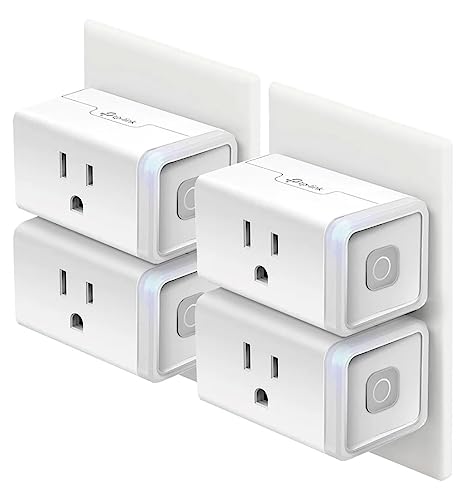
- DIY (do it yourself) is ideal for renters, battery devices, plug-in lamps, and tabletop sensors.
- Professional help is ideal for high-voltage lighting, door strikes, built-in shades, and attic cabling.
- Hybrid approach: you mount sensors and set scenes, while a licensed electrician handles high-voltage connections.
Local Control vs Cloud Reliance
Local control means your automations run on a hub or device inside your home, while cloud reliance means routines depend on an internet service, and each approach offers distinct trade-offs. Local-first setups tend to be faster and keep more data in-house, reducing exposure while maintaining responsiveness during internet outages, and they are great for lighting, presence, and security scenes that must work every time. Cloud features often deliver advanced capabilities such as natural-language assistants and computer vision powered by artificial intelligence (AI), but those perks can come with subscription fees, latency, and the need for a stable connection, so choose carefully where cloud reliance is genuinely worth it. Many buyers land on a hybrid where critical automations remain local and cloud services handle heavy processing, remote access, and notifications, which balances resilience with convenience.
Privacy policies, encryption standards, and on-device settings deserve more than a quick skim, because they determine how your household data travels and who can see it. Look for clear options to store video locally on network storage or encrypted memory cards, strong authentication such as passkeys and multi-factor authentication, and automatic over the air (OTA) updates that patch vulnerabilities without manual effort. Favor devices that publish an application programming interface (API) or support the Matter interoperability standard, which helps you avoid lock-in and integrate across platforms through a common language. The goal is not to avoid the cloud at all costs, but to reserve it for the tasks that truly need it while letting everyday automations hum along privately on your local network.
- Keep critical scenes local first: lights, locks, and alarms should work during internet outages.
- Use cloud selectively: remote check-ins, voice assistants, and complex analytics can live off-site.
- Review data controls: retention length, sharing options, and export tools signal a mature privacy posture.
Wireless Protocols: Wi-Fi (wireless fidelity) vs Thread vs Zigbee (IEEE 802.15.4 mesh standard) vs Z-Wave (sub-GHz mesh standard)

Your choice of wireless protocol determines reliability, range, battery life, and whether you need a hub, so it is one of the most consequential versus decisions you will make. Wi-Fi (wireless fidelity) now offers impressive throughput and direct app access, but it draws more power and can crowd your router if dozens of devices connect, so it suits cameras, speakers, and plugs best. Thread, an Internet Protocol (IP) based mesh standard, is efficient and resilient, allowing low-power sensors to form a self-healing network that scales neatly across rooms and floors, and it pairs well with the Matter standard for broad interoperability. Zigbee, based on the IEEE 802.15.4 mesh standard, is mature and widely supported, while Z-Wave, operating on sub-gigahertz bands measured in megahertz rather than gigahertz, often travels farther through walls with less interference; both typically rely on a hub, which can centralize logic and reduce Wi-Fi load.
| Protocol | Best Use | Typical Range | Power Needs | Hub Required | Interference Risk | Notes |
|---|---|---|---|---|---|---|
| Wi-Fi (wireless fidelity) | Cameras, speakers, smart plugs | Whole-home with strong router | Higher | No | Moderate on 2.4 GHz (gigahertz) | Direct control but can congest networks |
| Thread | Sensors, locks, lighting | Room-to-room via mesh | Very low | Border router | Low | Internet Protocol (IP) based, pairs well with Matter |
| Zigbee (IEEE 802.15.4 mesh standard) | Lighting, switches, sensors | Room-to-room via mesh | Low | Yes | Low to moderate | Mature ecosystem with many device types |
| Z-Wave (sub-GHz mesh standard) | Locks, sensors, controls | Good wall penetration | Low | Yes | Low | Sub-gigahertz often reduces interference |
- Mixing protocols is common: use Wi-Fi (wireless fidelity) for bandwidth-hungry gear and mesh for sensors.
- Mesh networks improve with more powered nodes such as always-on light switches and plugs.
- Favor Matter-capable devices to preserve cross-platform flexibility as your setup grows.
Budget: Upfront vs Lifetime Cost of Ownership
The smartest budget accounts for both what you pay today and what you will spend to keep the system trustworthy, fast, and secure over time. Upfront costs include devices, a hub or bridge if your chosen protocol needs one, installation labor if you hire it, and any networking upgrades such as better routers or additional access points. Lifetime costs include cloud subscriptions, storage for video if you record footage, replacement batteries, occasional device upgrades as standards evolve, and the modest energy draw each device adds, measured in kilowatt-hour (kWh). A helpful rule of thumb is to reserve 10 to 20 percent of the hardware total for ongoing expenses, because software updates, extended warranties, and replacement parts can arrive exactly when you are not expecting them, and a small reserve protects the experience you built.
| Category | What It Covers | Typical Cost Range | When It Appears | Tips to Reduce Spend |
|---|---|---|---|---|
| Devices | Sensors, switches, locks, cameras | 20 to 300 USD per device | Upfront | Bundle purchases, prioritize rooms you use daily |
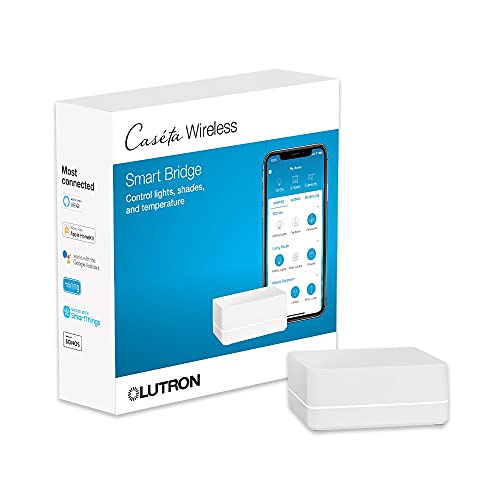
| Hubs or Bridges | Protocol translators and local automation | 50 to 300 USD | Upfront | Choose multi-protocol hubs supporting Matter |
| Installation | Professional wiring and configuration | 100 to 1000 USD per project | Upfront | Use a hybrid approach, DIY (do it yourself) simple tasks |
| Networking | Routers, access points, cabling | 100 to 500 USD | Upfront | Audit coverage first, relocate gear before buying |
| Subscriptions | Cloud video, extended features | 3 to 20 USD per month | Ongoing | Prefer local recordings, evaluate free tiers annually |
| Energy | Standby power and charging | 1 to 5 USD per device yearly | Ongoing | Favor low-power protocols and schedules |
How reviews and comparisons guide better decisions
When every product page looks perfect, independent analysis becomes your compass. In-depth gadget reviews and comparisons translate technical specs into how a device actually feels to live with, whether it is a motion sensor that avoids false alarms, a thermostat that respects your sleep schedule, or a lock that always responds on the first try. Reputable sources pair lab-style measurements with real-world tests, documenting latency, battery life, and integration reliability so you can see not only how something works on day one but also how it behaves after months of updates and weather changes. Readers often consult expert commentary on trending high-tech tools, comprehensive guides for smart home and fitness devices, and curated selections of travel and lifestyle accessories that complement connected living without adding complexity.
Because consumers often struggle to find reliable information that maps to their lifestyle and budget, scenario-based recommendations make next steps obvious. For a busy household, that might mean prioritizing leak sensors and entry awareness first, then layering energy monitoring in the laundry room where usage spikes, and only later adding colorful lighting to key rooms. For frequent travelers, it might be a stable local-first hub plus cloud notifications, backed by clear privacy controls and power monitoring on the fridge and sump pump for peace of mind. These resources tend to show trade-offs in plain language, offer practical checklists, and point to devices that meet those criteria today, so you can move from browsing to building with confidence and calm.
Voice Assistants vs App Automations

Voice assistants are brilliant for one-off commands and accessibility, while app automations orchestrate complex, time-based, and sensor-driven routines, and together they can be greater than the sum of their parts. A hands-free voice prompt that locks the doors and arms security as you say goodnight can be reassuring, but the system should also run routines based on presence, schedules, and sensor conditions without needing to ask. App-driven scenes often allow finer control over dim levels, temperature setpoints, and conditional logic such as if light level is below a threshold and motion is detected, then brighten the hall to a gentle level that preserves night vision. Look for platforms that let you name devices clearly, assign rooms, and log actions, because clean organization and transparent histories help everyone in the home understand what is happening and why.
There is also a human factors angle worth considering as you design how control will work for guests and family members. Not everyone is comfortable barking commands or tapping through nested menus, which is why a few well-placed wall controls and consistent scene names go a long way in reducing confusion. Consider using light-emitting diode (LED) indicators on switches for at-a-glance status, and keep critical scenes like Away, Good Night, and Movie in the same locations across rooms, because muscle memory beats cleverness every time. Finally, write down your top five scenes on a small card and keep it in a drawer, since a simple reference can turn first-time visitors into confident users in seconds.
Security and Privacy: Convenience vs Control
Security features are compelling precisely because they promise peace of mind, yet they also introduce sensors, microphones, and cameras into private spaces, so convenience and control must be balanced thoughtfully. Favor systems that support strong encryption, device-level passcodes, and optional virtual private network (VPN) access when you connect remotely, then test those features as part of your setup rather than assuming they work. Choose devices with hardware switches or software toggles to disable microphones and cameras when not in use, and confirm that you can set fine-grained permissions for household members and guests. The best solutions make privacy normal by design, with clear storage options, straightforward export tools, and readable logs that show exactly when a door opened, a clip uploaded, or an update installed.
As you calibrate sensitivity, remember that false alarms erode trust faster than anything else, which is why sensor placement and scene logic deserve a patient, iterative approach. Start by enabling alerts during the day when you can observe behavior and dial back the thresholds, then extend that configuration to night and away modes, keeping different volumes and actions for each. If you log an event that surprises you, ask whether the trigger was reliable, meaningful, and timely, and adjust accordingly, because tuning is where a smart home graduates from interesting to indispensable. Building with intention ultimately puts you in control, delivering the security and privacy you want without turning your home into a blinking, beeping gadget museum.
Final Thoughts
Every great smart home starts with clear priorities, sensible trade-offs, and a step-by-step plan you can live with. In the next 12 months, interoperability will continue to improve as standards mature, making it even easier to blend local reliability with cloud-powered intelligence. What is the very first routine you want to run tomorrow morning, and how will reviews and comparisons help you choose the right parts to make it happen?
Additional Resources
Explore these authoritative resources to dive deeper into smart home device reviews and comparisons.
Level Up Your Smart Home Choices with High Tech Reviews
Explore resources and articles to help adults and tech-savvy consumers evaluate gadgets, product highlights, and recommendations to inform technology choices.