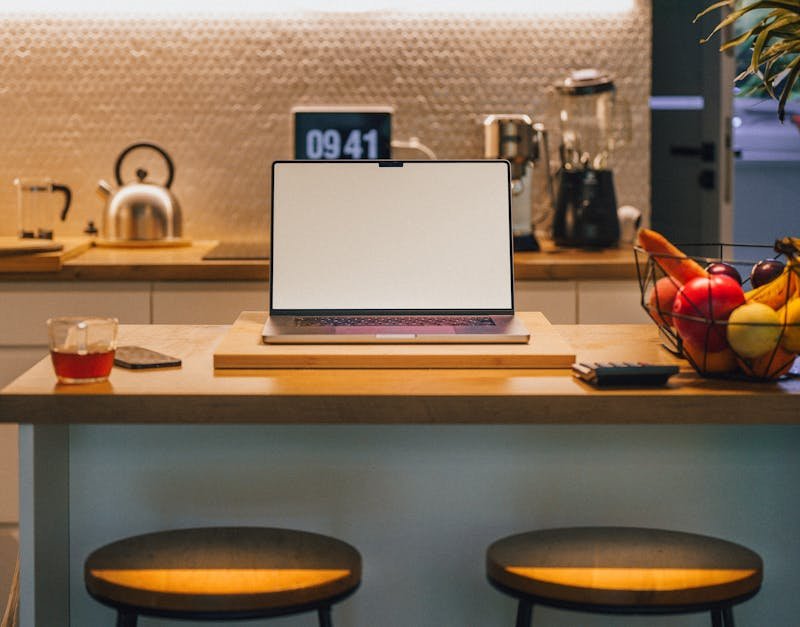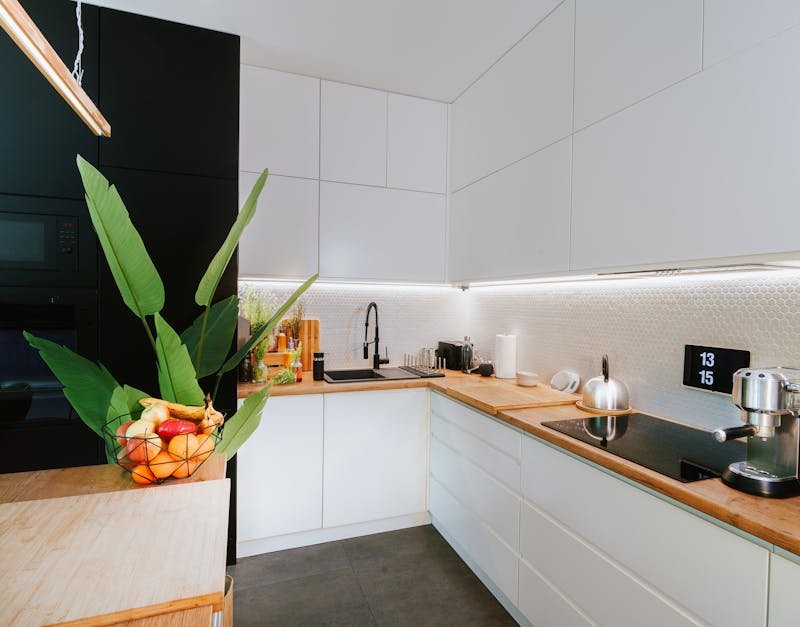
Introduction to Smart Lighting at Home
Smart lighting home turns this into a practical, scalable reality—see the smart lighting review: are these high tech lights worth the upgrade for adults?
Energy savings continue to compound as LED technology and intelligent control converge, while health-oriented features like circadian lighting help you align light exposure with natural rhythms, a topic covered in smart for home: the ultimate guide to a connected, energy.
What’s possible today is a spectrum—from a single intelligent lamp that adapts to your schedule to a fully integrated system that syncs with your thermostat, blinds, security cameras, and entertainment gear—giving you smart lighting for home that adapts to how you live.
“A lighting system should adapt to how you live, not the other way around.”
Key components to recognize include light bulbs or fixtures that support smart control, a central hub or bridge (or a hubless setup relying on your Wi‑Fi and border routers), companion mobile apps, and sensors (motion, ambient-light, or occupancy) that drive automation, including smart light bulbs lighting kits.
How Smart Lighting Works: Technology Basics
Key protocols and connectivity: Matter, Thread, Wi‑Fi, Zigbee; bridging vs direct control
At the heart of most smart lighting is a mix of communication protocols that determine how reliably devices talk to each other. Matter is the cross‑brand standard designed to simplify interoperability by creating a common language for devices—from bulbs to sensors to hubs. Thread, a low‑power mesh network, provides robust, low‑latency connectivity with strong range and reliability, especially in larger homes. While Wi‑Fi remains common for direct cloud-based control, it can be less reliable for large device networks due to traffic and congestion. Zigbee and Z‑Wave are still widely used in many ecosystems, particularly for devices that rely on a dedicated mesh network.
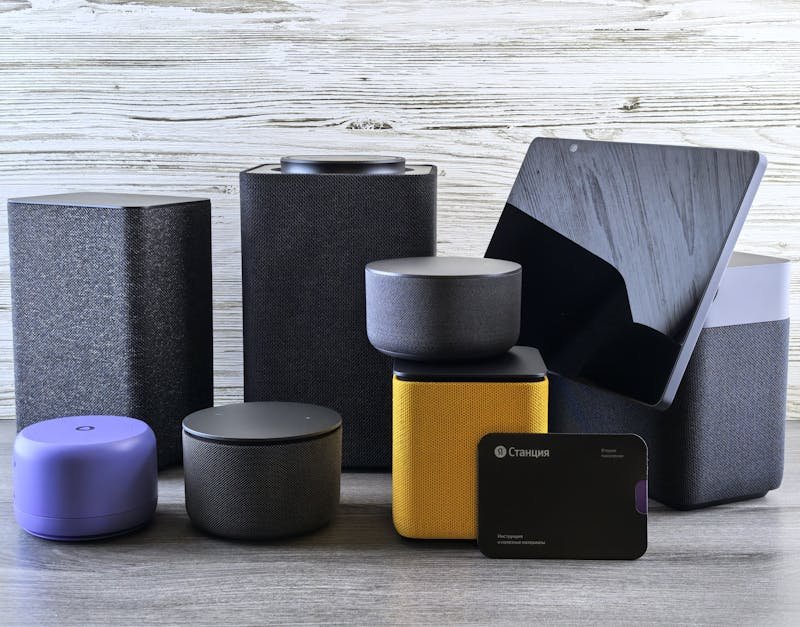
Bridging versus direct control matters. A bridge or hub can convert between protocols (for example, Thread to Wi‑Fi) and keep local control functioning even if cloud access is down. A hubless setup, increasingly popular in 2025, leans on Thread and strong local control, with many devices coordinating through your router and a Matter-capable ecosystem. The practical implication: you’ll want a setup that supports Matter for cross‑brand compatibility, a Thread border router (often built into a smart speaker or dedicated device), and the option to fall back to direct control when needed.
Real-world tip: If you’re building a new system, start with a Matter‑enabled hub and a Thread border router (often included in a modern smart speaker). This combination reduces the friction of pairing and expands future compatibility as more brands join the ecosystem.
Lighting specs to know: brightness (lumens), color temperature (2700–6500K), color rendering index (CRI)
When evaluating bulbs and fixtures, three specs matter most for performance and mood: brightness (measured in lumens), color temperature (measured in kelvin, K), and color rendering index (CRI). Brightness is not a one-size-fits-all metric; living rooms often benefit from 2,000–4,000 lumens of combined output depending on ceiling height and wall reflectivity, while bedrooms may operate well in the 1,000–2,000 lumen range for softer, layered lighting. Color temperature tells your eye what vibe you get: warm white (2700–3000K) feels cozy; neutral to cool white (3500–5000K) supports work and focus; daylight (5000–6500K) is best for alertness and tasks requiring crisp color perception.
CRI indicates how faithfully a light renders colors. For makeup applications, fashion, or design work, target a CRI of 90+—higher CRI ensures reds, skin tones, and textiles appear correct under artificial light. Dimmability matters, too: many LEDs are dimmable but some cheaper models dim poorly or flicker at low levels. When pairing bulbs and fixtures, check that dimming is compatible with your chosen switch or dimmer module to avoid dead zones and inconsistency across rooms.
Common configurations: bulbs in fixtures, light strips, smart switches/dimmers, and sensors
Smart lighting configurations range from minimal to expansive. A simple setup might involve smart bulbs in existing fixtures controlled by a hub and a mobile app. More elaborate installations use light strips along coves, under cabinets, or behind TVs to add ambient depth. For centralized control, smart switches and dimmers replace traditional switches, enabling multi-bulb scenes without changing lamps. And integrated sensors—motion, ambient light, occupancy—enable automation like turning lights off when a room is empty or adjusting brightness based on natural light in the room.
Interoperability and Ecosystems: Matter, Thread, and Beyond
Matter’s role in cross‑brand compatibility, and the importance of Thread and border routers
As a cornerstone of 2025’s smart-lighting landscape, Matter is designed to reduce compatibility headaches and lock-in. It helps disparate devices—regardless of brand—work as a coherent system. The real-world impact is predictable: fewer dead-end pairings, a simpler setup flow, and more predictable routines across devices. The Thread network underpinning many Matter devices provides a reliable, low‑power mesh that improves range and resilience in multi‑room homes. A Matter ecosystem typically relies on a Thread border router (commonly a smart speaker or dedicated hub) to bridge Thread with other networks and to extend coverage throughout the home.
For most users, ensure your core lighting plan includes at least one Matter-enabled device and, if possible, a Thread border router. This combination offers smoother cross‑brand operation and better future-proofing as new products arrive on the market.
Expert note: Industry voices emphasize that once you experience cross‑brand automation under Matter, you’ll notice fewer friction points when adding a new product, as the device can automatically adopt the local scene and routines you’ve already created.
Major ecosystems: Apple HomeKit, Google Home, Amazon Alexa; local control versus cloud control
In 2025, three ecosystems dominate consumer smart‑lighting experiences: Apple HomeKit, Google Home, and Amazon Alexa. Each offers strong voice control, app interfaces, and routine automation. A key distinction is local control versus cloud control. Local control keeps your lighting operations functioning even if your internet goes down and can improve latency, privacy, and reliability. Cloud-based control adds cloud AI capabilities, remote access, and easier cross‑brand discovery in devices not fully integrated with your home ecosystem. If privacy and responsiveness are priorities, look for devices that explicitly support local processing and offline operation, alongside Matter compatibility for broad interoperability.
When selecting products, consider how you’ll access them: a single app, or a unified platform across all rooms and devices. A cohesive setup typically yields the most intuitive experience and reduces the cognitive load of managing multiple apps and accounts.
Hubs vs hubless setups and the 2025 trend toward broader cross‑brand interoperability
Hubs have historically simplified management and improved reliability by consolidating control protocols. However, 2025 trends lean toward hubless or minimal-hub ecosystems that rely on Matter and Thread to maintain interoperability while reducing single points of failure. This shift comes with benefits: simpler device onboarding, scalable expansion, and a lighter footprint in your home network. If you prefer a centralized approach, a compact hub with Thread support can offer a balance between local control, quick pairing, and cross‑brand compatibility. If you value sleek minimalism, prioritize Matter-certified, Thread-enabled devices and enable a local control mode within your ecosystem.
Choosing the Right Smart Lighting for Your Home

Decide between bulbs, strips, fixtures, and smart switches/dimmers based on room use
Start by mapping rooms to lighting functions. Living rooms and kitchens often benefit from a mix of smart bulbs for flexibility, fixtures with integrated LEDs for a clean ceiling look, and light strips for ambient depth. Bedrooms may rely on smart switches that offer warm, dimmable lighting in the evening, while home offices require high‑color‑quality light for accuracy and focus. If you rent or want a quick upgrade, smart bulbs in multiple lamps or a few stylish fixtures can deliver immediate impact. For new construction or major renovations, plan dedicated recessed fixtures with integrated LED modules and ensure dimmer compatibility from the outset.
In all cases, aim for a mix that supports layered lighting: ambient, task, and accent. This approach gives you the flexibility to adjust the room’s mood and function without swapping out fixtures repeatedly.
Select targets for brightness, color temperature range, CRI, dimmability, and energy efficiency
Choose bulbs and fixtures that meet your room’s functional needs. Brightness targets depend on room size and activity; consider a total ceiling‑mounted lumens range of roughly 1,000–4,000 for most living spaces, with higher outputs for work areas. For color, a 2700–6500K spectrum covers warm to cool white, enabling circadian alignment and work‑friendly lighting. A high CRI (90+ for most tasks) ensures colors render accurately, which matters for makeup, fashion, or design work. Dimmable options are essential for mood and energy management, but verify dimmer compatibility with your fixture type to prevent flicker or misbehavior when ramping brightness.
Starter kit ideas help you begin simply: Philips Hue or LIFX starter packs are popular for their broad ecosystem support and strong app experiences. For budget-conscious setups, IKEA TRÅDFRI packages deliver solid performance with straightforward pairing. As you scale, mix light sources to balance cost, performance, and aesthetics while maintaining a consistent color‑temperature range for harmony.
Starter kit ideas and ecosystem considerations: Philips Hue Starter Kit, LIFX Starter Pack, IKEA TRÅDFRI options
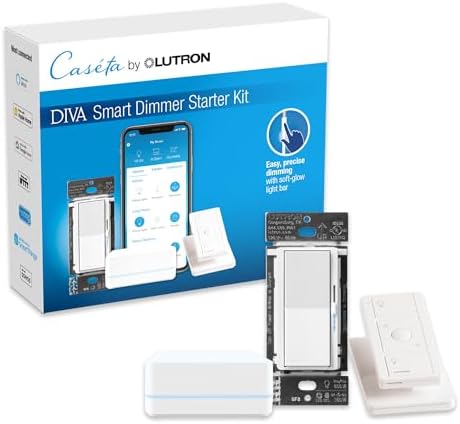
Starting with a core kit makes sense. A typical starter kit includes a hub or bridge, several bulbs or a couple of light strips, a dimmer or smart switch, and an accompanying app for setup. Philips Hue remains a robust option with wide device compatibility and strong app features. LIFX packs emphasize color variety and vivid effects without a separate hub, though a Matter-certified hub can improve reliability. IKEA TRÅDFRI options provide excellent value and simple integration with HomeKit, Google Home, and Alexa. When choosing, consider future expansion: you’ll likely want more ambient lighting, task lighting, and automation across rooms, so select ecosystems known for broad third‑party compatibility and accessible add‑ons.
Designing with Circadian Lighting and Scenes
Tunable white and high-CRI bulbs for accurate color representation
Circadian-friendly lighting uses tunable white to shift color temperature across the day. In the morning, cooler temperatures (approximately 5000–6500K) can help with alertness; in the evening, warmer temperatures (around 2700–3000K) promote relaxation. For designers and color-sensitive tasks, high‑CR I bulbs (90+ on the CRI scale) ensure color fidelity as you get ready for work or apply makeup. When you combine tunable white with high CRI, you gain both mood accuracy and practical color performance in your daily routines.
Keep an eye on the color consistency across fixtures. Inconsistent white temperatures can create perceptual “color patches” in rooms with mixed lighting. A unified approach—either through the same product family or via consistent color‑temperature schedules—helps maintain a seamless feel throughout the space.
Circadian scheduling: warmer temps in evenings, cooler temps during the day for alertness
Circadian scheduling isn’t just a cosmetic feature; it’s a health‑oriented strategy supported by research on lighting and sleep. By automatically shifting lighting toward cooler temps during the day and warmer temps in the evening, you help your body regulate melatonin and cortisol cycles more naturally. Real-world deployments show improved mood, productivity, and sleep quality when circadian lighting is integrated into daily routines. It’s especially beneficial for adults with flexible schedules, travelers adjusting to new time zones, and teams collaborating across shifts.
When implementing scenes, consider when people are most active in a given room. A home office might benefit from cooler tones during peak work hours and a gradual warm-up toward late afternoon, while a living room could follow a sunrise-to-sunset arc for natural ambience and energy flow.
Scenes and automation: Wake, Focus, Relax; automate by time, occupancy, or sunrise/sunset
Scenes are curated lighting presets that combine brightness, color temperature, and even color for a specific mood or activity. Typical scenes include Wake (bright, cooler white to start the day), Focus (neutral to cool, high‑CRI light for tasks), and Relax (warm, dimmed lighting for winding down). Automation can be triggered by time, occupancy, or sunrise/sunset. For travel-minded professionals, it’s practical to create a departure scene that turns off lights automatically when you leave a room or house, and a return scene that gradually re‑activates lighting to reflect your routine. The result is a seamless, energy‑conscious environment that supports productivity, mood, and health without constant manual adjustments.
Installation and Setup: Step-by-Step Tips
Plan hub/bridge placement for reliable network coverage and minimal latency
Begin with a map of your home’s wireless breeze: place the hub or bridge in a central, well‑ventilated area away from interference sources like thick walls, microwaves, or dense metal appliances. Ensure it sits where it can maintain a strong signal to most smart bulbs and sensors. If you’re using a Thread border router, position it near a power outlet in a central zone to maximize mesh coverage. Proximity to a power source, router, and main living spaces reduces latency in scene execution and improves pairing reliability.
Minimize hops in the network to reduce delays. For large homes, consider additional access points or a mesh Wi‑Fi system to keep both lighting control and other smart devices responsive.
Group device pairing by room and set up zones for easy management
Organize devices by room or zone (e.g., Living Room, Kitchen, Master Bedroom). This makes routines scalable and simplifies manual control when you’re in a hurry. Grouping also improves automation logic: a single room with coordinated lighting can activate multiple bulbs, strips, and fixtures with a single command or a timed sequence. A well‑structured layout reduces confusion and keeps future expansion tidy.
When pairing, label devices clearly and record the exact location in your app. This helps avoid accidental reassignments later and makes it easier to troubleshoot if a device behaves unexpectedly.
Check neutral requirements and ensure LED‑compatible dimmers; review privacy and network security settings
Many smart bulbs and fixtures rely on a neutral line; if you’re replacing traditional dimmers, confirm that the dimmer module is compatible with LED loads to prevent flicker or non‑linear dimming behavior. If you’re integrating smart switches, ensure their dimming range matches the fixtures in the room. Privacy and security come first: review app permissions, set strong, unique passwords, and enable two‑factor authentication where available. Limit cloud exposure by prioritizing local control options when possible and keep firmware up to date to mitigate vulnerabilities.
Energy Savings and Maintenance

LED efficiency, occupancy sensors, and automation reduce wasted energy
Smart lighting can significantly cut energy use, particularly when combined with motion or occupancy sensors and smart scheduling. LED efficiency is already a strong baseline, but intelligent control adds another layer of savings. In practice, occupancy and daylight sensing reduce the hours lights stay on in unoccupied spaces and adapt artificial light to real‑time daylight levels, lowering consumption and extending lamp life. Industry analyses note that the most effective setups achieve noticeable reductions in wasted energy, especially when lights are scheduled to adapt to daily routines rather than running at full brightness all the time.
Beyond sensors, well‑designed scenes prevent over‑utilization by matching light output to activity. When combined with tunable white and high‑CRI bulbs, energy savings come with improved comfort and functionality, not just lower bills.
Use schedules and scenes to minimize idle lighting; monitor energy usage via apps
Automated routines—such as turning off lights when a room is unoccupied or enabling a “good night” scene at bedtime—drive continuous savings. Apps often provide energy dashboards that show real‑time usage, historical trends, and device‑level breakdowns. This visibility makes it easier to identify energy hogs and optimize room configurations. Regularly review usage patterns and adjust schedules to fit seasonal daylight changes and shifting work-from-home routines.
Keep firmware updated and replace aging bulbs promptly to maintain efficiency
Firmware updates aren’t cosmetic: they can improve energy efficiency, performance, and security. Schedule routine checks and apply updates when convenient. Aging bulbs lose efficiency and can flicker or fail to dim smoothly, undermining energy savings and user experience. Proactively replacing outdated LEDs with modern, higher‑efficiency models helps you maintain the performance and cost benefits of your smart lighting system.
Security, Privacy, and Best Practices
Use strong passwords, enable 2FA where available, and review app permissions
Security starts with user practices. Use unique, strong passwords for each ecosystem account and enable two‑factor authentication wherever offered. Review app permissions to ensure lighting devices aren’t granted unnecessary data access. Regularly audit connected devices to remove any that you no longer use or recognize, which minimizes potential exposure points in your network.
Prefer local control when possible; limit exposure of lighting systems to the internet
Local control preserves privacy and reduces latency. When devices rely primarily on local networks (instead of cloud servers), you minimize the risk of external intercepts and data leaks. Choose lighting devices and configurations that provide meaningful offline operation and limit remote access to those you explicitly authorize. Avoid leaving unneeded ports open and disable universal remote features if they aren’t essential to your daily routines.
Regular firmware updates and device hygiene to reduce risk
Establish a routine for keeping devices current. Firmware updates often address security vulnerabilities, compatibility issues, and performance improvements. Develop a habit of checking for updates quarterly and apply them after verifying that downtime will not disrupt critical routines. Maintain device hygiene by periodically reviewing connected devices, removing those that are no longer in use, and consolidating accounts to simplify management and reduce risk vectors.
Market Trends and Practical Recommendations for 2025
Matter adoption and Thread network growth are standard in new devices
By 2025, Matter adoption is increasingly standard in new devices, enabling smoother interoperation across brands. The Thread network continues to grow as a backbone for reliable, low‑power communication across rooms. This combination reduces compatibility headaches and supports scalable, future‑proof installations. For consumers, the practical takeaway is to prioritize Matter‑certified devices and Thread‑enabled hubs or border routers when planning a core lighting system, ensuring long‑term flexibility as product ecosystems evolve.
Cross‑brand interoperability continues to improve user flexibility and pricing options
Interoperability remains a top user demand, and 2025 shows continual improvements across brands and platforms. As ecosystems converge, you’ll find more affordable bundles, broader device catalogs, and more consistent user experiences when mixing products from several names. Consumers gain pricing leverage and design choice, while developers benefit from a larger, more standardized market. If you value customization and global compatibility, favor devices that explicitly support Matter and offer consistent local-control modes across ecosystems.
Start with a simple kit and expand to whole‑home automation, prioritizing privacy‑friendly brands
The pragmatic approach remains: begin with a compact starter kit to validate performance, reliability, and comfort, and then scale to full‑home automation. As you grow, emphasize brands that prioritize privacy, local control, and transparent data practices. A steady, incremental expansion—adding rooms and zones as needs evolve—reduces risk and ensures you maintain a cohesive, secure system while enjoying the benefits of advanced lighting control in work and leisure spaces.
Discover the latest in innovative technology tailored for modern adults by visiting Best High Tech Gadgets for Adults. This dedicated online platform offers in-depth reviews, insightful comparisons, and expert recommendations on cutting-edge gadgets like laser tape measures, waterproof travel backpacks, Swiss watches, and makeup train cases—perfect for those who demand high performance and style. By exploring their curated content now, you’ll gain the knowledge to choose the perfect high-tech tools that elevate your daily life and keep you ahead of the curve. Don’t wait—click through today and empower yourself with the best in adult-focused tech innovation!